
 Home
Home  Apps
Apps  Games
Games  Windows
  Topics
  Terms of Service
  Cookies & Privacy Policy
  Disclaimer
Video Editor & Maker - InShot


Information
- Category: Photography
- Price: free
- Age Rating: Everyone
- Rating: 4.8
- Developer: InShot Video Editor
- Version: 2.184.1522
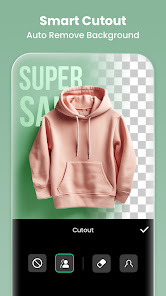
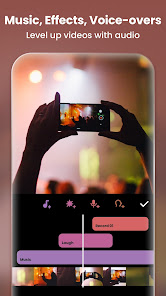
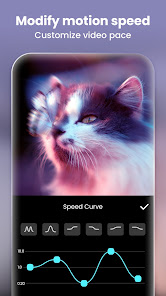
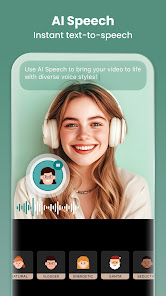
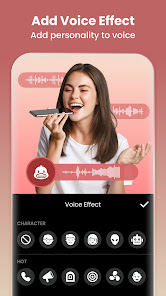

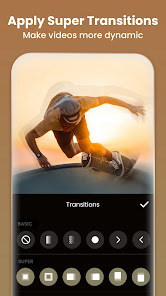
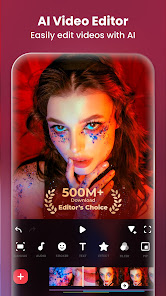
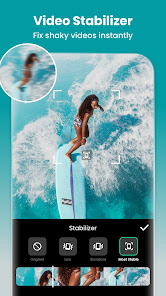
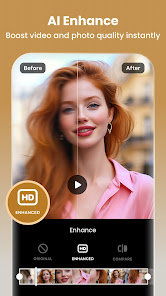

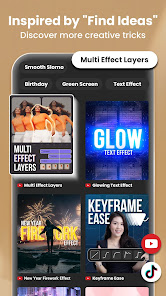
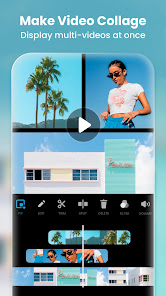
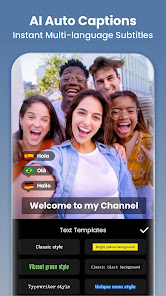
InShot is a powerful video editor and maker designed for creating stunning videos effortlessly. With its user-friendly interface, you can trim, cut, and merge clips, add music, text, and filters, and adjust video speed. Perfect for social media enthusiasts, InShot allows you to create eye-catching content for platforms like Instagram, TikTok, and YouTube. Whether you're a beginner or a pro, InShot provides all the tools you need to bring your creative vision to life.
Features & Highlights
InShot - Video Editor is a powerful mobile application that brings professional-grade video editing tools to your fingertips. Here are some of the core features that make this app a standout choice for both amateurs and seasoned video creators:
- Intuitive Editing Tools: InShot offers a variety of editing tools including trimming, splitting, and merging videos, which allows users to craft their desired story seamlessly. For instance, when I wanted to create a highlight reel of my recent vacation, I was able to quickly trim down the footage to just the exciting moments, ensuring that my friends would be glued to every second.
- Stunning Filters and Effects: The app comes equipped with an extensive library of filters and effects that can dramatically enhance the visual appeal of your videos. During a recent family gathering, I used a vintage filter to create a nostalgic vibe, making our memories feel even more special.
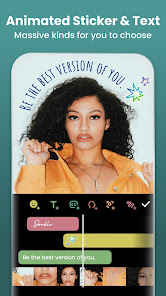
- Text and Stickers: With InShot, adding text overlays and fun stickers to your videos is a breeze. I often use this feature when posting on social media; for example, I added animated stickers to my birthday party video, which not only made it more engaging but also reflected the festive atmosphere perfectly.
- Music and Sound Effects: The built-in music library allows users to add soundtracks and sound effects, providing an audio backdrop that can elevate the storytelling. While editing a short travel vlog, I selected a cheerful tune from the library that matched the upbeat energy of the visuals, creating a cohesive viewing experience.
- Aspect Ratio Selection: InShot allows you to easily select the aspect ratio of your video, making it suitable for various platforms such as Instagram, YouTube, and TikTok. When preparing a video for my Instagram feed, I quickly adjusted the ratio to fit perfectly, saving me time and ensuring my content looked professional.
Real Experience Using InShot - Video Editor
Application Scenarios
As someone who is always capturing moments, I find InShot - Video Editor to be invaluable in various scenarios. Whether it's editing quick clips from a weekend getaway, creating a fun montage for my friends' birthday, or crafting a polished video for my YouTube channel, InShot fits seamlessly into my workflow. On a typical Sunday, I often dedicate a few hours to combine all my footage from the week, adding music and effects to create a memorable compilation that I can share with family and friends.
User Experience
The user interface of InShot is incredibly user-friendly, which was one of the initial features that impressed me. The layout is clean and intuitive; I was able to navigate through the app without any confusion. The editing features are well-organized, allowing me to quickly access tools like the timeline, effects, and audio options. Performance-wise, I found that the app runs smoothly without any lag, even when handling large video files. After using InShot for several months, I can confidently say that my overall experience has been positive. The ease of use combined with powerful features keeps me coming back for more.
Pricing
InShot offers a free version that includes a good amount of editing features, but for those who want to unlock the full potential of the app, a Pro subscription is available. The subscription provides access to premium features, removes watermarks, and offers additional content such as music and stickers. The pricing is reasonable, especially considering the quality of tools available, making it a great investment for anyone serious about video editing.
Updates & Support
The InShot development team frequently releases updates to improve features and fix bugs, which I appreciate as a user. This commitment to enhancement keeps the app relevant and functional. Additionally, the customer support is commendable; I once had a minor issue and reached out through their help center. The response was prompt and helpful, showcasing their dedication to user satisfaction.
Security & Privacy Review
As an American user, I always consider security and privacy when using mobile apps like InShot. Downloading the app from official sources such as the App Store or Google Play is crucial, as it ensures that I am getting the legitimate version free of malware. Upon registration, InShot requires minimal personal data, which adds to my peace of mind. The app does not demand excessive permissions that could infringe on my privacy, but like many free apps, it does show ads and may track usage behavior to tailor advertisements. However, I have not encountered intrusive ads, making my editing experience enjoyable and uninterrupted.
Pros 
-
 InShot - Video Editor app offers a variety of features that make video editing easy and enjoyable.
 - User-friendly interface for all!
- Trim, cut, and merge clips smoothly.
- Add music and sound effects easily.
- Stunning filters and effects available.
- Share directly to social media!
Cons 
-
 Limited export resolution options
 - Watermark on free version
- In-app purchases for features
- Ads can disrupt user experience
 Google Play
  App Store
 FAQ
Can I submit suggestions or feedback to InShot?
Yes, users can submit feedback and suggestions directly through the app or via the official website.
Does InShot collect my personal data?
InShot may collect certain data for app functionality and improvements, but user privacy is a priority.
Does InShot support offline use?
Yes, InShot can be used offline, allowing users to edit videos without needing an internet connection.
How do I cancel my InShot subscription?
You can cancel your InShot subscription through your device's app store settings before the next billing cycle.
How much does a subscription to InShot cost?
InShot offers subscription plans that typically range from monthly to yearly options, with varying prices based on features.
How to use Video Editor & Maker - InShot
How can I contact customer service for InShot?
You can reach InShot's customer service through the app's settings or by visiting their official website for support options.
How do I log in to InShot?
Open the app, tap on the profile icon, and choose to log in via your email, Google, or social media accounts.
Is there an activation process for InShot?
There is no activation process; simply download the app and start using it. Some features may require a subscription.
What is the customer number for InShot?
InShot does not publicly list a customer number; support is primarily provided through email and in-app messaging.
Similar Apps














You May Like

SNOW - AI Profile
Photography
3.8

Picsart AI Photo Editor, Video
Photography
4.1

Lightroom Photo & Video Editor
Photography
4.6

Amazon Photos: Photo & Video
Photography
4.7

Cartoon Photo PRO
Photography
4.6

FaceApp: Perfect Face Editor
Photography
4.3

Filmic Pro: Mobile Cine Camera
Photography
2.4

GIF Maker, GIF Editor Pro
Photography
4.7

Google Photos
Photography
4.4

Litchi for DJI Drones
Photography
4.5

Manual Camera: DSLR Camera Pro
Photography
4.0

PhotoPills
Photography
4.8