



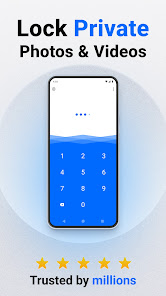
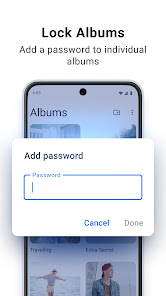
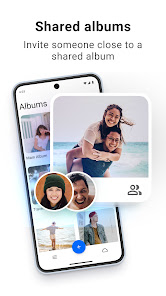
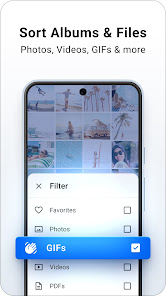
"Private Photo Vault - Keepsafe" is a robust application designed to protect your private photos and videos. One of its standout features is the ability to create a secure, password-protected vault where users can store their sensitive media files. This ensures that only authorized individuals can access the content. The app also offers a user-friendly interface, making it easy to navigate and manage your media.
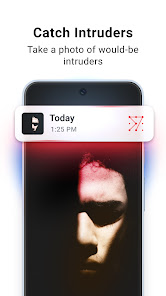
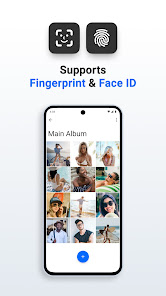
Another notable feature is the option to use fingerprint or facial recognition for quick access, enhancing security while maintaining convenience. The app supports cloud backup, allowing users to store their media safely online, ensuring that files are not lost if the device is damaged or lost. Additionally, Keepsafe includes a "break-in alert" feature that captures a photo of anyone attempting to access your vault without permission. Users can also organize their media into albums, making it easier to find specific photos or videos. Overall, Keepsafe combines security with usability, making it a popular choice for those looking to safeguard their private media.
Using "Private Photo Vault - Keepsafe" is straightforward and user-friendly. After downloading the app, users need to create an account and set up a secure password or PIN. Once logged in, you can start adding photos and videos to your vault. To do this, simply tap the "Import" button, select the media files you wish to protect, and confirm the import. The app will then securely store these files in your private vault.
For enhanced security, you can enable fingerprint or facial recognition, allowing for quick access without needing to enter your password each time. The app also allows you to create albums, making it easier to organize your media. If you want to back up your files, you can enable cloud storage within the app settings. Additionally, familiarize yourself with the "break-in alert" feature, which can be activated to notify you of unauthorized access attempts. Overall, Keepsafe is designed to be intuitive, ensuring that users can easily manage and protect their private media.
Like any application, "Private Photo Vault - Keepsafe" has its advantages and disadvantages. One of the primary pros is its strong security features, including password protection, fingerprint access, and cloud backup options. These features provide users with peace of mind, knowing their private media is well-protected. The app's user-friendly interface is another significant advantage, making it accessible for users of all ages. Additionally, the break-in alert feature adds an extra layer of security, alerting users to unauthorized access attempts.
On the downside, some users may find the free version of the app somewhat limited, as certain features require a premium subscription. This can be a drawback for those looking for a completely free solution. Additionally, while the app is generally reliable, some users have reported occasional bugs or crashes, which can be frustrating. Lastly, the cloud backup feature, while beneficial, may raise privacy concerns for some users who prefer to keep their data entirely offline. Balancing these pros and cons is essential for potential users considering Keepsafe for their media protection needs.

 Safeguards your private images with robust encryption technology for enhanced security. User-friendly interface makes it easy to store and manage your photos. Offers customizable folders to organize your images by categories or events. Includes a decoy password feature to protect your privacy even further. Provides seamless backup options to ensure your photos are never lost.
 Limited free storage may force users to upgrade for more space User interface can be confusing for first-time users Frequent ads in the free version can disrupt the experience
 Private Photo Vault - Keepsafe prioritizes user privacy and does not collect personal data beyond what is necessary for app functionality, such as subscription management.
Yes, Private Photo Vault - Keepsafe offers a free version with basic features, as well as a premium subscription that unlocks additional functionalities and storage options.
No, Private Photo Vault - Keepsafe does not require an internet connection to access and manage your stored photos and videos, providing offline functionality for added convenience.
You can contact Private Photo Vault - Keepsafe support through the app’s settings menu, where you’ll find options for customer support and feedback submission.
You can manage or cancel your subscription directly through your app store account settings, where you can find options for subscription management based on your device platform.
Yes, you can activate your account by clicking the link sent to your email after registration.
Yes, you can update your email in your account settings. Make sure to verify the new email for activation.
You can reach our Customer Service through the app's help section or by emailing support
To activate your account, download the app and follow the on-screen instructions to create and verify your account.
Customer Numbers cannot be changed once set. If you have issues, please contact Customer Service for further assistance.












 Google Play
  App Store














