


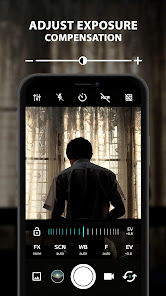
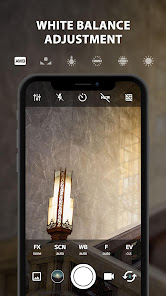
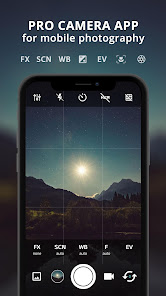
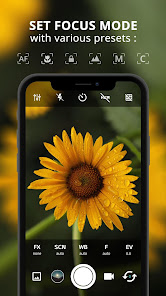
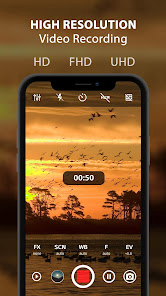
ProCam X ( HD Camera Pro ) is a feature-rich camera application designed for photography enthusiasts and professionals alike. One of its standout features is the manual control over camera settings, allowing users to adjust ISO, shutter speed, focus, and white balance, providing a DSLR-like experience on mobile devices. The app supports high-resolution image capture, ensuring that photos maintain clarity and detail even when enlarged.
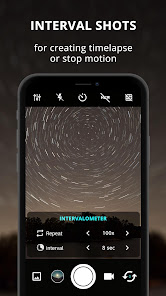
Another notable feature is the ability to shoot in RAW format, which is essential for photographers who want to edit their images extensively without losing quality. ProCam X also includes various shooting modes, such as HDR, panorama, and time-lapse, catering to different photography styles and needs. Additionally, the app offers real-time filters and effects, enabling users to preview how their images will look before capturing them. The intuitive user interface makes it easy to navigate through settings and options, enhancing the overall user experience.
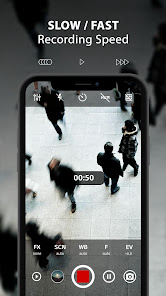
Furthermore, ProCam X provides advanced video recording capabilities, including support for 4K resolution and frame rate adjustments, making it suitable for videographers as well. The app also features a built-in photo editor, allowing users to make quick adjustments and enhancements directly within the app. Overall, ProCam X combines professional-grade features with user-friendly design, making it a top choice for anyone looking to elevate their mobile photography.
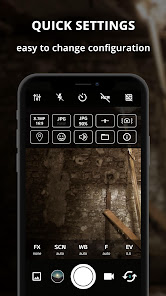
Using ProCam X ( HD Camera Pro ) is straightforward, even for those new to photography apps. After downloading and installing the app, open it to access the main camera interface. The layout is designed for ease of use, with essential controls easily accessible on the screen. To start capturing images, simply tap the shutter button. For more advanced features, explore the settings menu, where you can adjust parameters like ISO, shutter speed, and focus manually.
To switch between different shooting modes, tap on the mode icon, which allows you to choose from options like HDR, panorama, or time-lapse. If you want to shoot in RAW format, ensure that the RAW option is enabled in the settings. For video recording, select the video mode and adjust the resolution and frame rate according to your needs. The app also allows you to apply filters and effects in real-time, so you can see how your final image will look before taking the shot.
After capturing your photos or videos, you can use the built-in editor to make adjustments such as cropping, brightness, and contrast. Once you’re satisfied with your edits, save your work or share it directly to social media platforms. With its intuitive design and comprehensive features, ProCam X makes it easy for users to enhance their photography skills and create stunning images.
ProCam X ( HD Camera Pro ) comes with several advantages that make it a popular choice among photography enthusiasts. One of the primary pros is its extensive manual controls, which allow users to fine-tune their camera settings for optimal results. The ability to shoot in RAW format is another significant benefit, as it provides greater flexibility during post-processing. Additionally, the app's user-friendly interface makes it accessible for both beginners and experienced photographers, ensuring a smooth user experience.
However, there are some drawbacks to consider. One con is that the app may require a learning curve for users unfamiliar with manual camera settings, which could be overwhelming for beginners. Some users have also reported occasional performance issues, such as lag during high-resolution video recording. Furthermore, while the app offers a range of features, it may not include every advanced option that professional photographers seek, potentially limiting its appeal to those with more specific needs.
In summary, ProCam X ( HD Camera Pro ) is a powerful camera app that balances professional features with user-friendly design. While it has its limitations, the advantages it offers make it a worthwhile investment for anyone looking to enhance their mobile photography experience.

 ProCam X offers professional-grade manual controls for precise photography. Capture stunning high-resolution images with advanced HD capabilities. Enjoy a variety of customizable shooting modes for creative flexibility. Intuitive interface makes it easy for both beginners and experts. Seamlessly share your photos directly to social media platforms.
 Limited editing features compared to professional software capabilities Battery consumption can be high during use User interface may feel complex for beginners
  Google Play
  App Store
 ProCam X ( HD Camera Pro ) prioritizes user privacy and does not collect personal data unless explicitly required for functionality or user support. Always refer to the privacy policy for detailed information.
ProCam X ( HD Camera Pro ) typically does not offer a free version, but it may provide a trial period for users to experience its features before committing to a purchase.
No, ProCam X ( HD Camera Pro ) does not require an internet connection to function, allowing you to take photos and videos offline.
You can contact support or send feedback for ProCam X ( HD Camera Pro ) through the app's settings menu, where you will find options for customer support and feedback submission.
For apps that operate on a subscription basis, you can manage or cancel your subscription through the app store settings on your device. Follow the specific instructions for the platform you are using.
No, you must use the email address you registered with to activate your account.
Customer numbers are unique identifiers and cannot be changed. For assistance, please contact customer service.
You can reach customer service by calling our support line or visiting our website's contact page for assistance.
You can update your login information through your account settings after logging in.
To activate your account, follow the link in the activation email you received after registration.



























