


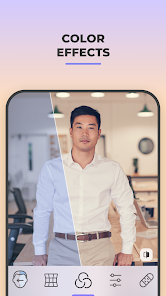

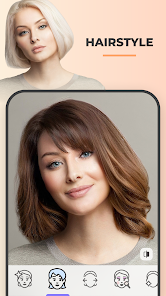
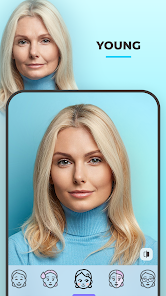
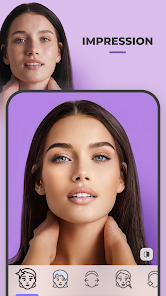
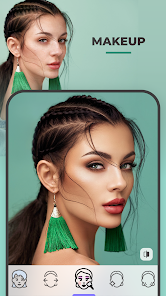
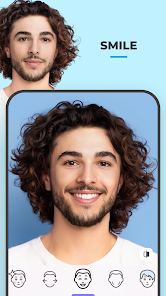
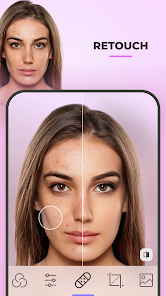
FaceApp: Perfect Face Editor is a powerful mobile application that offers a wide range of features designed to enhance and transform your selfies. One of its standout features is the ability to apply various filters and effects that can dramatically change your appearance. Users can age themselves, change their hairstyle, or even swap genders with just a few taps. The app also includes a variety of makeup options, allowing users to experiment with different looks without the need for actual cosmetics.
Another notable feature is the background changer, which lets users replace the background of their photos with stunning landscapes or artistic designs. Additionally, FaceApp provides advanced editing tools such as brightness, contrast, and saturation adjustments, enabling users to fine-tune their images to perfection. The app's user-friendly interface makes it accessible for both beginners and experienced editors, ensuring that anyone can create impressive results. With regular updates, FaceApp continues to introduce new features and filters, keeping the editing experience fresh and exciting.
Using FaceApp: Perfect Face Editor is a straightforward process that allows users to quickly enhance their photos. To get started, download the app from your device's app store and open it. Once inside, you can either take a new photo or select an existing one from your gallery. After choosing your image, the app will present you with a variety of editing options, including filters, effects, and makeup tools.
To apply a specific effect, simply tap on the desired option, and the app will automatically process your image. You can preview the changes in real-time, allowing you to make adjustments as needed. Once you are satisfied with your edits, you can save the image to your device or share it directly on social media platforms. The intuitive design of FaceApp makes it easy for users to explore different features and create stunning images with minimal effort.
FaceApp: Perfect Face Editor comes with several advantages that make it a popular choice among users. One of the main pros is its extensive range of features, which allows for creative expression and experimentation with various looks. The app's advanced AI technology ensures that the edits appear realistic, enhancing the overall quality of the images. Additionally, the user-friendly interface makes it accessible for individuals of all skill levels, from beginners to seasoned editors.
However, there are some drawbacks to consider. One of the main cons is that certain features require a subscription for full access, which may deter some users. Additionally, privacy concerns have been raised regarding the app's data usage and storage policies, as it requires access to your photos. Lastly, while the app is fun and engaging, over-reliance on filters and effects can lead to unrealistic portrayals of oneself, which may affect self-esteem. Balancing the use of such apps with a healthy self-image is essential.

 Transform your selfies with realistic age and gender filters for fun results. Enjoy a vast array of editing tools to enhance your photos effortlessly. Experiment with different hairstyles and colors to find your perfect look. Easily share your edited images on social media platforms with a single click. User-friendly interface makes photo editing accessible for everyone, regardless of skill level.
 Limited editing features may not meet professional standards Privacy concerns arise from data usage policies Heavy app size can slow down device performance
  Google Play
  App Store
 Yes, users can submit suggestions or feedback through the app's support section or by contacting their customer service directly via email.
Yes, FaceApp: Perfect Face Editor may collect personal data, including user-generated content and device information, as outlined in their privacy policy.
FaceApp: Perfect Face Editor requires an internet connection for most of its features, as many of the filters and effects are processed on cloud servers.
To cancel your subscription, you can go to the app store where you purchased it (Google Play Store or Apple App Store) and follow the instructions for managing subscriptions.
The subscription cost for FaceApp: Perfect Face Editor varies depending on the plan chosen, typically offering monthly and yearly options at different price points.
Unfortunately, customer numbers cannot be changed. If you need assistance, please contact our customer service team.
Yes, our customer service team can assist you with any questions regarding app features. Just reach out via the help section.
You can reach our customer service through the app's help section or email support directly at support
You can update your account information in the app settings. If you need further assistance, please contact our support team.
To activate your account, follow the link sent to your email upon registration. If you didn't receive it, check your spam folder or contact support.



























