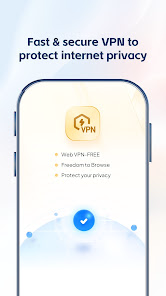
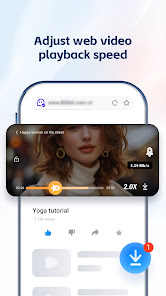
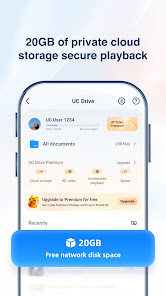
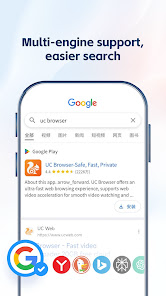
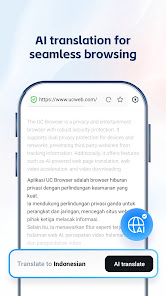
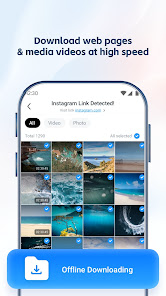
UC Browser is designed to provide a seamless browsing experience with a focus on safety, speed, and privacy. One of its standout features is the built-in ad blocker, which enhances page loading times and reduces distractions while browsing. Additionally, the browser employs cloud acceleration technology, allowing for faster loading of web pages, especially on slower networks. This is particularly beneficial for users in areas with limited internet connectivity.
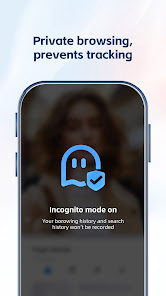
Privacy is a key concern for many users, and UC Browser addresses this with its incognito mode, which allows users to browse without leaving traces of their activity. The browser also includes a data-saving mode, which compresses web pages to minimize data usage, making it ideal for users with limited data plans. Furthermore, UC Browser offers a customizable interface, enabling users to personalize their browsing experience with various themes and extensions. Overall, UC Browser combines essential features that cater to users seeking a fast, safe, and private browsing experience.
Using UC Browser is straightforward and user-friendly, making it accessible for users of all skill levels. To get started, download the UC Browser app from your device's app store, whether it be Android or iOS. Once installed, open the app, and you will be greeted with a clean and intuitive interface. You can easily navigate through the homepage, where you will find quick access to popular websites, news, and trending topics.
To browse the web, simply enter a URL or search term in the address bar at the top of the screen. You can also utilize the voice search feature for hands-free browsing. For enhanced privacy, activate the incognito mode by tapping the menu icon and selecting the option. Additionally, explore the settings to customize your browsing experience, such as enabling the ad blocker or adjusting data-saving options. With these simple steps, you can enjoy a fast, safe, and private browsing experience with UC Browser.
UC Browser comes with several advantages that make it a popular choice among users. One of the primary pros is its speed; the browser is optimized for quick loading times, which is especially beneficial for users with slower internet connections. The built-in ad blocker enhances the browsing experience by eliminating unwanted ads, allowing for a cleaner interface. Additionally, the data-saving feature is a significant advantage for users who want to minimize their data usage while browsing.
However, UC Browser is not without its drawbacks. One of the main concerns is related to privacy; there have been reports regarding data security and user privacy, which may deter some users. Furthermore, while the browser offers a variety of features, it may not be as customizable as some other browsers on the market. Lastly, certain users may find the interface less intuitive compared to more established browsers. Weighing these pros and cons can help users decide if UC Browser is the right choice for their browsing needs.

 Enjoy lightning-fast browsing speeds for a seamless online experience. Experience enhanced privacy features that protect your personal information. Access a built-in ad blocker for an uninterrupted browsing session. Download files quickly and efficiently with optimized download management. User-friendly interface makes navigation simple and intuitive for everyone.
 Limited support for standard web features may hinder user experience. Privacy concerns arise from data collection practices. Frequent ads can disrupt browsing and slow down performance.
  Google Play
  App Store
 Yes, users can submit suggestions or feedback through the official support channels or within the app itself to help improve future updates.
UC Browser-Safe, Fast, Private prioritizes user privacy and does not collect personal data without consent; however, it may collect some non-personal data for performance optimization.
Yes, UC Browser-Safe, Fast, Private allows users to save web pages for offline viewing, making it convenient for use without an internet connection.
You can cancel your subscription through the app settings or your account management section in the app store, following the provided instructions.
The cost of a subscription to UC Browser-Safe, Fast, Private varies depending on the plan chosen, typically starting from a monthly fee with discounts for longer commitments.
Unfortunately, customer numbers cannot be changed after activation. For any concerns, please reach out to customer service for assistance.
After downloading the app, simply follow the on-screen prompts to enter your details and complete the activation process.
You can reach our customer service via the support section in the app or by visiting our website's contact page. We’re here to help!
For reactivation, please contact customer service with your details, and they will guide you through the reactivation process.
You can find customer service contact details in the app's settings under the "Help & Support" section.