



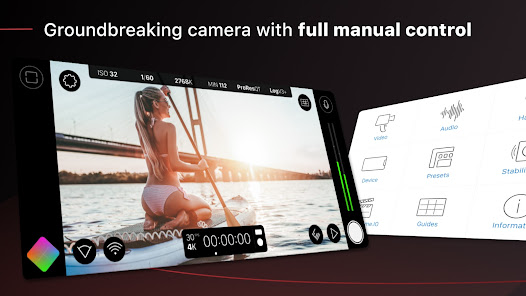
Filmic Pro: Mobile Cine Camera is a powerful application designed for filmmakers and content creators who want to harness the full potential of their mobile devices. One of its standout features is the advanced manual controls, which allow users to adjust focus, exposure, and white balance with precision. This level of control is essential for achieving cinematic quality in video production.
Another notable feature is the ability to shoot in various aspect ratios, including 16:9, 2.35:1, and 4:3, catering to different cinematic styles. The app also supports high frame rates, enabling users to capture slow-motion footage seamlessly. Additionally, Filmic Pro offers a range of audio controls, including the ability to monitor audio levels and use external microphones, ensuring high-quality sound to complement the visuals.
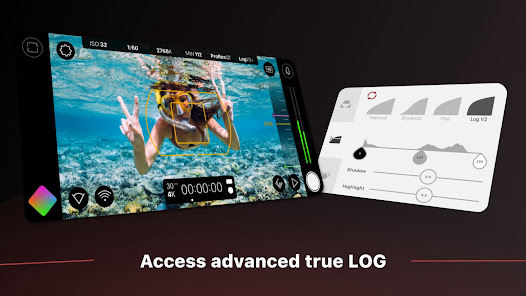
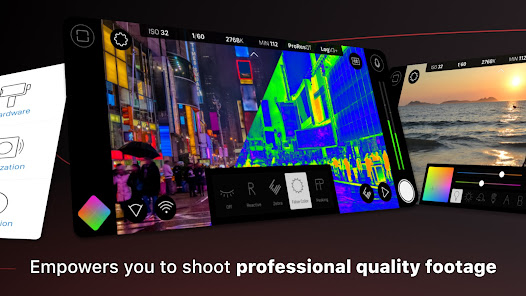
Filmic Pro also includes a range of filters and color grading options, allowing users to enhance their footage in post-production. The app's intuitive interface makes it easy to navigate through its features, making it accessible for both beginners and experienced filmmakers. Overall, Filmic Pro is a comprehensive tool that elevates mobile filmmaking to a professional level.
Using Filmic Pro: Mobile Cine Camera is straightforward, even for those new to mobile filmmaking. First, download and install the app from your device's app store. Once installed, open the app and familiarize yourself with the user interface, which is designed for ease of use. You will find various controls for focus, exposure, and white balance at your fingertips.
To start filming, select your desired resolution and frame rate in the settings menu. You can choose from a variety of options depending on your project needs. Next, use the manual controls to adjust focus and exposure to achieve the desired look for your shot. The app also allows you to set up grid lines and guides to help with composition.
When you're ready to shoot, simply tap the record button. You can monitor audio levels and make adjustments as needed. After filming, you can utilize the app's editing features to enhance your footage with filters and color grading. Finally, export your video in the desired format and share it directly from the app. With practice, you'll be able to create stunning cinematic videos using just your mobile device.
Filmic Pro: Mobile Cine Camera comes with a variety of advantages that make it a popular choice among mobile filmmakers. One of the primary pros is its extensive manual control options, which allow users to fine-tune their shots for a professional look. The app's ability to shoot in different aspect ratios and high frame rates also enhances its versatility, making it suitable for various types of projects.
Another significant advantage is the app's user-friendly interface, which simplifies the filmmaking process, even for beginners. Additionally, the support for external microphones and advanced audio controls ensures that sound quality matches the high visual standards. However, there are some drawbacks to consider. The app may require a learning curve for those unfamiliar with manual camera settings, and some features are only available in the paid version.
Moreover, while Filmic Pro is powerful, it can be resource-intensive, potentially draining battery life quickly during extended shoots. Overall, the pros of Filmic Pro, such as its professional-grade features and ease of use, often outweigh the cons, making it a valuable tool for anyone serious about mobile filmmaking.

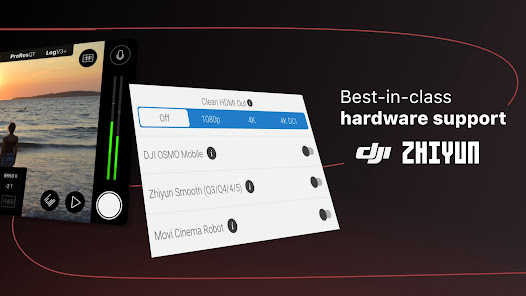
 Professional-grade video quality for stunning cinematic visuals Intuitive interface makes filmmaking accessible for all users Advanced manual controls for precise adjustments and creativity Supports a variety of frame rates for dynamic storytelling Seamless integration with external hardware for enhanced production
 Steep learning curve for beginners can hinder quick usability. Limited features in the free version restrict full functionality. High processing demands may affect device performance during heavy use.
 Filmic Pro adheres to privacy standards and generally does not collect personal data unless explicitly provided by the user for account creation or support purposes.
Filmic Pro does not offer a free version, but it may provide a limited-time trial for new users to experience its features before committing to a purchase.
Filmic Pro does not require an internet connection for recording videos, but some features, like downloading updates or accessing cloud services, may need internet access.
You can contact Filmic Pro support or send feedback by visiting their official website or using the help section within the app, where you can find resources and support options.
You can manage or cancel your subscription through the app store where you purchased it, such as the Apple App Store or Google Play Store, by navigating to your account settings and subscription management.
Yes, you can change your login information in the account settings section of the app.
To activate your subscription, simply log in to your account and follow the prompts to complete the activation process.
You can reach our customer service through the support section in the app or by visiting our website's contact page.
To log in, open the app, tap on the login button, and enter your registered email and password.
If you can't find your customer number, please reach out to our customer service for help in retrieving it.












 Google Play
  App Store














