




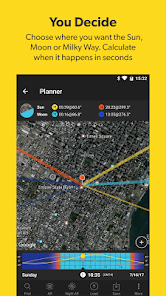

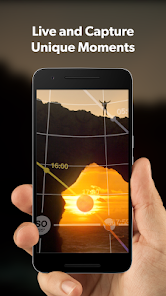
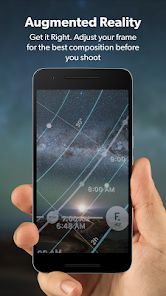
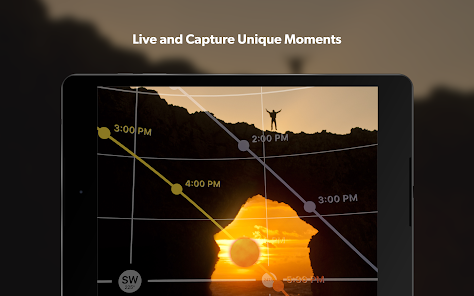
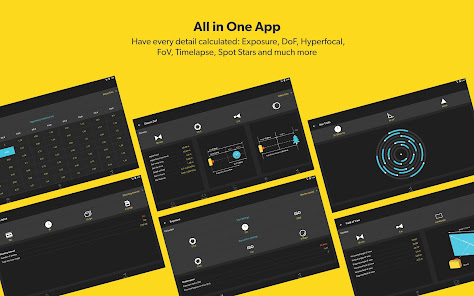
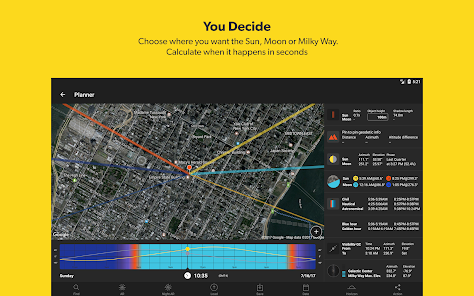
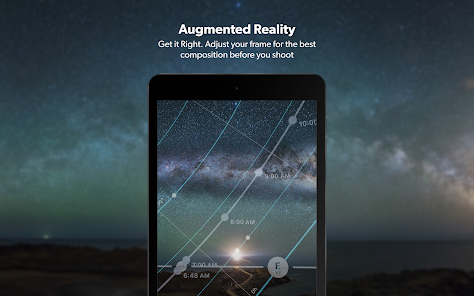
PhotoPills is a comprehensive app designed for photographers, offering a variety of features that enhance the planning and execution of outdoor photography. One of its standout features is the Augmented Reality (AR) mode, which allows users to visualize the position of the sun, moon, and stars in real-time, making it easier to plan shots based on natural light. The app also includes a powerful planner that helps users determine the best times for capturing specific celestial events, such as golden hour and blue hour.
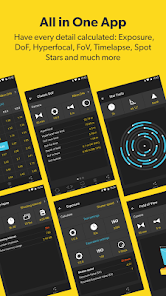
Additionally, PhotoPills provides a depth of field calculator, allowing photographers to understand how to achieve the desired focus in their images. The app also includes a 3D map feature, which helps users explore locations and find the best angles for their shots. With its extensive database of photography-related information, including exposure calculators and a lunar calendar, PhotoPills is an invaluable tool for both amateur and professional photographers looking to elevate their craft.
Using PhotoPills is straightforward, making it accessible for photographers of all skill levels. To get started, download the app from your device's app store and create an account. Once you have the app open, you can explore its various features through the intuitive interface. Begin by selecting the "Planner" tool, where you can input your location and the date of your shoot to see the sun and moon's positions throughout the day.
Next, utilize the AR mode to visualize the celestial bodies in your environment. This feature allows you to point your device at the horizon and see where the sun or moon will rise or set. For specific photography needs, such as depth of field calculations, navigate to the corresponding tool and input your camera settings. Finally, save your plans and notes within the app, so you can refer back to them during your shoot. With practice, you'll find that PhotoPills can significantly enhance your photography experience.
PhotoPills comes with a range of advantages that make it a popular choice among photographers. One of the primary benefits is its comprehensive set of tools that cater to various aspects of photography, from planning to execution. The app's user-friendly interface allows for easy navigation, making it accessible for both beginners and seasoned professionals. Additionally, the AR feature provides a unique way to visualize lighting conditions, which can be crucial for outdoor shoots. The extensive database of photography information is another significant advantage, offering users valuable insights and tips.
However, there are some drawbacks to consider. The app may have a steep learning curve for those unfamiliar with photography concepts, which could be overwhelming for beginners. Furthermore, while PhotoPills is packed with features, some users may find that they only utilize a fraction of them, leading to questions about the app's overall value. Lastly, the app is a paid service, which might deter some potential users who are looking for free alternatives. Balancing these pros and cons can help photographers decide if PhotoPills is the right tool for their needs.

 Plan your photography with precise solar and lunar data at your fingertips. Discover optimal shooting times using the augmented reality feature for stunning compositions. Calculate exposure and depth of field easily with intuitive tools and calculators. Access a vast library of photography tutorials to enhance your skills and creativity. Track weather conditions to ensure the best shooting opportunities every time.
 PhotoPills can be overwhelming for beginners due to its complex features. The app may drain battery life quickly during extensive use. Some users find the interface less intuitive compared to alternative options.
 PhotoPills prioritizes user privacy and does not collect personal data unless users voluntarily provide it for support or feedback purposes.
PhotoPills does not offer a free trial or free version; however, it is available for a one-time purchase that grants full access to its features.
PhotoPills can be used offline, allowing users to access its features without an internet connection once the app is downloaded and data is cached.
Users can contact PhotoPills support or send feedback through the app's help section or by visiting their official website for additional contact options.
Since PhotoPills does not have a subscription model, there are no recurring payments to manage or cancel. Users simply purchase the app once for lifetime use.
Yes, you can change your login details by going to your account settings after logging in.
Yes, you can log in on multiple devices using the same account. Just enter your credentials on each device.
You can reach customer service by emailing support
To activate your account, follow the link sent to your email after purchase and complete the registration process.
You can get support by reaching out to customer service via email or using the in-app support feature.












 Google Play
  App Store














