

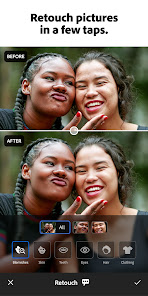
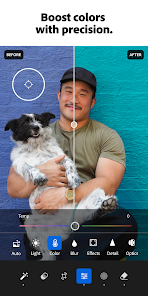
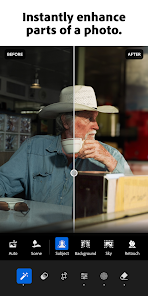




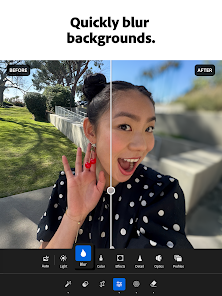
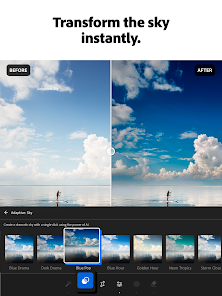
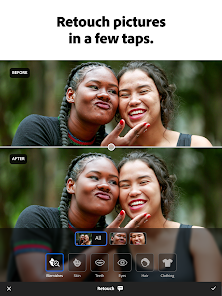
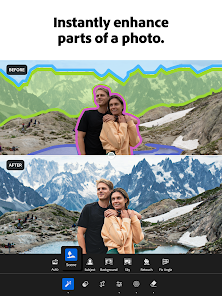
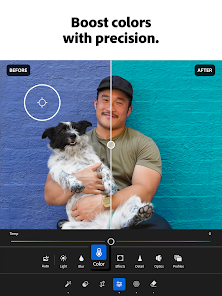


"Lightroom Photo & Video Editor" is a powerful tool designed for both amateur and professional photographers. One of its standout features is the advanced editing capabilities, which include a wide range of presets and filters that allow users to enhance their images effortlessly. The app supports RAW photo editing, enabling photographers to work with high-quality files and retain maximum detail.
Another notable feature is the intuitive user interface, which makes navigation simple and efficient. Users can easily access tools for cropping, adjusting exposure, and fine-tuning colors. The app also offers cloud storage, allowing users to sync their edits across multiple devices seamlessly. Additionally, Lightroom includes a robust organizational system, enabling users to categorize and tag their photos for easy retrieval.
For video editing, Lightroom provides basic tools to trim clips and apply color grading, making it a versatile choice for those who want to work with both photos and videos. The integration with Adobe Creative Cloud further enhances its functionality, allowing users to access their projects from anywhere. Overall, Lightroom Photo & Video Editor combines powerful editing tools with user-friendly features, making it a top choice for creative individuals.
Using "Lightroom Photo & Video Editor" is straightforward, even for beginners. First, download the app from your device's app store and create an Adobe account if you don't already have one. Once installed, open the app and import your photos or videos by tapping the "+" icon. You can select multiple files at once, making it easy to start your editing process.
After importing, you can begin editing by selecting a photo or video from your library. The editing interface provides various tools, including sliders for adjusting exposure, contrast, and saturation. You can also apply presets to achieve a specific look quickly. For more detailed adjustments, explore the color grading and selective editing options, which allow you to modify specific areas of your image.
Once you are satisfied with your edits, you can save your work or share it directly to social media platforms. The app also allows you to export your images in different formats and resolutions, ensuring they are ready for any use. Regularly exploring the app's features and updates will help you maximize your editing skills and creativity.
"Lightroom Photo & Video Editor" comes with several advantages that make it a popular choice among users. One of the primary pros is its powerful editing capabilities, which cater to both beginners and advanced users. The app's cloud storage feature allows for easy access to your projects across devices, ensuring that your work is always at your fingertips. Additionally, the user-friendly interface simplifies the editing process, making it accessible for those new to photo editing.
However, there are some drawbacks to consider. One notable con is that while the app is free to download, many advanced features require a subscription to Adobe Creative Cloud. This can be a barrier for users who are looking for a completely free editing solution. Furthermore, some users may find the learning curve steep when trying to master all the app's features, especially if they are not familiar with photo editing software.
In summary, while "Lightroom Photo & Video Editor" offers robust features and a seamless editing experience, potential users should weigh the subscription costs and the learning curve against their specific needs and skill levels.

 User-friendly interface simplifies photo and video editing for all skill levels. Powerful editing tools enhance creativity and improve visual storytelling. Seamless organization helps manage and find photos effortlessly. Cloud storage allows access to edits from any device, anywhere. Regular updates ensure access to the latest features and improvements.
 Limited offline functionality can hinder editing flexibility. High subscription cost may not suit all budgets. Steeper learning curve for beginners compared to simpler apps.
 Lightroom Photo & Video Editor may collect personal data to enhance user experience and provide personalized services, but users can review the app's privacy policy for detailed information on data collection and usage.
Yes, Lightroom Photo & Video Editor offers a free version with limited features, as well as a trial period for users to explore the full range of premium features before committing to a subscription.
While some features of Lightroom Photo & Video Editor may require an internet connection, such as cloud storage and syncing, many editing functions can be performed offline.
To contact support or send feedback for Lightroom Photo & Video Editor, you can visit the Adobe support website or use the help feature within the app to access resources and customer service options.
You can manage or cancel your Lightroom Photo & Video Editor subscription through the app settings or your account on the Adobe website, where you can also find options for changing your plan.
Yes, customer service can assist you with any subscription-related inquiries, including billing and account issues.
To log in, open the Lightroom app, click on the 'Log In' button, and enter your Adobe ID and password.
You can update your customer number by contacting customer service directly for assistance.
You can activate your account by entering the activation code provided in your purchase confirmation email on the Adobe website.
You can reach customer service through the Adobe website or the help section in the Lightroom app.












 Google Play
  App Store