



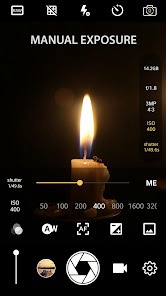
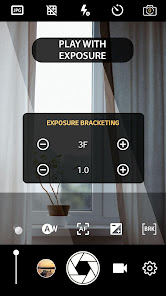
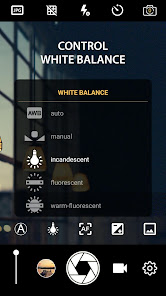
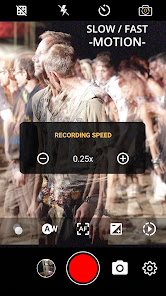
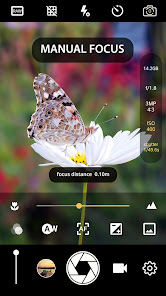
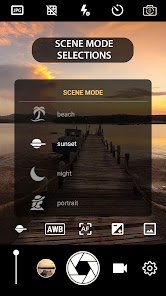
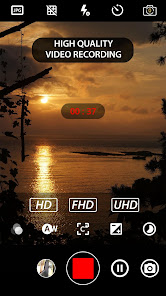
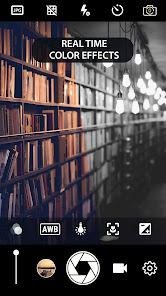
"Manual Camera: DSLR Camera Pro" is a powerful photography application designed to give users full control over their camera settings, mimicking the experience of using a professional DSLR. One of its standout features is the manual focus capability, allowing users to adjust focus precisely, which is essential for achieving sharp images. The app also offers manual exposure control, enabling photographers to set ISO, shutter speed, and aperture manually, providing the flexibility needed for various lighting conditions.
Additionally, the app includes a histogram feature that helps users monitor exposure levels in real-time, ensuring well-balanced images. Users can also take advantage of RAW image capture, which preserves more detail and allows for extensive post-processing. The app supports various shooting modes, including burst mode for capturing fast-moving subjects and time-lapse for creative video projects. Furthermore, it offers customizable settings and an intuitive interface, making it accessible for both beginners and experienced photographers alike.
Using "Manual Camera: DSLR Camera Pro" is straightforward, even for those new to photography. After downloading and installing the app, open it to access the main interface, where you will find various controls for manual settings. To start, familiarize yourself with the layout, which includes options for adjusting ISO, shutter speed, and aperture. You can tap on each setting to modify it according to your shooting conditions.
To take a photo, simply frame your shot using the viewfinder and adjust the focus manually by sliding the focus bar. Once you are satisfied with the composition and settings, press the shutter button to capture the image. For advanced users, explore the app's additional features like RAW capture and histogram display to enhance your photography. Remember to experiment with different settings to understand how they affect your images, and don’t hesitate to refer to the app’s help section for tips and guidance.
"Manual Camera: DSLR Camera Pro" comes with several advantages that make it a popular choice among photography enthusiasts. One of the primary pros is its extensive manual control, which allows users to fine-tune their camera settings for optimal results. The ability to shoot in RAW format is another significant benefit, as it provides greater flexibility in post-processing. The app's user-friendly interface makes it accessible for beginners while still offering advanced features for seasoned photographers.
However, there are some drawbacks to consider. The app may require a learning curve for those unfamiliar with manual photography techniques, which could be daunting for casual users. Additionally, while it offers a range of features, some users may find that it lacks certain advanced functionalities found in dedicated DSLR cameras. Lastly, performance can vary depending on the device's hardware, which may affect the overall experience. Balancing these pros and cons will help users determine if this app meets their photography needs.

 Manual Camera: DSLR Camera Pro enables precise control over exposure settings Capture stunning images with superior image quality and detail Enjoy a wide range of interchangeable lenses for creative flexibility Benefit from fast autofocus for quick and accurate subject tracking Experience robust build quality designed for professional use and durability
 Heavy and bulky design can be cumbersome for travel and outdoor photography. Limited automation may slow down shooting in fast-paced situations. Higher cost compared to compact cameras can be a barrier for beginners.
  Google Play
  App Store
 Yes, users are encouraged to submit suggestions or feedback through the app's support or feedback section, which helps improve future versions.
The app may collect some data for functionality and improvement purposes, but it is designed to respect user privacy and comply with data protection regulations.
Yes, Manual Camera: DSLR Camera Pro can be used offline, allowing users to take photos without needing an internet connection.
To cancel your subscription, you can go to your account settings in the app store you used to purchase it, and follow the prompts to manage your subscription preferences.
The subscription cost for Manual Camera: DSLR Camera Pro varies depending on the plan chosen, with options for monthly or annual subscriptions available.
Unfortunately, a customer number is required to activate your account. Please contact customer service for help if you don’t have it.
You can reach customer service by calling the number listed on the back of your manual or visiting our website for live chat options.
Contact our customer service team with your correct information, and they will assist you in updating your customer number.
To log in, visit our website and enter your email and password. If you forget your password, use the 'Forgot Password' link for recovery.
For activation issues, please call our customer service hotline or use the online support chat available on our website.



























