



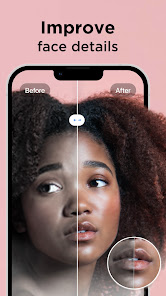


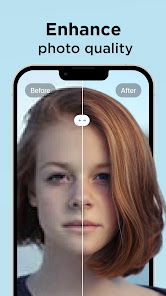

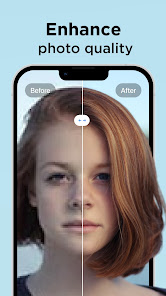

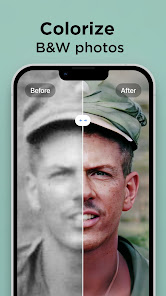
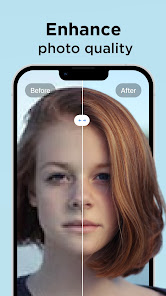
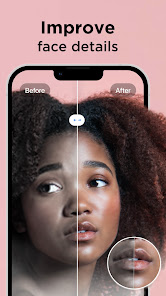



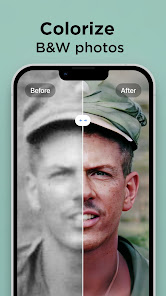


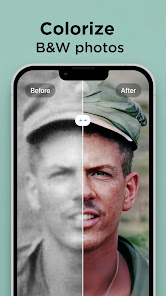


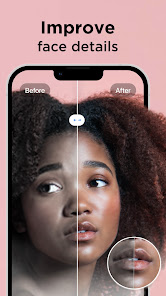

Pixelup - AI Photo Enhancer is a powerful tool designed to elevate your photography experience. One of its standout features is the AI-driven enhancement technology, which automatically analyzes and improves image quality by adjusting brightness, contrast, and sharpness. This ensures that your photos look vibrant and professional with minimal effort.
Another notable feature is the ability to upscale images without losing quality. This is particularly useful for users who want to print their photos in larger formats or share them on high-resolution platforms. Additionally, Pixelup offers a user-friendly interface that makes it accessible for both beginners and experienced photographers alike.
The app also includes various filters and effects that allow users to add a creative touch to their images. From vintage looks to modern aesthetics, the customization options are extensive. Furthermore, Pixelup supports batch processing, enabling users to enhance multiple photos simultaneously, saving time and effort.
Overall, Pixelup - AI Photo Enhancer combines advanced technology with user-friendly features, making it an excellent choice for anyone looking to improve their photos effortlessly.
Using Pixelup - AI Photo Enhancer is a straightforward process that anyone can master. First, download and install the app on your device from the appropriate app store. Once installed, open the app and create an account or log in if you already have one.
After logging in, you can start enhancing your photos by selecting the images you wish to improve. The app allows you to upload photos directly from your device's gallery or take new ones using your camera. Once your images are uploaded, you can choose from various enhancement options, including automatic adjustments or manual tweaks.
To apply enhancements, simply select the desired features and let the AI work its magic. You can preview the changes in real-time, allowing you to make adjustments as needed. Once satisfied with the results, save the enhanced images back to your device or share them directly on social media platforms.
With its intuitive design and efficient workflow, Pixelup makes photo enhancement accessible and enjoyable for everyone.
Like any application, Pixelup - AI Photo Enhancer has its advantages and disadvantages. One of the primary pros is its advanced AI technology, which significantly improves photo quality with minimal user input. This feature is particularly beneficial for those who may not have extensive editing skills but still want professional-looking results.
Another advantage is the app's user-friendly interface, making it easy for users of all skill levels to navigate and utilize its features. The ability to upscale images without losing quality is also a significant plus, especially for photographers looking to print their work.
However, there are some cons to consider. Some users may find that the app's automatic enhancements do not always align with their artistic vision, requiring manual adjustments. Additionally, while the app offers a free version, some advanced features may be locked behind a paywall, which could deter budget-conscious users.
In summary, while Pixelup - AI Photo Enhancer offers impressive features and ease of use, potential users should weigh the pros and cons to determine if it meets their specific needs.

 Enhances photo quality with advanced AI algorithms for stunning results. Restores old photos, bringing memories back to life with clarity. User-friendly interface makes editing accessible for everyone. Supports various formats, ensuring versatility for all your images. Quick processing speeds save time while delivering professional-grade enhancements.
 Limited customization options may not satisfy all user preferences. Slow processing times can hinder workflow efficiency. Subscription costs can add up for frequent users over time.
 Pixelup prioritizes user privacy and may collect minimal personal data necessary for app functionality, but it is important to review the privacy policy for detailed information.
Yes, Pixelup offers a free version with limited features, as well as a free trial of its premium features for users to explore before committing to a subscription.
Pixelup may require an internet connection for certain features, especially those that involve cloud processing or accessing updates, but some functionalities can be used offline.
You can reach out to Pixelup's support team through the app's help section or by visiting their official website for additional contact options and to provide feedback.
You can manage or cancel your Pixelup subscription through the app settings or your device's app store account settings, depending on how you subscribed.
Unfortunately, customer numbers cannot be changed. For further assistance, please reach out to customer service.
To activate your account, click the link in the confirmation email sent after registration. If you didn’t receive it, please check your spam folder or contact customer service.
You can reach our customer service team via the support section in the app or by emailing support
To log in, open the app and enter your registered email and password. If you have trouble, use the "Forgot Password" option.
If you can’t log in, click on "Forgot Password" on the login page to receive a reset link via email. If you need more help, contact customer service.












 Google Play
  App Store














