
 Home
Home  Apps
Apps  Games
Games  Windows
  Topics
  Terms of Service
  Cookies & Privacy Policy
  Disclaimer
Reface: Face Swap AI Generator


Information
- Category: Photography
- Price: free
- Age Rating: 17+
- Rating: 3.6
- Developer: NEOCORTEXT, INC.
- Version: 6.4.0

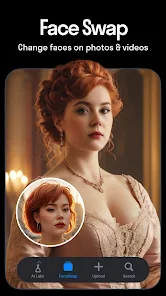
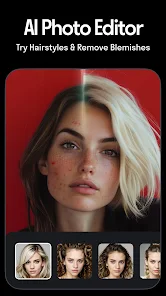
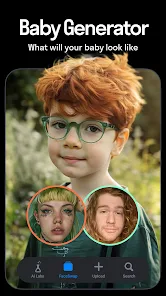


Reface is an innovative face swap AI generator that allows users to seamlessly swap their faces with celebrities, characters, and more in videos and GIFs. With advanced deepfake technology, it offers a fun and engaging way to create personalized content, share laughs, and express creativity. Whether for social media or just for fun, Reface transforms ordinary moments into extraordinary experiences, making it easy to become anyone you want in just a few taps.
Features of "Reface: Face Swap AI Generator"
"Reface: Face Swap AI Generator" is a cutting-edge application that utilizes advanced artificial intelligence to create realistic face swaps in videos and images. One of its standout features is the ability to seamlessly integrate users' faces into a variety of popular video clips, GIFs, and images, allowing for a fun and engaging experience. The app offers a vast library of content, including famous movie scenes, music videos, and memes, ensuring that users have plenty of options to choose from.
Another notable feature is the app's user-friendly interface, which makes it accessible for users of all ages. The AI technology behind Reface ensures high-quality results, with facial expressions and movements appearing natural and fluid. Additionally, the app allows users to share their creations directly on social media platforms, enhancing the sharing experience. Regular updates introduce new content and features, keeping the app fresh and exciting for its users. Overall, Reface combines entertainment with innovative technology, making it a popular choice for those looking to have fun with face-swapping.
How to Use "Reface: Face Swap AI Generator"
Using "Reface: Face Swap AI Generator" is a straightforward process that can be enjoyed by anyone. To get started, users need to download the app from their respective app store and create an account. Once logged in, users can upload a clear photo of their face, which the app will use for the face-swapping process. It’s essential to choose a well-lit image for the best results.
After uploading the photo, users can browse through the extensive library of videos, GIFs, and images available within the app. Selecting a desired clip is as simple as tapping on it. The app will then process the face swap, which usually takes just a few seconds. Once the face swap is complete, users can preview their creation and make any necessary adjustments. Finally, the app allows users to save their videos or images and share them directly on social media platforms, making it easy to showcase their fun creations to friends and family.
Pros & Cons of the App
Like any application, "Reface: Face Swap AI Generator" has its advantages and disadvantages. One of the primary pros is its impressive AI technology, which delivers high-quality face swaps that look remarkably realistic. The app's extensive library of content provides users with a wide range of options, ensuring that there is always something new and entertaining to create. Additionally, the user-friendly interface makes it accessible for users of all skill levels, enhancing the overall experience.
On the downside, some users may find that the app requires a stable internet connection for optimal performance, as it relies on cloud processing for its AI features. Furthermore, while the app is free to download, certain features and content may be locked behind a paywall, which could deter some users. Privacy concerns may also arise, as users are required to upload personal images. Overall, while "Reface" offers a fun and innovative way to engage with face-swapping technology, potential users should weigh these pros and cons before diving in.
Get Installation Details  Google Play
  App Store
Google Play App Store FAQ
Can I create playlists on Spotify?
Yes, users can create, share, and collaborate on playlists with friends.
Can I download music on Spotify?
Yes, premium users can download songs and playlists for offline listening.
Can I listen to Spotify offline?
Yes, premium users can listen to downloaded music offline without an internet connection.
Can I use Spotify on multiple devices?
Yes, you can use Spotify on multiple devices, but only one device can stream at a time.
Does Spotify have podcasts?
Yes, Spotify hosts a wide range of podcasts across various genres.
Similar Apps













You May Like

SNOW - AI Profile
Photography
3.8

Picsart AI Photo Editor, Video
Photography
4.1

Lightroom Photo & Video Editor
Photography
4.6

Amazon Photos: Photo & Video
Photography
4.7

Cartoon Photo PRO
Photography
4.6
FaceApp: Perfect Face Editor
Photography
4.3

Filmic Pro: Mobile Cine Camera
Photography
2.4
GIF Maker, GIF Editor Pro
Photography
4.7

Google Photos
Photography
4.4
Litchi for DJI Drones
Photography
4.5

Manual Camera: DSLR Camera Pro
Photography
4.0

PhotoPills
Photography
4.8