
 Home
Home  Apps
Apps  Games
Games  Windows
  Topics
  Terms of Service
  Cookies & Privacy Policy
  Disclaimer
Pixelcut AI Photo Editor


Information
- Category: Art & Design
- Price: free
- Age Rating: Everyone
- Rating: 4.3
- Developer: Pixelcut Inc
- Version: 0.9.40

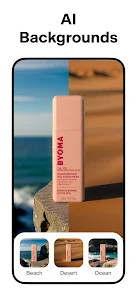

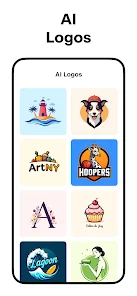


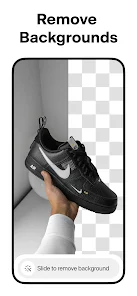
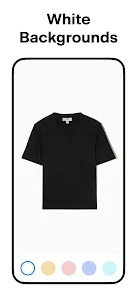
Pixelcut AI Photo Editor is a powerful tool designed to enhance your photography experience effortlessly. With advanced AI technology, it allows users to quickly edit, remove backgrounds, and apply stunning effects to their images. Whether you're a professional photographer or a casual user, Pixelcut simplifies the editing process, making it accessible for everyone. Transform your photos into eye-catching visuals with just a few taps, and unleash your creativity like never before!
Features of "Pixelcut AI Photo Editor"
Pixelcut AI Photo Editor is a powerful tool designed to enhance your photo editing experience with its array of innovative features. One of its standout capabilities is the AI-driven background removal, which allows users to effortlessly isolate subjects from their backgrounds, making it ideal for creating professional-looking images. Additionally, the app offers a variety of templates and design elements that can be easily customized, enabling users to create stunning graphics for social media, marketing materials, and more.
Another notable feature is the one-tap enhancement option, which automatically adjusts brightness, contrast, and saturation to improve image quality. Users can also take advantage of advanced filters and effects that can transform ordinary photos into eye-catching visuals. Furthermore, Pixelcut supports high-resolution exports, ensuring that your edited images maintain their quality across various platforms. The user-friendly interface makes it accessible for both beginners and experienced editors, allowing for a seamless editing experience.
How to Use "Pixelcut AI Photo Editor"
Using Pixelcut AI Photo Editor is a straightforward process that caters to users of all skill levels. To get started, download the app from your device's app store and create an account or log in. Once you’re in, you can upload the photo you wish to edit by selecting it from your gallery or taking a new one directly within the app. After uploading, you can utilize the AI background removal feature to isolate your subject with just a single tap.
Once the background is removed, you can explore various editing tools available in the app. Adjust colors, apply filters, or add text and graphics to enhance your image further. The app also provides a selection of templates that can be customized to fit your needs. After completing your edits, simply save your work in high resolution or share it directly to your social media accounts. The intuitive design of Pixelcut ensures that even those new to photo editing can achieve impressive results quickly and efficiently.
Pros & Cons of the App
Like any application, Pixelcut AI Photo Editor comes with its own set of advantages and disadvantages. On the positive side, the app's AI-powered features significantly streamline the editing process, allowing users to achieve professional results without extensive knowledge of photo editing. The background removal tool is particularly praised for its accuracy and ease of use. Additionally, the variety of templates and design options available makes it a versatile choice for creating content for different platforms.
However, there are some drawbacks to consider. Some users may find that certain advanced features are locked behind a paywall, limiting access to the full range of tools unless they opt for a subscription. Additionally, while the app is user-friendly, those looking for more intricate editing capabilities may find it somewhat basic compared to more comprehensive software. Overall, Pixelcut AI Photo Editor is an excellent choice for quick edits and social media content, but it may not satisfy the needs of professional photographers seeking advanced functionalities.
 Google Play
  App Store
 FAQ
Can I create playlists on Spotify?
Yes, users can create, share, and collaborate on playlists with friends.
Can I download music on Spotify?
Yes, premium users can download songs and playlists for offline listening.
Can I listen to Spotify offline?
Yes, premium users can listen to downloaded music offline without an internet connection.
Can I use Spotify on multiple devices?
Yes, you can use Spotify on multiple devices, but only one device can stream at a time.
Does Spotify have podcasts?
Yes, Spotify hosts a wide range of podcasts across various genres.
Similar Apps














You May Like

FlipaClip: Create 2D Animation
Art & Design
4.3

Adobe Express: AI Photo, Video
Art & Design
4.6

Canva: AI Photo & Video Editor
Art & Design
4.8

AR Art Projector: Da Vinci Eye
Art & Design
4.1

GIMP
Art & Design
2.8

Rainbow Brainskull Oracle Deck
Art & Design
4.8

Sketchbook
Art & Design
4.0

Wonder - AI Art Generator
Art & Design
3.3
ibis Paint
Art & Design
4.5

ibis Paint X
Art & Design
4.4

Adobe Capture: Illustrator,Ps
Art & Design
4.6

Clip Studio Paint
Art & Design
4.5