Ibis Paint X is a versatile digital painting app designed for artists of all skill levels. With a user-friendly interface, it offers a wide range of features, including customizable brushes, layers, and blending modes. The app supports high-resolution canvases and provides tools for detailed artwork, making it ideal for both casual doodlers and professional illustrators. Its community features allow users to share their creations and learn from others, fostering a vibrant artistic environment.
Features & Highlights
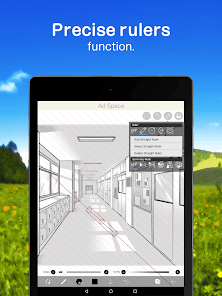
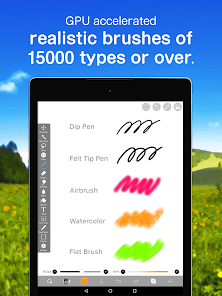
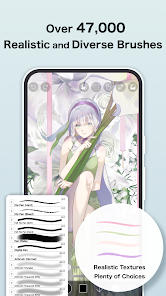
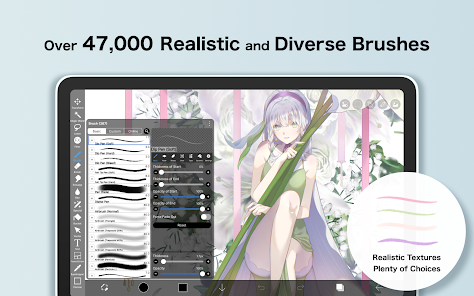
- Extensive Brush Options: ibis Paint X offers a staggering variety of brushes, from standard pencils to intricate airbrushes. Each brush can be customized to suit your artistic style. For instance, while sketching a portrait, I experimented with different brushes to capture the soft textures of skin and hair, enhancing the final result.
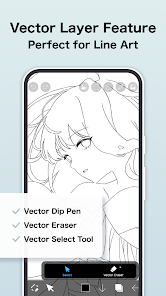
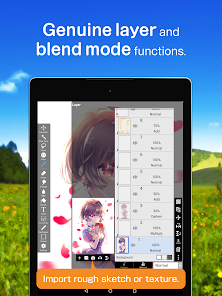
- Layer Functionality: The app supports multiple layers, allowing artists to separate different elements of their artwork. This feature proved invaluable when I was working on a complex landscape piece; I could work on the sky on one layer while tweaking the foreground on another, making adjustments without fear of ruining the entire composition.
- Time-lapse Recording: ibis Paint X automatically records your drawing process, giving users the ability to create stunning time-lapse videos. After completing a detailed illustration, I shared my time-lapse on social media, which not only showcased my work but also attracted a lot of attention from fellow artists.
- Community Features: The app includes a built-in community where users can share their artwork and engage with others. I often find inspiration by browsing through the trending artworks and even received constructive feedback on my pieces, which helped me grow as an artist.
- Offline Functionality: Unlike many drawing apps that require constant internet access, ibis Paint X allows me to work offline. During my recent vacation, I was able to sketch and paint without worrying about data usage, giving me the freedom to create art anywhere.
Real Experience Using ibis Paint X
Application Scenarios
As an aspiring digital artist, I frequently turn to ibis Paint X for various projects, be it for personal practice or professional commissions. One of my favorite scenarios is during my daily commute. I often have a few minutes to spare and love to pull out my tablet to sketch. The app’s user-friendly interface allows me to create quick concept art on the go. Additionally, I use ibis Paint X for more extensive projects at home, where I can spend hours refining my illustrations. Whether it’s a detailed character design or a whimsical landscape, the app caters to every artistic need.
User Experience
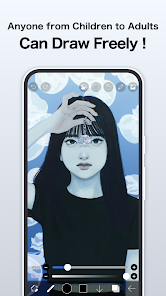
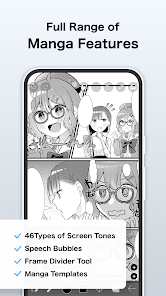
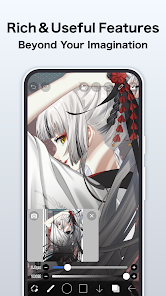
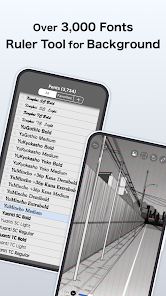
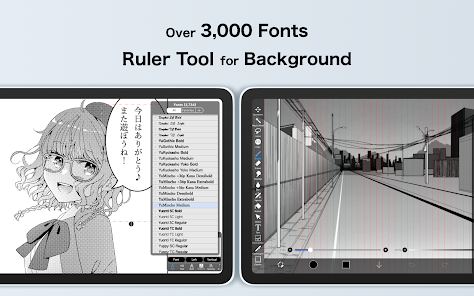
The user interface of ibis Paint X is both intuitive and aesthetically pleasing. Upon opening the app, I was greeted with a clean layout that made navigation a breeze. The tool palette is easily accessible, and I appreciate how customizable it is. The workflow is smooth; switching between brushes, colors, and layers feels seamless. I particularly love the layering system, which is robust and user-friendly. Performance-wise, the app is responsive, with minimal lag even when working on high-resolution canvases. Overall, using ibis Paint X has been a delightful experience that fuels my creativity and allows me to experiment without limitations.
Pricing
ibis Paint X operates on a freemium model, which means you can access a wide range of features for free. However, there are optional in-app purchases to unlock premium features and remove ads. I find the pricing reasonable, especially considering the extensive capabilities the app provides. For those who want to dive deeper into their artistry without interruptions, investing in the premium version is well worth it.
Updates & Support
The developers of ibis Paint X consistently roll out updates that enhance functionality and introduce new features, showing their commitment to user satisfaction. Each update usually includes bug fixes and performance enhancements, ensuring a smooth experience. Additionally, the support team is responsive to inquiries, often addressing user feedback in updates. I appreciate this level of engagement, as it fosters a sense of community and continuous improvement.
Security & Privacy Review
When it comes to security and privacy, ibis Paint X shines in several areas, particularly for American users who are increasingly concerned about these issues. The app is available on both the App Store and Google Play, which are trusted platforms that adhere to strict security protocols.
Registration is straightforward, requiring minimal personal data, which I find reassuring. There’s no need to provide sensitive information, making the app accessible without compromising privacy. However, I noticed that the free version includes ads, which could potentially track user behavior. While I understand that ads are a common way to support free apps, I opted for the premium version to enjoy an ad-free experience. This decision not only enhances my focus while creating art but also minimizes any privacy concerns associated with tracking behavior. Overall, I feel comfortable using ibis Paint X, knowing that my data is handled with care.








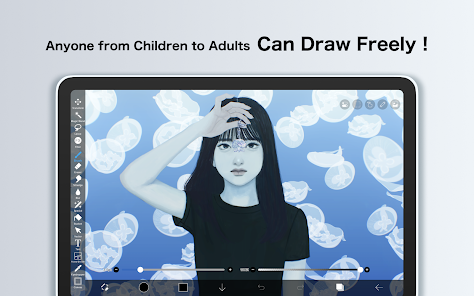

 User-friendly interface for easy navigation and drawing
 Limited brush customization options available











 Google Play
  App Store