


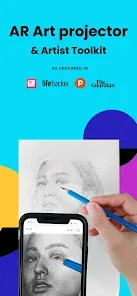
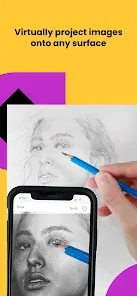
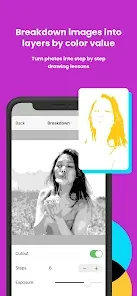
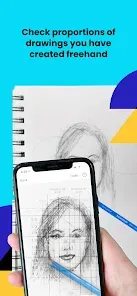
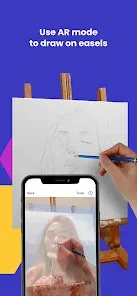
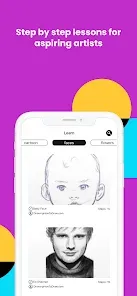
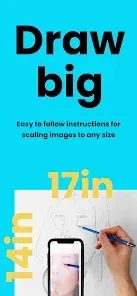
The "AR Art Projector: Da Vinci Eye" is an innovative application designed to enhance the artistic experience for both beginners and seasoned artists. One of its standout features is the augmented reality (AR) projection capability, which allows users to project images onto any surface, making it easier to trace and replicate artwork. This feature is particularly beneficial for those looking to improve their drawing skills or create accurate representations of existing art.
Another notable feature is the adjustable transparency of the projected image, enabling users to see their own work alongside the reference image. This helps in maintaining proportions and details while drawing. The app also includes a variety of image sources, allowing users to import pictures from their device or choose from a library of artworks. Additionally, the user-friendly interface makes navigation simple, ensuring that artists can focus on their creativity rather than getting bogged down by complicated settings.
Furthermore, the app supports multiple device orientations and can be used in various lighting conditions, making it versatile for different environments. Overall, the "AR Art Projector: Da Vinci Eye" combines technology with artistry, providing a unique tool for anyone looking to enhance their drawing and painting skills.
Using the "AR Art Projector: Da Vinci Eye" is a straightforward process that can significantly enhance your artistic endeavors. First, download and install the app on your smartphone or tablet. Once installed, open the app and select an image you wish to project. You can either choose from the app's library or upload your own image from your device.
After selecting the image, position your device so that the camera is facing the surface where you want to project the artwork. The app will automatically adjust the projection based on your device's orientation. You can then adjust the transparency of the image to suit your preference, allowing you to see your own drawing beneath the projected reference. As you trace or paint, the app will help you maintain accurate proportions and details, making the process smoother and more enjoyable.
Finally, take advantage of the app's features, such as zooming in on specific areas or rotating the image for better angles. Once you’re satisfied with your work, you can save your progress or share it directly from the app. With these simple steps, you can effectively utilize the "AR Art Projector: Da Vinci Eye" to elevate your artistic skills.
The "AR Art Projector: Da Vinci Eye" comes with several advantages that make it a valuable tool for artists. One of the primary pros is its ability to project images in real-time, allowing users to trace and replicate artwork with ease. This feature is particularly beneficial for beginners who may struggle with proportions and details. Additionally, the adjustable transparency helps users maintain a clear view of their own work while using the reference image, enhancing the overall drawing experience.
Another advantage is the app's user-friendly interface, which makes it accessible for artists of all skill levels. The ability to import images from various sources adds to its versatility, catering to a wide range of artistic preferences. However, there are some cons to consider. For instance, the app may require a stable surface and adequate lighting for optimal performance, which could limit its usability in certain environments. Additionally, some users may find that the app drains battery life quickly, especially during extended use.
In summary, while the "AR Art Projector: Da Vinci Eye" offers numerous benefits that can enhance the artistic process, potential users should also be aware of its limitations to ensure a satisfying experience.

 Enhances your drawing skills with precise projection of images. Transforms any surface into an art canvas for creativity. Offers adjustable transparency for easy tracing and adaptation. Compatible with various devices for versatile use and convenience. Saves time by simplifying complex compositions for artists.
 Limited compatibility with certain device models can restrict usage. Requires a stable surface for effective projection quality. May experience latency issues, affecting real-time drawing accuracy.
  Google Play
  App Store
 AR Art Projector: Da Vinci Eye prioritizes user privacy and does not collect personal data unless you provide it voluntarily, such as for customer support or feedback.
Yes, AR Art Projector: Da Vinci Eye offers a free trial version that allows users to experience basic features before deciding on a subscription.
No, AR Art Projector: Da Vinci Eye does not require a constant internet connection to function, but it may need internet access for initial downloads or updates.
You can contact support or send feedback through the app's settings menu, where you will find options to reach customer service or submit your thoughts.
You can manage or cancel your subscription through your device's app store settings, where you can find subscription management options.
Unfortunately, customer numbers cannot be changed. Please contact customer service for help with account access issues.
Yes, you can log in using your social media account if you linked it during registration. Otherwise, use your email and password.
You can reach our customer service team via the support section on our website or call our dedicated hotline.
To activate your account, click the link sent to your email after registration and follow the prompts.
Visit our website and click on the log-in button at the top right. Enter your email and password to access your account.



























