



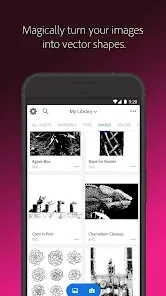
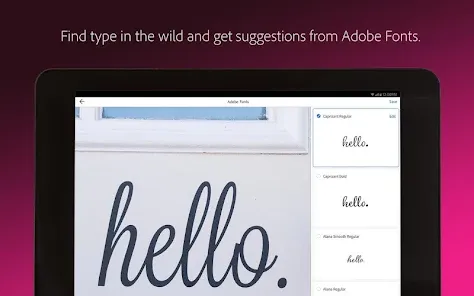
Adobe Capture is a versatile mobile application that empowers users to transform their creative ideas into digital assets. One of its standout features is the ability to convert images into vector graphics, which can be directly imported into Adobe Illustrator and Photoshop. This functionality allows artists to create scalable designs from photographs or sketches, enhancing their workflow significantly.
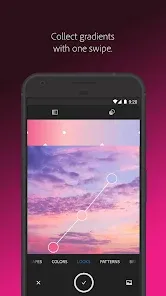
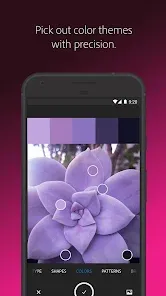
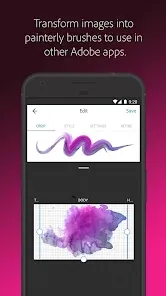
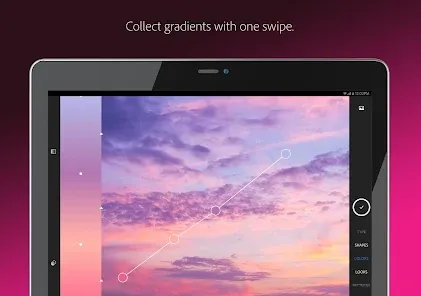
Another notable feature is the color palette generator, which enables users to extract color themes from images. This tool is particularly useful for designers looking to maintain color consistency across their projects. Additionally, Adobe Capture offers a brush creation feature, allowing users to design custom brushes that can be used in Photoshop and Illustrator, providing a unique touch to their artwork.
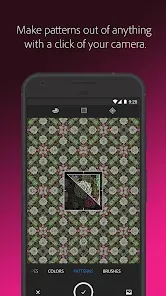
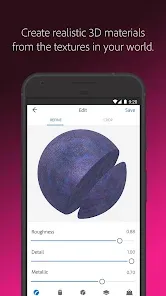
The app also includes a shape and pattern creator, which helps users generate unique shapes and patterns that can be utilized in various design projects. Furthermore, Adobe Capture integrates seamlessly with other Adobe Creative Cloud applications, ensuring a smooth transition between mobile and desktop environments. Overall, Adobe Capture is a powerful tool for creatives seeking to enhance their design capabilities.
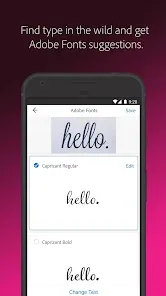
Using Adobe Capture is straightforward and user-friendly, making it accessible for both beginners and experienced designers. To get started, download the app from the App Store or Google Play and sign in with your Adobe ID. Once you’re in, you can explore various tools available on the home screen, such as the camera feature for capturing images or the gallery for accessing existing photos.
To create vector graphics, simply select the "Shapes" tool and take a photo of your desired object. The app will automatically convert it into a vector shape, which you can refine and save. For color palettes, use the "Color" tool to capture colors from your images, and save them for future projects. Custom brushes can be created by selecting the "Brush" tool and following the prompts to design your unique brush.
Once you’ve created your assets, you can easily sync them with your Adobe Creative Cloud account, allowing you to access them in Illustrator or Photoshop. This integration streamlines your workflow, enabling you to focus on your creative process without interruptions. Overall, Adobe Capture is an intuitive app that enhances your design experience.
Adobe Capture offers numerous advantages that make it a valuable tool for designers. One of the primary benefits is its ability to create high-quality vector graphics from images, which can save time and effort in the design process. The app's integration with Adobe Creative Cloud allows for seamless access to assets across different platforms, enhancing productivity. Additionally, the color palette and brush creation features provide users with the flexibility to customize their designs, fostering creativity.
However, there are some drawbacks to consider. The app may require a learning curve for new users, particularly those unfamiliar with Adobe's ecosystem. Some users have reported occasional performance issues, such as lag or crashes, which can disrupt the creative flow. Furthermore, while the app is free to download, certain features may require a subscription to Adobe Creative Cloud, which could be a barrier for some users.
In summary, Adobe Capture is a powerful tool that offers a range of features beneficial for designers, but potential users should weigh the pros and cons to determine if it aligns with their needs and workflow.

 Transform photos into vector graphics effortlessly for scalable designs. Access a vast library of customizable color themes and palettes. Create unique patterns and shapes using intuitive drawing tools. Seamlessly sync assets with Adobe Creative Cloud for easy access. Enhance productivity by converting everyday images into design elements quickly.
 Limited functionality compared to full desktop versions, restricting advanced design capabilities. Performance may lag on older devices, affecting workflow efficiency. Lacks comprehensive tutorials, making it challenging for beginners to learn effectively.
  Google Play
  App Store
 Yes, users can submit suggestions or feedback through the app's feedback option or via Adobe's support channels and community forums.
Yes, Adobe Capture: Illustrator,Ps may collect personal data, including usage statistics and device information, in accordance with Adobe's privacy policy.
Adobe Capture: Illustrator,Ps requires an internet connection for some features, but certain functionalities can be used offline once the app is downloaded and set up.
You can cancel your subscription through your Adobe account settings on the Adobe website or within the app, following the prompts to manage your subscription.
While the app itself is free, a subscription to Adobe Creative Cloud, which may include additional features and services for Adobe Capture, starts at a monthly fee that varies based on the plan chosen.
Yes, you can activate your Adobe Capture account by entering your customer number during the account setup process.
Yes, you can log in using Adobe ID linked to social media accounts. Just select the appropriate option on the login screen.
You can reach customer service through the Adobe website or by calling their support number for assistance.
You can find your customer number by logging into your Adobe account and navigating to the 'Plans & Products' section where all your subscriptions are listed.
If you haven't received an activation email, check your spam folder or log in directly on the Adobe website to activate your account.



























