

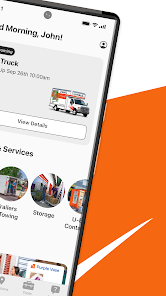
U-Haul is a well-known moving and storage company that offers a variety of features designed to facilitate the moving process. One of its primary offerings is truck rentals, which come in various sizes to accommodate different needs, from small studio apartments to large homes. U-Haul also provides trailer rentals, allowing customers to tow their belongings behind their own vehicles. Additionally, the company offers self-storage units in various sizes, making it easy for customers to store their items securely during transitions.
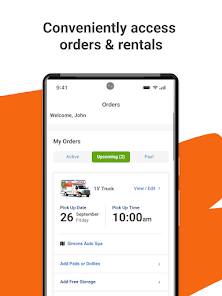
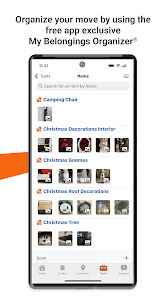
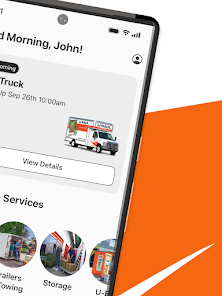
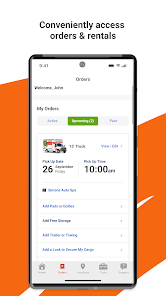
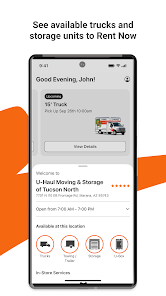
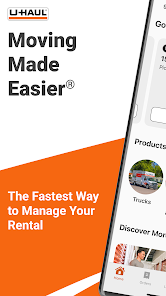
Another notable feature is the U-Haul app, which allows users to manage their rentals, track their orders, and access customer support conveniently from their smartphones. U-Haul also provides packing supplies, including boxes, tape, and protective materials, ensuring that customers have everything they need for a successful move. Furthermore, U-Haul offers a variety of moving labor services, connecting customers with local movers who can assist with loading and unloading. Overall, U-Haul's comprehensive range of services makes it a one-stop solution for all moving and storage needs.
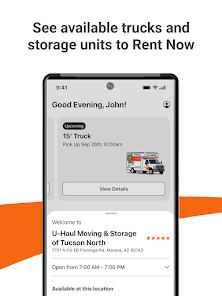
Using U-Haul for your moving needs is a straightforward process. First, visit the U-Haul website or download the U-Haul app to begin your rental process. You can search for available trucks, trailers, or storage units based on your location and desired rental dates. Once you find the right option, you can reserve it online, providing necessary details such as your pickup location and rental duration.
On the day of your move, head to the designated U-Haul location to pick up your rental. Make sure to bring a valid driver's license and a credit card for payment. After completing the necessary paperwork, you will receive instructions on how to operate the vehicle or trailer. Once you have loaded your belongings, return the rental to the specified drop-off location. U-Haul also offers a convenient online check-in process, allowing you to return your rental quickly and efficiently. With these simple steps, you can make your moving experience as smooth as possible.
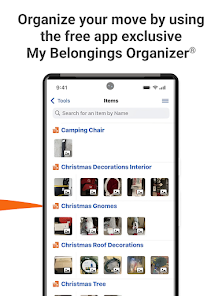
The U-Haul app offers several advantages that enhance the user experience. One of the primary benefits is convenience; users can easily manage their rentals, track orders, and access customer support directly from their smartphones. The app also allows for online reservations, making it simple to secure a truck or storage unit without needing to visit a physical location. Additionally, the app provides helpful resources, such as moving tips and packing guides, which can be invaluable for first-time movers.
However, there are some drawbacks to consider. Some users have reported technical issues with the app, such as glitches or slow loading times, which can be frustrating during the moving process. Additionally, while the app is designed to streamline the rental experience, some customers may still prefer face-to-face interactions for assistance or guidance. Lastly, the availability of certain features may vary by location, which can limit the app's effectiveness in some areas. Overall, while the U-Haul app has its pros and cons, it remains a useful tool for many customers.

 Affordable rental options for every budget Wide variety of truck sizes available Convenient locations across the country Flexible rental periods to suit your needs Easy online booking and management features
 High rental costs can quickly add up Limited availability of certain vehicle sizes Inconsistent customer service experiences reported Hidden fees may surprise renters at checkout
 Yes, U-Haul collects personal data such as name, address, contact information, and payment details to facilitate services and improve user experience, as outlined in their privacy policy.
U-Haul does not offer a free trial or free version; however, their app is free to download, and you only pay for the services you use.
Yes, U-Haul requires an internet connection to access its app features and complete transactions like reservations and payments.
You can contact U-Haul support through their website's help section, by calling their customer service number, or by using the feedback option within the app.
Since U-Haul does not have a subscription model, you can manage or cancel your rental or storage reservations directly through the app or website.
Yes, you can activate your U-Haul account by following the instructions in the activation email sent to you.
Yes, you can log in to your U-Haul account using the mobile website or the U-Haul app.
If you didn't get the activation email, check your spam folder or request a new activation email through the U-Haul website.
You can contact U-Haul customer service by calling their toll-free number or by visiting their website for live chat options.
To log in, visit the U-Haul website and enter your email and password in the login section.












 Google Play
  App Store