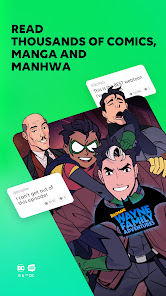


My journey with the WEBTOON app began during my daily commute to work. With public transport being often crowded and tedious, I found solace in diving into different stories that transported me away from the hustle and bustle around me. On weekends, I also tend to cozy up on my couch with a warm cup of coffee and explore new genres, discovering hidden gems that I never would have found otherwise. Whether I’m waiting in line at a coffee shop or relaxing at home, the app seamlessly fits into my daily routines, providing a perfect escape into captivating narratives.
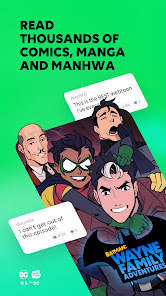
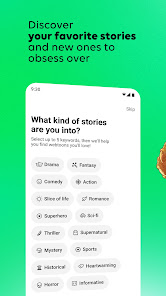
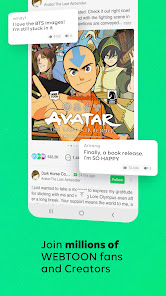
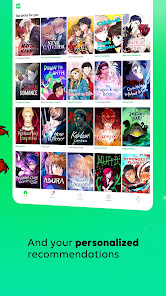
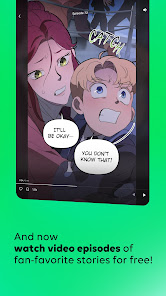
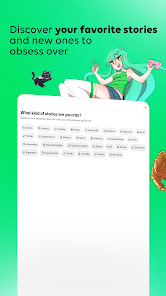
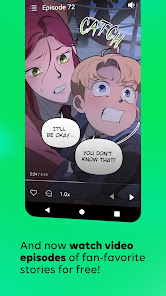
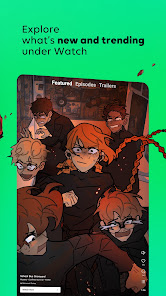
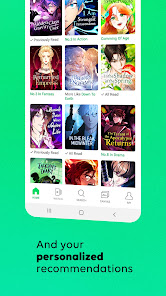
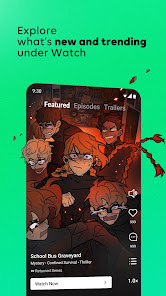
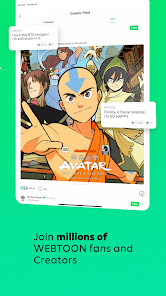
The first thing that struck me about WEBTOON was its sleek and modern user interface. The homepage displays trending series and personalized recommendations based on my reading history, making it easy to discover new content. Navigating through series is smooth, with simple swipe gestures that enhance the reading experience. The performance is generally excellent, with minimal loading times, allowing me to binge-read without interruptions. The artwork in many series is stunning, and the distinct styles of different creators add to the overall experience. After using the app regularly, I find myself appreciating the community aspect too, where readers can share thoughts and reviews, enhancing my overall enjoyment.
One of the best aspects of WEBTOON is that it is free to download and use. Many series are available without any cost, making it accessible for everyone. While there are options for purchasing coins to unlock special episodes or support creators, the free content is generous and often enough for casual readers. I appreciate the balance between free and paid features, ensuring that everyone can enjoy the vast library without feeling pressured to pay.
The team behind WEBTOON is dedicated to enhancing user experience, as evidenced by regular app updates that introduce new features and improve functionality. Whenever I have encountered minor issues, the support team has been quick to respond via their help section. They provide extensive FAQs and a community forum where users can share tips or resolve common issues, making it easy to find assistance when needed.
As a user based in the United States, I often have concerns regarding security and privacy when using apps like WEBTOON. The app is available on both the App Store and Google Play, which reassures me about its legitimacy and safety. Registration is straightforward but does require some personal data, such as an email address, which is typical for most apps. I appreciate that WEBTOON gives users the option to remain anonymous while interacting with the community; however, it’s crucial to be mindful of what information you share.
In terms of ads and tracking behavior, I’ve noticed some ads while browsing through series, but they are not overly intrusive. The app seems to balance advertisement presence well, ensuring it doesn't disrupt the reading experience. Overall, I feel comfortable using WEBTOON, with the understanding that I should always be aware of my privacy settings and the information I choose to share.

 Endless variety of genres for diverse interests Easy access to creators worldwide and their work Free content with optional paid features for support User-friendly interface enhances reading experience Engaging community for sharing and discussing stories
 Limited content variety compared to traditional comics Frequent updates can disrupt story flow Some stories lack depth and character development Ads may interrupt reading experience
 Yes, WEBTOON: Manga, Comics, Manhwa may collect personal data to enhance user experience, provide services, and personalize content. Users are advised to review the privacy policy for details on what data is collected and how it is used.
WEBTOON: Manga, Comics, Manhwa offers a free version that allows users to access a large selection of content without a subscription. Some premium features or exclusive comics may require payment, but there is no free trial for a paid version.
An internet connection is required to access and read comics on WEBTOON: Manga, Comics, Manhwa. However, once a comic is fully loaded, some users may be able to read it offline, depending on the app's features.
Users can contact support or send feedback by accessing the help or support section within the app, where they can find options for submitting inquiries or reporting issues. Additionally, there may be contact information on the official WEBTOON website for further assistance.
Users can manage or cancel their subscription through the app's settings or account management section. Detailed instructions are usually provided within the app to guide users through the process.
Yes, tap 'Forgot Password?' on the login screen, enter your email, and follow the instructions sent to you.
You can contact WEBTOON's Customer Service through the app under 'Settings' > 'Help' or via their official website.
If you signed up with an email, check your inbox for a verification link to activate your account.
Go to 'Profile' in the app, then select 'Settings' to adjust your account preferences.
To log in, open the app, tap on 'Log In,' and enter your credentials or use a social media account.











 Google Play
  App Store