



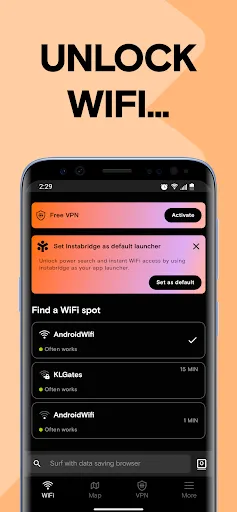
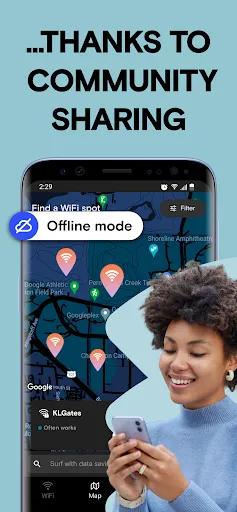
Instabridge is a unique application designed to help users find and connect to WiFi hotspots effortlessly. One of its standout features is the extensive map that displays available WiFi networks in real-time, allowing users to locate nearby hotspots quickly. The app also offers a community-driven approach, where users can share and rate WiFi connections, ensuring that the information is up-to-date and reliable.
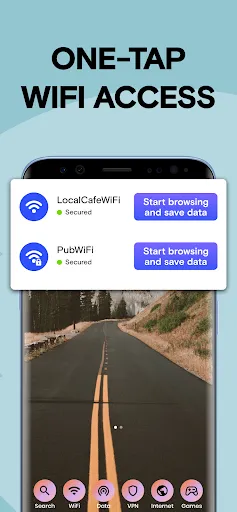
Another notable feature is the automatic connection capability, which allows users to connect to saved networks without needing to enter passwords repeatedly. This is particularly useful for frequent travelers or those who often visit the same locations. Additionally, Instabridge provides offline access to saved WiFi passwords, making it convenient for users in areas with limited connectivity. The app also includes a user-friendly interface, making it easy for anyone to navigate and utilize its features effectively.
Using Instabridge is straightforward and user-friendly. First, download the app from your device's app store and create an account. Once registered, you can start exploring the map to find nearby WiFi hotspots. The app will display various networks, along with user ratings and connection quality, helping you choose the best option available.
To connect to a WiFi network, simply tap on the desired hotspot, and if it’s a shared network, the app will automatically input the password for you. If you find a new WiFi connection, you can contribute by sharing the password with the community, enhancing the app's database. Additionally, you can save your favorite networks for quick access in the future. Overall, Instabridge simplifies the process of finding and connecting to WiFi, making it an essential tool for anyone on the go.
Instabridge offers several advantages that make it a valuable tool for users seeking WiFi connectivity. One of the primary benefits is its extensive database of user-contributed hotspots, which increases the likelihood of finding a reliable connection in various locations. The automatic connection feature saves time and effort, allowing users to connect seamlessly without entering passwords. Furthermore, the offline access to saved passwords is a significant plus for those traveling in areas with poor internet service.
However, there are some drawbacks to consider. The app's reliance on user contributions means that the quality and availability of hotspots can vary significantly. In some cases, users may encounter outdated or incorrect information. Additionally, while the app is free, it may contain ads that can be distracting. Lastly, privacy concerns may arise as users share their WiFi passwords, which could lead to unauthorized access if not managed carefully. Overall, while Instabridge has its pros and cons, it remains a useful tool for finding WiFi hotspots.

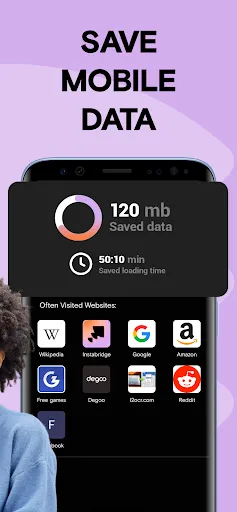
 Discover free WiFi hotspots near you easily and quickly. Enjoy seamless internet access while traveling. Save on mobile data usage with shared connections. Connect to a global community sharing WiFi passwords. User-friendly interface simplifies finding and connecting.
 Limited availability of hotspots can hinder connectivity opportunities. User-generated content may lack accuracy or reliability. Privacy concerns arise from sharing and accessing public WiFi networks.
  Google Play
  App Store
 Yes, users are encouraged to submit suggestions or feedback through the app’s support or contact features, helping improve future versions of the app.
Instabridge takes user privacy seriously and does not collect personal data; however, it may collect non-personal data for app improvement purposes.
Yes, Instabridge allows users to save WiFi hotspots for offline access, enabling connection even without an internet connection.
Users can cancel their subscription through the app store settings on their device, following the standard cancellation process for subscriptions.
Instabridge offers a premium subscription option, which typically costs a monthly fee, but specific pricing can vary based on promotions and updates.
Yes, you can access customer support through our website or by emailing us directly, no login required.
Unfortunately, you cannot change your customer number once it’s assigned. Contact customer service for assistance with any issues.
You can reach our customer service via the app's support section or email us directly at support
Check your email for an activation link after signing up and click it to activate your account.
Download the app, enter your email and password, and you’ll be able to log in on your new device.