

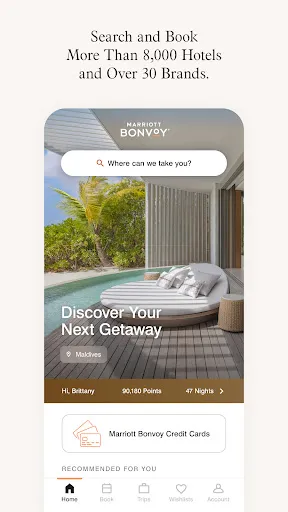
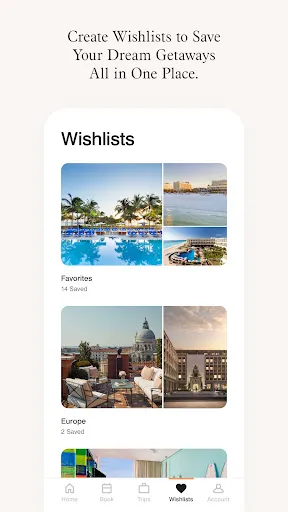
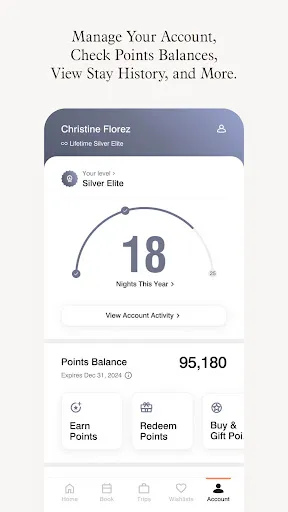
The "Marriott Bonvoy: Book Hotels" app offers a comprehensive suite of features designed to enhance the travel experience for users. One of its standout features is the ability to search and book accommodations across a vast network of Marriott properties worldwide. Users can filter their search results based on various criteria, including price, location, and amenities, ensuring they find the perfect stay to suit their needs.
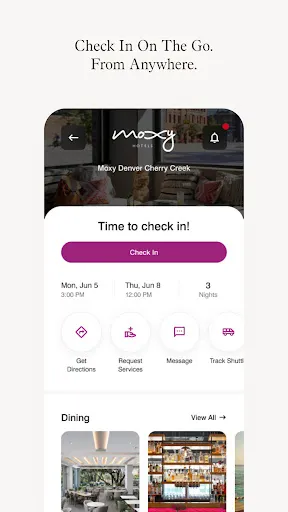
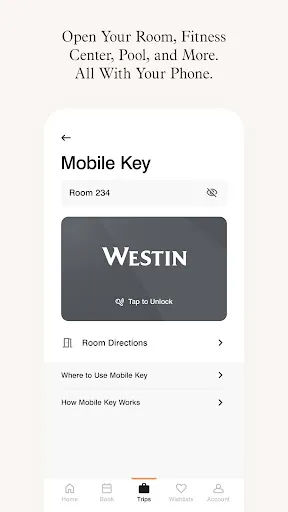
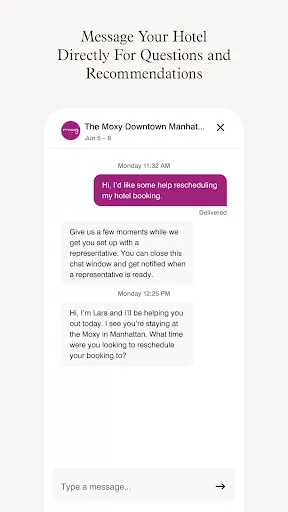
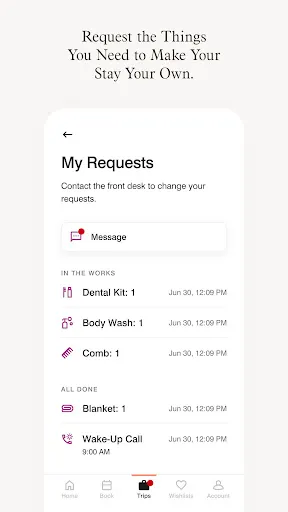
Additionally, the app provides access to exclusive member rates and promotions, allowing users to save money on their bookings. The integration of a user-friendly interface makes navigation seamless, enabling users to manage their reservations easily. The app also includes a rewards program, where members can earn points for every stay, which can be redeemed for free nights, upgrades, and other perks. Furthermore, users can check in and out digitally, request services, and communicate with hotel staff directly through the app, enhancing convenience and efficiency during their stay.
Using the "Marriott Bonvoy: Book Hotels" app is straightforward and user-friendly. To get started, users need to download the app from their device's app store and create an account or log in if they already have one. Once logged in, users can enter their desired destination, check-in and check-out dates, and the number of guests to begin their search for accommodations.
After the search results are displayed, users can refine their options using filters such as price range, hotel brand, and amenities. Once a suitable hotel is found, users can view detailed information, including photos, reviews, and available rates. To complete the booking, users simply follow the prompts to enter their payment information and confirm their reservation. Additionally, the app allows users to manage their bookings, view their rewards points, and access special offers, making it a comprehensive tool for travelers looking to maximize their Marriott experience.
The "Marriott Bonvoy: Book Hotels" app comes with several advantages that enhance the user experience. One of the primary benefits is the extensive range of properties available for booking, catering to various budgets and preferences. The app's rewards program is another significant advantage, as it allows users to accumulate points for future stays, providing added value for frequent travelers. The user-friendly interface and features like mobile check-in and direct communication with hotel staff further streamline the travel process, making it convenient for users.
However, the app is not without its drawbacks. Some users have reported occasional technical glitches, such as slow loading times or issues with payment processing. Additionally, while the rewards program is appealing, some users may find it challenging to accumulate enough points for significant rewards, especially if they do not travel frequently. Lastly, the app primarily focuses on Marriott properties, which may limit options for users looking for a broader range of accommodations. Overall, while the app offers many benefits, potential users should weigh these pros and cons before relying solely on it for their travel needs.

 Enjoy exclusive member rates and discounts on hotel bookings. Access to a wide range of luxury and budget-friendly hotels. Earn points for free nights and exciting travel experiences. Seamless booking process with user-friendly mobile app and website. Benefit from personalized services and rewards tailored to your preferences.
 Limited availability during peak travel seasons can hinder booking options. Earning and redeeming points can be complicated and confusing. Customer service response times may be slow during high-demand periods.
  Google Play
  App Store
 Yes, users can submit suggestions or feedback directly through the app or via Marriott's customer service channels to help improve the app and services.
Yes, the app collects personal data such as name, email address, and payment information to facilitate bookings and enhance user experience, in accordance with their privacy policy.
Yes, the app provides limited offline functionality, allowing users to access previously viewed information and reservations without an internet connection.
Since the app itself does not require a paid subscription, users do not need to cancel anything; however, if you wish to cancel a loyalty membership or a specific booking, you can do so through the app or by contacting customer service.
There is no subscription fee specifically for the app; however, users can join the Marriott Bonvoy loyalty program for free to access benefits and rewards.
Customer numbers cannot be changed, but you can contact customer service for further assistance with your account.
Yes, you can log in to your Marriott Bonvoy account using your connected social media account if you’ve set it up that way.
You can activate your account by following the link in the welcome email or by contacting customer service for assistance.
To log in, visit the Marriott Bonvoy website or app and enter your email and password.
You can reach Marriott Bonvoy customer service by calling their toll-free number or through the contact form on their website.