


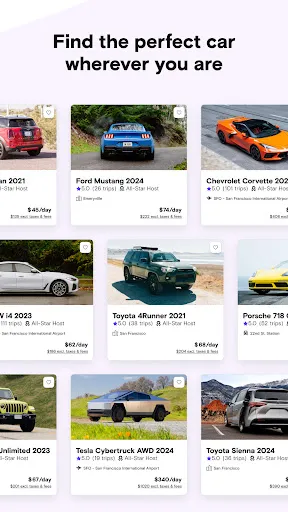
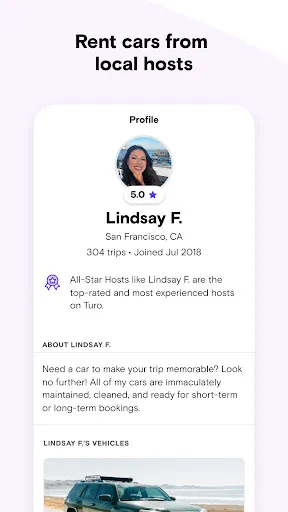

Turo is a unique car rental marketplace that connects car owners with individuals looking to rent vehicles. One of its standout features is the diverse selection of cars available, ranging from everyday sedans to luxury vehicles and even specialty cars like vintage models. This variety allows users to find a vehicle that suits their specific needs and preferences.
Another notable feature is the user-friendly interface, which makes browsing and booking cars straightforward. Users can filter their search based on price, car type, and location, ensuring they find the perfect match. Additionally, Turo offers flexible rental periods, allowing users to rent cars for as little as a few hours or as long as several weeks.
Turo also emphasizes safety and security, providing insurance options for both renters and car owners. The platform includes a review system, enabling users to read feedback from previous renters, which helps build trust within the community. Furthermore, Turo's mobile app allows for easy communication between renters and owners, enhancing the overall rental experience.
Using Turo is a straightforward process that begins with creating an account on the platform. Users can sign up via the website or mobile app, providing necessary information such as their name, email, and payment details. Once registered, users can start browsing the available cars by entering their desired location and rental dates.
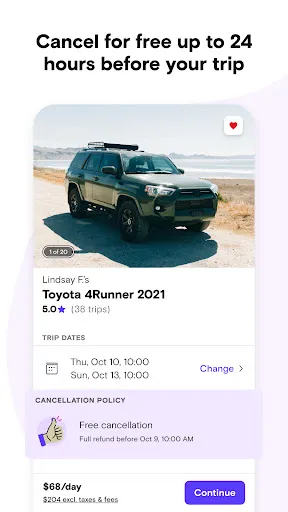
After finding a suitable vehicle, users can view detailed descriptions, photos, and reviews from previous renters. To book a car, simply select the desired rental period and follow the prompts to complete the reservation. Payment is processed through the platform, ensuring a secure transaction.
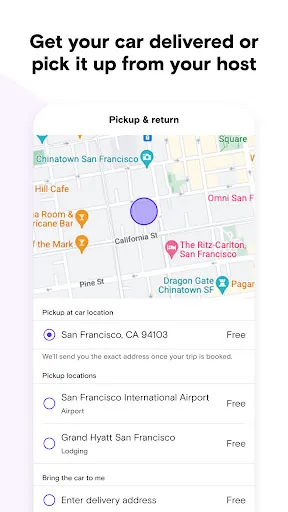
Once the booking is confirmed, renters can communicate with the car owner to arrange pickup and drop-off details. Turo provides guidelines for both parties to ensure a smooth experience. After the rental period, users are encouraged to leave a review, contributing to the community and helping future renters make informed decisions.
Turo offers several advantages that make it an appealing choice for car rentals. One of the primary benefits is the extensive variety of vehicles available, catering to different tastes and budgets. Additionally, the platform often provides more competitive pricing compared to traditional car rental companies, making it a cost-effective option for many users.
Another pro is the flexibility in rental periods, allowing users to rent cars for short or long durations. The user-friendly interface and mobile app enhance the overall experience, making it easy to navigate and book vehicles. Furthermore, the review system fosters trust and transparency, helping users make informed choices.

 Flexible rental options for all types of vehicles available Affordable rates often lower than traditional rentals Convenient pickup and drop-off locations tailored to your needs Unique vehicle choices, from luxury cars to everyday rides User-friendly platform with transparent pricing and reviews
 Limited availability in certain locations can restrict options for renters. Higher insurance costs may deter some potential renters. Inconsistent vehicle quality can lead to unexpected issues during rentals.
  Google Play
  App Store
 Yes, Turo encourages users to submit suggestions and feedback through their app or website to improve their services.
Yes, Turo collects personal data such as your name, contact information, and payment details to facilitate transactions and enhance user experience.
Turo primarily requires an internet connection to function, so offline access is limited to previously downloaded information or trip details.
Since Turo does not have a subscription model for users, you can simply stop using the app without any cancellation process.
Turo does not require a subscription fee to use the app, but hosts may pay a percentage fee on the earnings from rentals.
Customer numbers cannot be updated. If you have concerns, please contact customer service for help.
You can reach Turo's customer service via the app or website. Look for the "Help" section for contact options.
After signing up, check your email for the activation link. Click it to activate your account.
To log in, go to the Turo website or app, enter your email and password, then click "Log in."
Click "Forgot password?" on the log in page, enter your email, and follow the instructions sent to your inbox.