





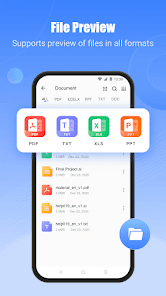
SHAREit: Transfer, Share Files is a versatile application designed for seamless file sharing across various devices. One of its standout features is the ability to transfer files at high speeds, often exceeding 20 MB/s, which significantly reduces the time required to send large files. The app supports a wide range of file types, including photos, videos, music, documents, and apps, making it a comprehensive solution for file sharing.
Another notable feature is its cross-platform compatibility, allowing users to share files between Android, iOS, Windows, and Mac devices without the need for an internet connection. SHAREit also includes a built-in media player, enabling users to view videos and listen to music directly within the app. Additionally, it offers a user-friendly interface, making it easy for anyone to navigate and utilize its functionalities. The app also provides a file manager, which helps users organize and manage their shared files efficiently.
Furthermore, SHAREit includes a feature for sharing apps directly, which can be particularly useful for users looking to share their favorite applications with friends. The app also emphasizes security, ensuring that shared files are transferred safely and without the risk of malware. Overall, SHAREit combines speed, versatility, and user-friendliness, making it a popular choice for file sharing among users worldwide.
Using SHAREit: Transfer, Share Files is a straightforward process that can be completed in just a few steps. First, download and install the app on your device from the Google Play Store or Apple App Store. Once installed, open the app, and you will be greeted with a simple interface that allows you to choose whether you want to send or receive files.
If you are sending files, tap on the "Send" button, and select the files you wish to share from your device. After selecting the files, the app will prompt you to choose the receiving device. Ensure that the recipient has SHAREit installed and is also on the same Wi-Fi network or has enabled hotspot mode. The app will display available devices; simply tap on the desired device to initiate the transfer.
For receiving files, tap on the "Receive" button, and wait for the sender to select your device from their SHAREit app. Once the connection is established, the files will begin transferring automatically. After the transfer is complete, you can access the received files through the app's file manager or your device's storage. SHAREit also allows you to share multiple files simultaneously, making it a convenient tool for quick file transfers.
SHAREit: Transfer, Share Files comes with several advantages that make it a popular choice among users. One of the primary benefits is its high-speed transfer capability, which allows users to send large files quickly without relying on an internet connection. The app's cross-platform functionality is another significant advantage, enabling seamless sharing between different operating systems, including Android, iOS, Windows, and Mac.
Additionally, SHAREit offers a user-friendly interface, making it accessible for users of all ages. The built-in media player and file manager enhance the overall user experience by allowing easy access to shared content. However, there are some drawbacks to consider. Some users have reported occasional connectivity issues, which can hinder the transfer process. Furthermore, the app may display ads, which can be distracting for some users.
Another concern is related to privacy, as some users worry about the security of their shared files. While SHAREit has implemented measures to protect user data, the potential for data breaches remains a concern. Overall, while SHAREit offers numerous benefits for file sharing, users should weigh these pros and cons to determine if it meets their specific needs.

 Fast file transfer speeds enhance productivity and save time. User-friendly interface makes sharing effortless for everyone. Supports multiple file types, accommodating various content formats. Enables cross-platform sharing between different operating systems seamlessly. Offline sharing eliminates the need for internet connectivity while transferring files.
 Limited file transfer speed can be frustrating for larger files Frequent ads disrupt user experience and may annoy users Security concerns regarding data privacy raise potential risks for users
  Google Play
  App Store
 Yes, users can usually submit suggestions or feedback directly within the app or through the official SHAREit website or support channels, allowing the developers to consider user input for future updates.
SHAREit: Transfer, Share Files may collect certain user data to enhance the app's functionality and user experience, but it is advisable to review their privacy policy for specific details on data collection and usage.
Yes, SHAREit: Transfer, Share Files supports offline use, allowing users to transfer files between devices without the need for an active internet connection, utilizing Wi-Fi Direct technology instead.
To cancel a SHAREit: Transfer, Share Files subscription, users typically need to go through the app store or platform where the subscription was purchased and follow the cancellation instructions provided there.
SHAREit: Transfer, Share Files may offer premium features through a subscription, but the pricing can vary based on the region and the specific features selected. Users should check the app for the most current pricing information.
No, once activated, your customer number cannot be changed. Please contact customer service for further inquiries.
It's not recommended to share your customer number for security reasons. Keep it confidential and contact customer service if needed.
To log in, open the app and enter your registered email or phone number and password.
If you face activation issues, please contact customer service through the app for immediate assistance.
You can reach customer service through the app's help section or visit the official SHAREit website for support options.