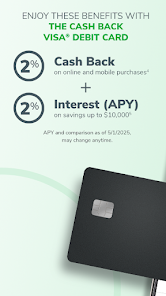


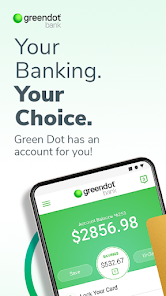
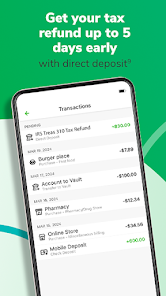
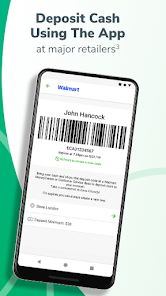
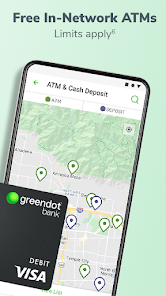
Green Dot - Mobile Banking offers a variety of features designed to enhance the banking experience for its users. One of the standout features is the ability to manage your finances directly from your smartphone. Users can check their account balances, view transaction history, and transfer funds between accounts with ease. The app also supports mobile check deposits, allowing users to deposit checks by simply taking a photo of them, which adds convenience to everyday banking.
Another notable feature is the budgeting tools that help users track their spending and set financial goals. The app provides real-time notifications for transactions, ensuring users stay informed about their account activity. Additionally, Green Dot offers a unique feature called "Payback," which allows users to send money to friends and family instantly. The app also includes a secure card management system, enabling users to lock or unlock their cards if they are lost or stolen. Overall, Green Dot - Mobile Banking combines functionality and security, making it a reliable choice for managing personal finances.
Using Green Dot - Mobile Banking is straightforward and user-friendly. To get started, download the app from the App Store or Google Play Store and create an account by providing your personal information. Once your account is set up, you can link your Green Dot card or bank account to the app for seamless transactions. The app's interface is intuitive, allowing users to navigate easily through various features such as balance checking, transaction history, and fund transfers.
To deposit checks, simply select the mobile deposit option, take a clear photo of the check, and follow the prompts to complete the deposit. For sending money, use the "Payback" feature to enter the recipient's details and the amount you wish to send. Notifications will keep you updated on your account activity, ensuring you are always aware of your financial status. Overall, the app is designed to make banking accessible and efficient, catering to the needs of modern users.
Like any financial app, Green Dot - Mobile Banking has its advantages and disadvantages. One of the primary pros is its convenience; users can manage their finances on-the-go, making it easy to check balances, transfer funds, and deposit checks from anywhere. The budgeting tools are also a significant benefit, helping users track their spending and set financial goals effectively. Additionally, the app's security features, such as card locking and real-time transaction alerts, provide peace of mind for users concerned about fraud.
However, there are some cons to consider. Some users have reported issues with customer service response times, which can be frustrating when immediate assistance is needed. Additionally, while the app is generally user-friendly, some features may not be as intuitive for first-time users. Lastly, fees associated with certain transactions or services may deter some users from fully utilizing the app. Overall, while Green Dot - Mobile Banking offers many benefits, potential users should weigh these pros and cons before making a decision.

 Green Dot offers easy access to your funds anytime, anywhere. Enjoy low fees compared to traditional banking options. Benefit from instant online money transfers to friends and family. Experience the convenience of mobile banking with a user-friendly app. Gain financial control with budgeting tools and spending alerts.
 Limited ATM access often results in higher withdrawal fees. Customer service can be slow and unresponsive during peak times. Monthly fees may outweigh benefits for infrequent users.
  Google Play
  App Store
 Yes, users can submit suggestions or feedback through the app’s feedback feature or by contacting customer support directly.
Yes, Green Dot - Mobile Banking collects personal data for account verification, transaction processing, and enhancing user experience, in accordance with its privacy policy.
Green Dot - Mobile Banking requires an internet connection to access its features, so it does not support offline use.
To cancel any services or features associated with the app, users can follow the instructions provided in the app or contact customer support for assistance.
There are no subscription fees for using the Green Dot - Mobile Banking app, but users may encounter fees for specific transactions or services.
Yes, you can activate your account directly in the app by following the prompts after you sign in.
Yes, once logged in, you can change your login information in the account settings section of the app.
You can reach customer service by calling the number on the back of your card or through the app's help section.
Your customer number is located in your account details within the app or on your card. If you need help, contact customer service.
Open the app, enter your username and password, then tap "Log In" to access your account.