

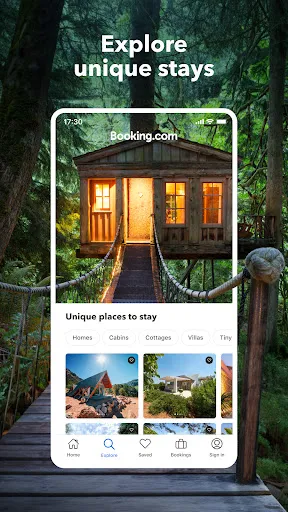
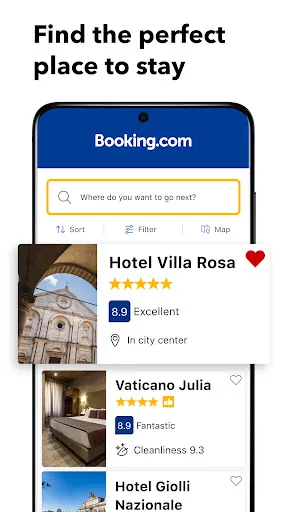
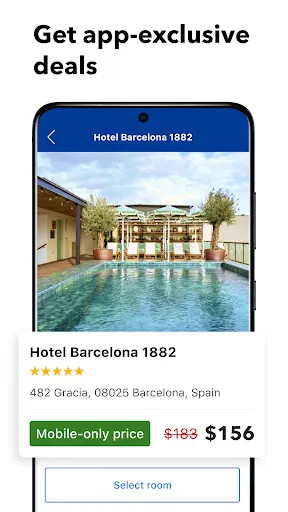

"Booking.com: Hotels & Travel" is a comprehensive travel app designed to simplify the process of finding and booking accommodations. One of its standout features is the extensive database of over 28 million listings, which includes hotels, apartments, and unique stays worldwide. Users can filter their search results based on various criteria such as price, location, and amenities, ensuring they find the perfect fit for their needs.
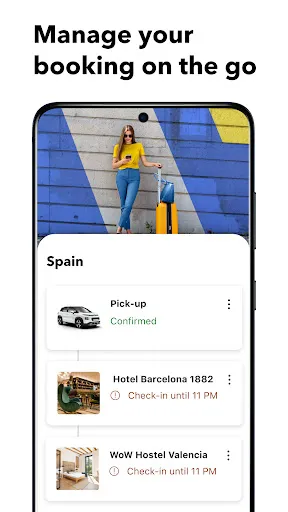
Another notable feature is the user-friendly interface, which allows for seamless navigation. The app provides detailed descriptions, high-quality images, and user reviews for each property, helping travelers make informed decisions. Additionally, the app offers a "Genius" loyalty program that rewards frequent users with exclusive discounts and perks. Users can also manage their bookings directly through the app, including modifications and cancellations, making it a convenient tool for travelers on the go.
Furthermore, the app includes a built-in map feature that helps users locate accommodations in relation to local attractions and points of interest. With 24/7 customer support available in multiple languages, travelers can feel secure knowing assistance is just a tap away. Overall, "Booking.com: Hotels & Travel" combines a wealth of options with user-friendly features, making it a go-to app for travelers worldwide.
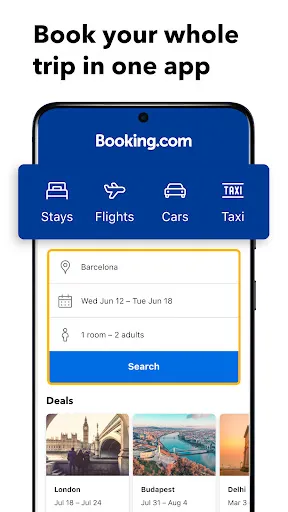
Using "Booking.com: Hotels & Travel" is straightforward and user-friendly, making it accessible for travelers of all experience levels. To begin, download the app from your device's app store and create an account or log in if you already have one. Once you're in, enter your desired destination, check-in and check-out dates, and the number of guests to initiate your search.
The app will present you with a list of available accommodations tailored to your criteria. You can refine your search using filters such as price range, property type, and amenities like free Wi-Fi or breakfast options. After selecting a property, you can view detailed information, including photos, reviews, and cancellation policies. Once you've made your choice, proceed to book by entering your payment details and confirming your reservation.
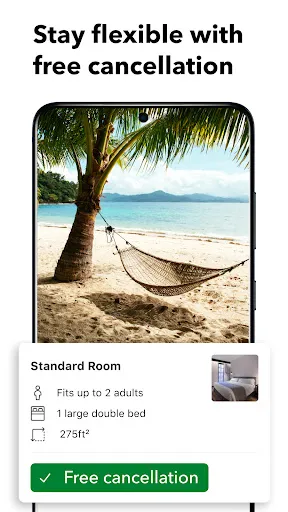
After booking, you can manage your reservations directly through the app, allowing you to modify or cancel bookings as needed. Additionally, the app provides useful information about local attractions, restaurants, and transportation options, enhancing your travel experience. By following these simple steps, you can efficiently use "Booking.com: Hotels & Travel" to plan your next adventure.
"Booking.com: Hotels & Travel" offers several advantages that make it a popular choice among travelers. One of the primary pros is its vast selection of accommodations, catering to various budgets and preferences. The app's user-friendly interface simplifies the booking process, allowing users to quickly find and reserve their ideal stay. Additionally, the inclusion of user reviews and ratings provides valuable insights, helping travelers make informed decisions.
Another significant advantage is the app's competitive pricing, often featuring exclusive deals and discounts. The Genius loyalty program further enhances the experience by offering additional perks to frequent users. Furthermore, the 24/7 customer support ensures that assistance is readily available, providing peace of mind during travel.

 Wide selection of accommodations, from luxury hotels to budget options. User-friendly interface for easy booking and navigation. Competitive prices with frequent discounts and offers for savvy travelers. Comprehensive reviews and ratings to help inform your choices. 24/7 customer support ensures assistance whenever you need it.
 Limited customer service options can lead to frustration during booking issues. Some listings may have inaccurate information, affecting travel plans. Hidden fees can increase total costs unexpectedly at checkout.
  Google Play
  App Store
 Yes, Booking.com: Hotels & Travel collects personal data such as your name, email address, and payment information to process bookings and improve user experience, in accordance with their privacy policy.
No, Booking.com: Hotels & Travel does not offer a free trial; however, it is free to download and use for booking accommodations without any subscription fees.
Yes, Booking.com: Hotels & Travel requires an internet connection to search for accommodations, view pricing and availability, and complete bookings.
You can contact support or send feedback through the app or website by accessing the Help Center, where you’ll find options to reach customer service via email or live chat.
Since Booking.com: Hotels & Travel does not have a subscription model, users do not need to manage or cancel a subscription. Instead, users can manage their bookings directly through the app or website.
Yes, you can recover your account by contacting customer service. They will guide you through the reactivation process.
You can reach customer service by visiting the "Contact Us" section on our website or app, where you'll find options to chat, call, or email us.
To activate your account, click the link in the activation email sent to you after registration. If you didn’t receive it, check your spam folder or request a new link.
Once logged in, go to "Account Settings" to update your personal information, including email and payment details.
After logging in, navigate to "My Bookings" from your account dashboard to view your booking history.