

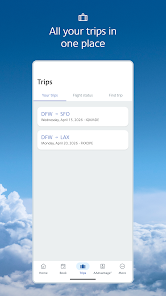
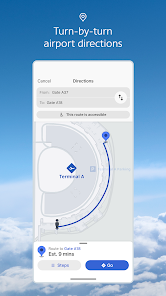
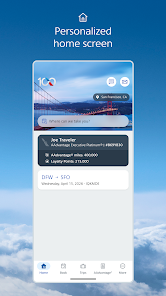
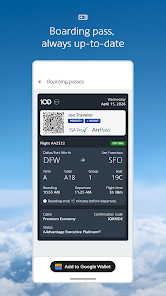

American Airlines is one of the largest airlines in the world, offering a wide range of features designed to enhance the travel experience. One of its standout features is the extensive route network, which connects travelers to over 350 destinations in more than 50 countries. This makes it a convenient choice for both domestic and international travel. Additionally, American Airlines provides various cabin classes, including First Class, Business Class, and Economy, catering to different budgets and preferences.
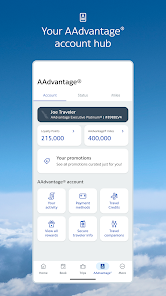
Another notable feature is the AAdvantage loyalty program, which allows frequent flyers to earn miles that can be redeemed for flights, upgrades, and other rewards. The airline also offers a user-friendly mobile app that enables passengers to book flights, check in, and access boarding passes easily. Furthermore, American Airlines prioritizes customer service, providing 24/7 support through various channels, including phone, chat, and social media. With in-flight entertainment options, Wi-Fi availability, and a diverse menu of food and beverages, American Airlines strives to make every journey enjoyable and comfortable.
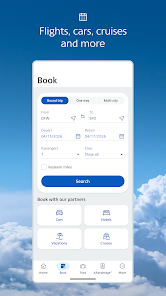
Using American Airlines is a straightforward process that begins with planning your trip. Start by visiting the American Airlines website or downloading the mobile app, where you can search for flights based on your desired destination and travel dates. Once you find a suitable flight, you can proceed to book your ticket by entering your personal information and payment details. It’s advisable to create an AAdvantage account to earn miles and enjoy additional benefits.
After booking, you can manage your reservation through the app or website, allowing you to make changes, select seats, and add services like baggage or in-flight meals. On the day of travel, arrive at the airport early to allow time for check-in and security procedures. You can check in online or at the airport kiosks. Once you board, enjoy the in-flight services and entertainment options. After your journey, remember to check your AAdvantage account for any miles earned and consider providing feedback on your experience to help improve future services.
The American Airlines app offers several advantages that enhance the travel experience for users. One of the primary benefits is its convenience; travelers can easily book flights, check in, and access boarding passes all in one place. The app also provides real-time flight updates, allowing users to stay informed about any changes to their itinerary. Additionally, the app features a user-friendly interface, making navigation simple for both tech-savvy individuals and those less familiar with technology.
However, there are some drawbacks to consider. Some users have reported occasional glitches or crashes, which can be frustrating, especially when trying to access important information quickly. Additionally, while the app offers many features, some users feel that it lacks certain functionalities found in competitor apps, such as more detailed flight tracking or enhanced customer service options. Overall, while the American Airlines app is a valuable tool for travelers, it may not meet everyone's expectations in terms of performance and features.
```
 American Airlines offers extensive domestic and international flight options for travelers. The airline provides a user-friendly app for easy booking and check-in. Passengers can enjoy a comfortable travel experience with upgraded seating options. American Airlines' AAdvantage program rewards frequent flyers with valuable benefits. The airline prioritizes customer service, ensuring assistance and support throughout the journey.
 High fees for baggage and seat selection can increase travel costs significantly. Frequent delays and cancellations disrupt travel plans and create frustration. Customer service can be inconsistent, leading to unresolved issues and dissatisfaction.
 Yes, American Airlines collects personal data as part of its services, including information related to bookings, preferences, and usage of the app, in accordance with its privacy policy.
The American Airlines app is free to download and use, with no subscription fees or trial periods required.
Yes, an internet connection is required to access most features of the American Airlines app, including booking flights and checking flight status.
You can contact American Airlines support through the app, their website, or by calling their customer service number, and you can also provide feedback directly through the app.
Since American Airlines does not operate on a subscription model, you can manage or cancel your flight reservations through the app or website by accessing your booking information.
Unfortunately, customer numbers cannot be changed. If you have concerns, please contact customer service for assistance.
Yes, you can manage your bookings using your confirmation number on the American Airlines website without logging in.
You can reach American Airlines customer service by calling their toll-free number or using the live chat option on the website.
Log in to your account, go to "Profile," and select "Update Information" to make changes.
Go to the American Airlines website and click on the "Log In" button. Enter your email and password to access your account.












 Google Play
  App Store