



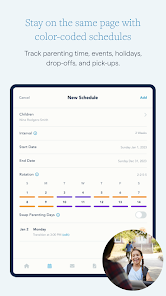
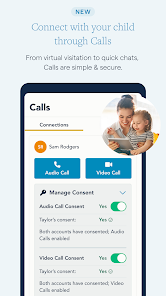




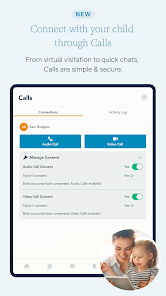
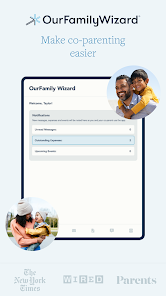

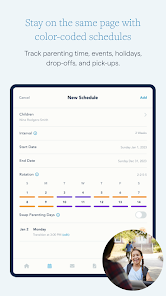
The "OurFamilyWizard Co-Parent App" is designed to facilitate communication and organization between co-parents. One of its standout features is the shared calendar, which allows both parents to schedule and track important events, such as custody exchanges, school activities, and medical appointments. This feature helps ensure that both parents are on the same page regarding their children's schedules.
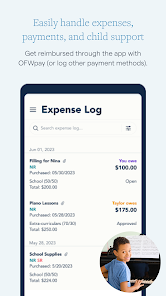
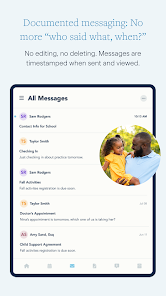
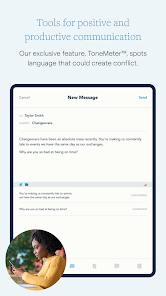
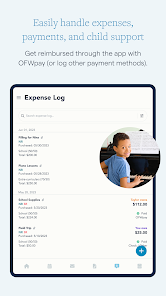
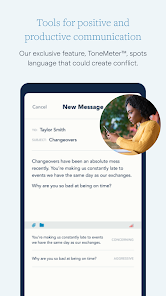
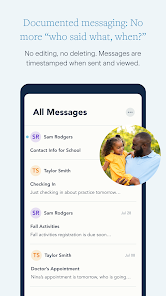
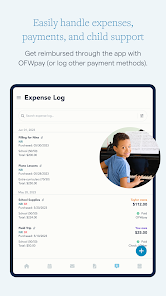
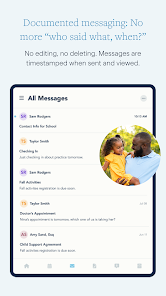
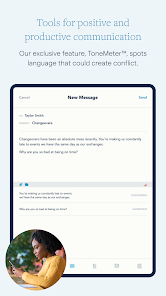
Another key feature is the messaging system, which provides a secure platform for co-parents to communicate without the risk of miscommunication or misunderstandings. The app also includes a journal feature, enabling parents to document important events or concerns regarding their children, which can be useful in legal situations. Additionally, the expense tracking tool allows parents to record and share expenses related to their children, promoting transparency in financial matters.
Moreover, the app offers a "Request" feature, where one parent can request changes to the schedule or other arrangements, making it easier to negotiate and agree on parenting matters. Overall, the "OurFamilyWizard Co-Parent App" combines various tools to streamline co-parenting, ensuring that both parents can effectively collaborate for the well-being of their children.
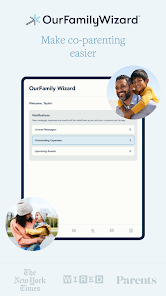
Using the "OurFamilyWizard Co-Parent App" is straightforward and user-friendly. First, both parents need to create individual accounts on the app. Once registered, they can link their accounts to share information seamlessly. After logging in, users can explore the dashboard, which provides access to all features, including the shared calendar, messaging, and expense tracking.
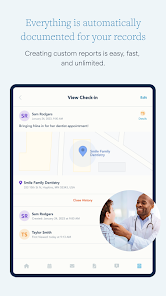
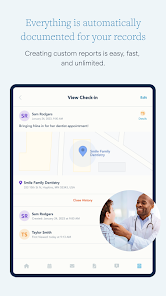
To schedule events, simply navigate to the calendar section and add important dates, such as visitation schedules or school events. Both parents will receive notifications for any changes made. For communication, use the messaging feature to send secure messages, ensuring that all conversations are documented within the app. The journal feature allows parents to record notes about their child's well-being or any incidents that may arise.
Expense tracking is also easy; parents can input expenses related to their children and categorize them for clarity. The app provides reports that can be shared with the other parent, promoting transparency. Overall, the "OurFamilyWizard Co-Parent App" is designed to simplify co-parenting by providing essential tools for effective communication and organization.
The "OurFamilyWizard Co-Parent App" offers several advantages that make it a valuable tool for co-parents. One of the primary benefits is its comprehensive features, which include a shared calendar, secure messaging, and expense tracking. These tools help streamline communication and organization, reducing misunderstandings and conflicts between parents. Additionally, the app is user-friendly, making it accessible for individuals who may not be tech-savvy.
However, there are some drawbacks to consider. One potential con is the subscription cost, which may be a barrier for some users. While the app provides a wealth of features, the expense may deter some parents from utilizing it fully. Furthermore, some users have reported occasional technical glitches, which can disrupt the user experience. Lastly, while the app is designed to facilitate communication, it may not resolve deeper relational issues between co-parents, which could still require mediation or counseling.
In summary, the "OurFamilyWizard Co-Parent App" has numerous benefits that can enhance co-parenting, but potential users should weigh the costs and consider whether it meets their specific needs.

 Streamlines communication between co-parents to reduce misunderstandings. Centralizes scheduling to prevent conflicts and enhance organization. Offers expense tracking for shared costs, promoting transparency. Provides a safe space for messaging, ensuring privacy and security. Features helpful tools like calendars and reminders for effective co-parenting.
 High subscription costs may limit accessibility for some co-parents. The app's interface can be confusing for new users. Limited functionality in offline mode restricts usability during poor connectivity.
 Yes, users are encouraged to submit suggestions or feedback through the app or customer support channels to help improve the service.
Yes, the app collects personal data necessary for account creation and usage, but it is committed to user privacy and protects this information according to its privacy policy.
Yes, OurFamilyWizard Co-Parent App allows some functionalities to be accessed offline, but users will need an internet connection to sync changes and updates once they are back online.
To cancel your subscription, you can log into your account through the app or website and follow the cancellation process outlined in the account settings.
Subscription pricing may vary based on the plan selected, but typically it offers monthly and annual payment options with discounts for longer commitments.
Yes, you can log in to the OurFamilyWizard app using your mobile device by entering your email and password in the login screen.
You can reach customer service via the support page on our website or by calling the customer service number listed there.
To activate your account, check your email for an activation link we sent you after registration, and follow the instructions provided.
You can contact customer service through our website's support section or by calling the customer service number provided there for technical assistance.
Customer numbers cannot be updated by users. Please contact customer service for assistance in correcting any inaccuracies.











 Google Play
  App Store