

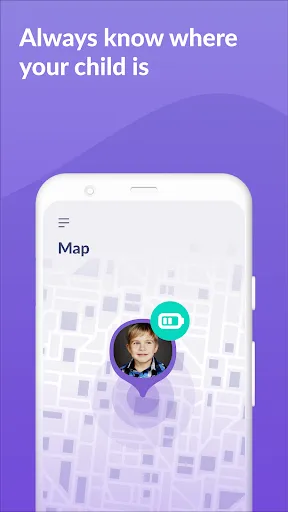
"Kids360: Parental Control App" offers a comprehensive suite of features designed to help parents monitor and manage their children's online activities. One of the standout features is real-time location tracking, which allows parents to know where their children are at any given moment. This feature is particularly useful for ensuring safety during outings or school commutes.
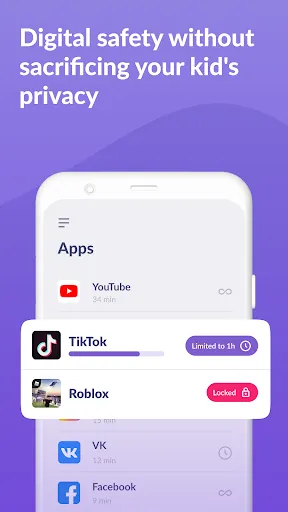
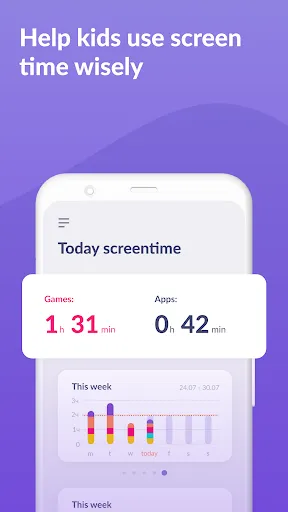
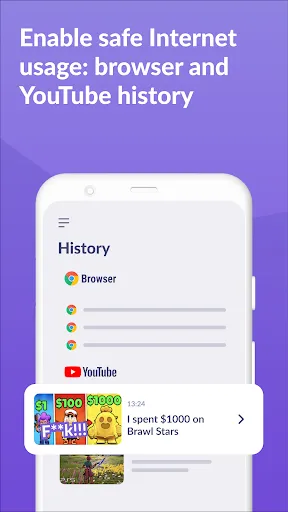
Another key feature is app usage monitoring, which provides insights into how much time children spend on various applications. Parents can set daily limits for specific apps, helping to promote a balanced digital lifestyle. Additionally, the app includes web filtering capabilities, allowing parents to block inappropriate content and ensure a safe browsing experience.
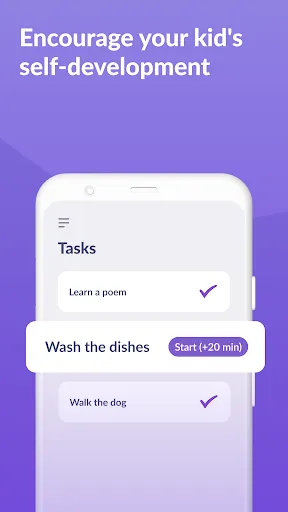
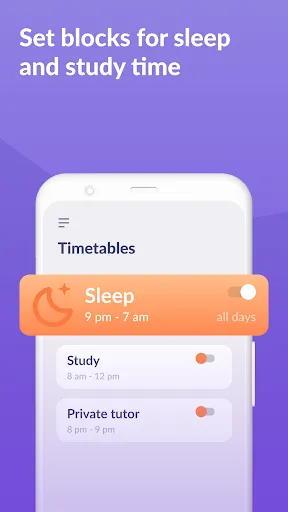
Furthermore, Kids360 offers screen time management, enabling parents to schedule device usage and enforce breaks. The app also includes activity reports, giving parents a detailed overview of their child's online behavior. With these features, Kids360 empowers parents to take an active role in their children's digital lives while fostering healthy habits.
Using the "Kids360: Parental Control App" is straightforward and user-friendly. First, parents need to download the app from the App Store or Google Play and create an account. After setting up the account, parents can add their child's device by following the on-screen instructions, which typically involve installing a companion app on the child's device.
Once the devices are linked, parents can customize settings according to their preferences. This includes setting screen time limits, choosing which apps to monitor, and establishing web filtering parameters. The app's dashboard provides an overview of the child's activity, making it easy to track usage patterns and adjust settings as needed.
Parents can also receive notifications for specific activities, such as when a child attempts to access blocked content. Regularly reviewing the activity reports will help parents stay informed about their child's online behavior and make necessary adjustments to the settings. Overall, Kids360 is designed to be intuitive, ensuring that parents can effectively manage their children's digital experiences.
The "Kids360: Parental Control App" comes with several advantages that make it a popular choice among parents. One of the primary pros is its comprehensive feature set, which includes location tracking, app usage monitoring, and web filtering. These tools provide parents with a robust framework for ensuring their children's online safety. Additionally, the user-friendly interface makes it easy for parents to navigate and customize settings according to their family's needs.
However, there are some cons to consider. One potential drawback is that the app may require a subscription for full access to all features, which could be a concern for budget-conscious families. Furthermore, some users have reported occasional glitches or connectivity issues, which can hinder the app's effectiveness. Lastly, while the app provides valuable insights, it may not completely eliminate the need for open communication between parents and children regarding online safety.
In summary, while Kids360 offers a wealth of features that can enhance parental control, it's essential for parents to weigh the pros and cons to determine if it aligns with their family's needs.

 Empowers parents to monitor screen time effectively for healthier habits. Ensures safe browsing by blocking inappropriate content and websites. Allows location tracking for peace of mind during outings. Facilitates communication with kids through messaging features. Customizable settings adapt to each child’s unique needs and age.
 Limited features may not cover all parental control needs effectively Frequent updates can disrupt user experience and accessibility High subscription costs may deter some families from using the app
  Google Play
  App Store
 Yes, users are encouraged to submit suggestions or feedback through the app's support feature or via the official website to help improve the app's functionality.
Kids360: Parental Control App prioritizes user privacy and only collects necessary data to provide its services, adhering to strict data protection standards.
Yes, Kids360: Parental Control App can function offline for certain features, but some functionalities may require an internet connection for full performance.
You can cancel your Kids360: Parental Control App subscription through your account settings within the app or by following the cancellation instructions provided in the app store where you purchased the subscription.
The subscription cost for Kids360: Parental Control App varies based on the plan selected, with options for monthly or annual billing available at competitive rates.
Unfortunately, customer numbers cannot be changed. If you have concerns, please contact customer service for further assistance.
After signing up, check your email for an activation link. Click it to activate your account. If you don’t receive it, contact customer service.
You can reach our customer service team by emailing support
To log in, visit our website and enter your registered email and password. If you encounter issues, try resetting your password.
Customer numbers cannot be updated. If you have any issues, please contact customer service for more information.