


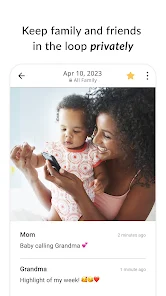
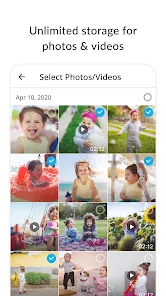

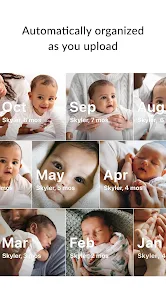

"FamilyAlbum - Photo Sharing" is designed to create a private space for families to share and cherish memories. One of its standout features is the ability to upload unlimited photos and videos, allowing families to document their moments without worrying about storage limits. The app also offers a timeline view, which organizes photos chronologically, making it easy to revisit past events.
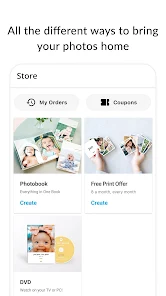
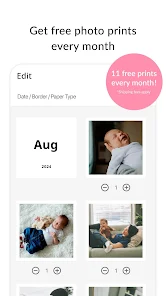
Another notable feature is the option to create albums for specific events, such as birthdays or vacations, which helps in organizing memories by occasion. Family members can comment on and like photos, fostering interaction and engagement within the family. Additionally, the app provides a printing service, enabling users to order physical copies of their favorite images directly from the app. Privacy is a top priority, as the app ensures that shared content is only accessible to invited family members, creating a safe environment for sharing personal moments.
Using "FamilyAlbum - Photo Sharing" is straightforward and user-friendly. First, download the app from your device's app store and create an account. You can invite family members by sending them an invitation link, allowing them to join your private album. Once your family is set up, you can start uploading photos and videos directly from your device. The app supports various formats, making it easy to share memories captured in different ways.
To organize your content, you can create specific albums for different events or milestones, such as holidays or family gatherings. As you upload, family members can interact by liking and commenting on the photos, enhancing the shared experience. You can also set reminders for important dates, ensuring that you never miss a chance to capture and share special moments. Overall, the app is designed to be intuitive, making it accessible for users of all ages to enjoy and engage with family memories.
Like any app, "FamilyAlbum - Photo Sharing" has its advantages and disadvantages. One of the primary pros is its focus on privacy, allowing families to share photos in a secure environment. The unlimited storage for photos and videos is another significant benefit, as it encourages users to document their lives without the fear of running out of space. The app's user-friendly interface makes it accessible for all family members, regardless of their tech-savviness.
However, there are some cons to consider. While the app is free to use, certain features, such as printing services, may incur additional costs. Some users may also find the lack of advanced editing tools limiting, as the app primarily focuses on sharing rather than editing. Additionally, the app's reliance on internet connectivity can be a drawback for users in areas with poor service. Overall, while "FamilyAlbum - Photo Sharing" offers a great platform for family memories, potential users should weigh these pros and cons before committing.

 Easily share photos with family members in a private space. Organize memories chronologically to relive special moments together. Receive real-time notifications when loved ones upload new photos. Create personalized albums for events and milestones effortlessly. Enjoy unlimited storage for all your family memories securely.
 Limited storage options may restrict photo uploads over time Privacy concerns can arise with shared content Lack of advanced editing tools may hinder photo enhancement options
 Yes, FamilyAlbum encourages users to submit suggestions or feedback through the app or their official website to help improve the service.
FamilyAlbum may collect personal data to improve user experience, but they prioritize user privacy and data security. Users can review their privacy policy for more details.
Yes, FamilyAlbum allows users to access previously downloaded content offline, but an internet connection is required for uploading new content and syncing.
Users can cancel their subscription through the app settings or their account management page, following the prompts for subscription cancellation.
The subscription cost varies, but users can typically choose between monthly or annual plans, with discounts often available for longer commitments.
Unfortunately, customer numbers cannot be changed. For specific issues, please contact customer service for assistance.
You can reach our customer service by emailing support
Currently, FamilyAlbum requires email and password for login, and customer numbers are not used for logging in.
To activate your account, click the activation link sent to your email after registration. If you didn't receive it, check your spam folder.
Activation is usually instant after clicking the link in your email. If you haven’t received it, please check your spam folder or contact support.











 Google Play
  App Store