

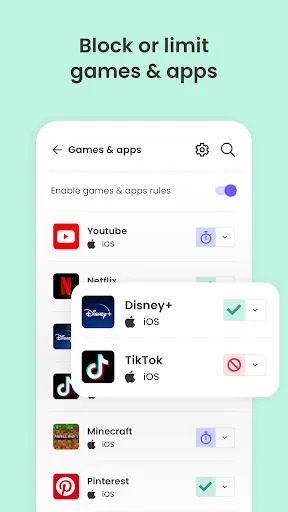
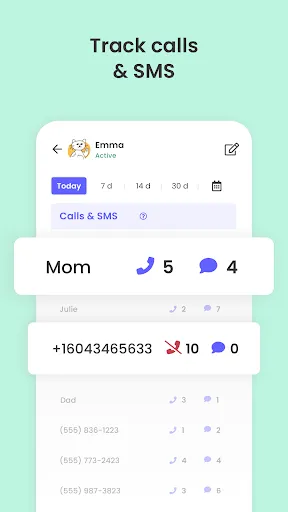
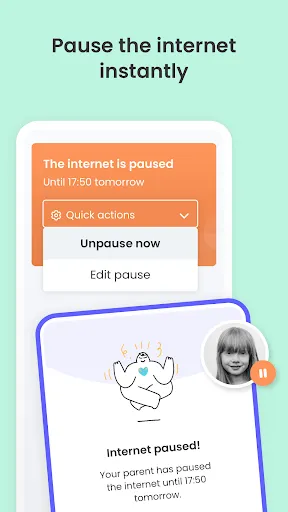
The Qustodio Parental Control App offers a comprehensive suite of features designed to help parents monitor and manage their children's online activities. One of its standout features is the ability to track app usage, allowing parents to see which applications their children are using and for how long. This helps in identifying potentially harmful or distracting apps.
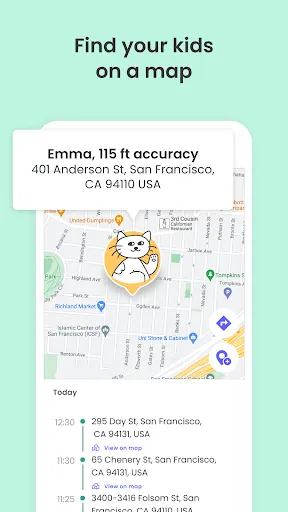
Another key feature is web filtering, which enables parents to block inappropriate websites and content. This ensures that children are protected from harmful material while browsing the internet. Additionally, Qustodio provides location tracking, allowing parents to monitor their child's whereabouts in real-time, which is particularly useful for younger children.
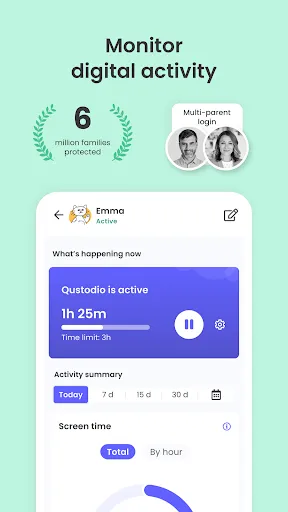
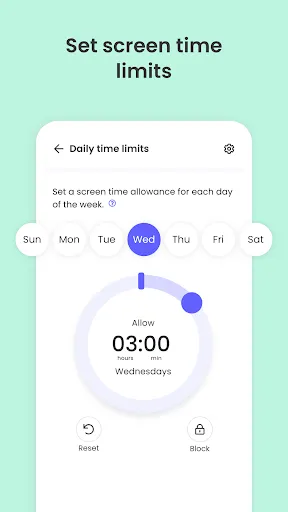
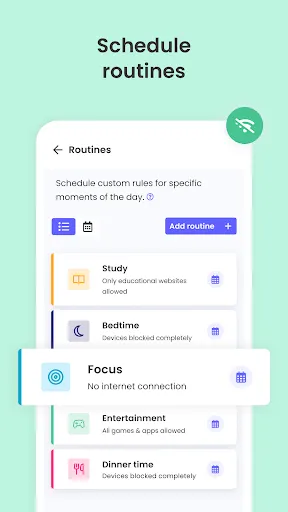
Qustodio also includes screen time management tools, enabling parents to set daily limits on device usage. This feature promotes a healthy balance between online and offline activities. Furthermore, the app offers detailed activity reports, giving parents insights into their child's online behavior and helping them make informed decisions about internet safety.
Overall, Qustodio combines user-friendly design with powerful monitoring capabilities, making it a popular choice among parents seeking to safeguard their children's digital experiences.
Using the Qustodio Parental Control App is straightforward and user-friendly. To get started, parents need to download the app on their devices and create an account. Once the account is set up, they can add their children's devices by installing the app on those devices as well. This allows for seamless monitoring across multiple platforms, including smartphones, tablets, and computers.
After installation, parents can customize settings according to their preferences. This includes setting up web filters, managing screen time, and selecting which apps to monitor. The app's dashboard provides an overview of the child's online activity, making it easy to track usage patterns and identify any concerning behavior.
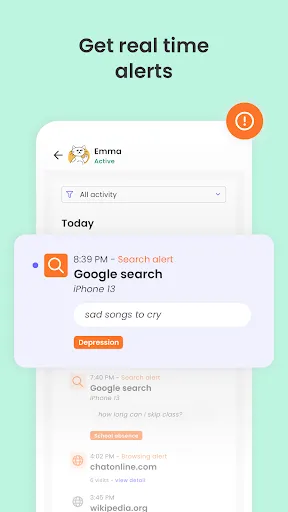
Parents can also receive alerts and notifications for specific activities, such as attempts to access blocked content or exceeding screen time limits. Regularly reviewing the activity reports generated by Qustodio helps parents stay informed and engaged in their child's digital life. Overall, the app is designed to empower parents to take an active role in their children's online safety.
Like any tool, the Qustodio Parental Control App has its advantages and disadvantages. One of the primary pros is its comprehensive feature set, which includes web filtering, app monitoring, and location tracking. These features provide parents with a robust toolkit for ensuring their children's online safety. Additionally, the user-friendly interface makes it accessible for parents who may not be tech-savvy.
Another advantage is the detailed activity reports that help parents understand their child's online behavior. This insight can foster open discussions about internet safety and responsible usage. Furthermore, Qustodio supports multiple platforms, making it versatile for families with various devices.

 Monitors online activity for a safer digital environment Limits screen time to promote healthy habits Filters inappropriate content to protect children Tracks location for enhanced safety and peace of mind Provides detailed reports to keep parents informed
 Qustodio can slow down device performance, leading to frustrating user experiences. The app's interface may be confusing for non-tech-savvy parents. Limited support for certain platforms restricts its usability across devices.
  Google Play
  App Store
 Yes, Qustodio encourages users to submit suggestions or feedback through their support channels, helping to improve the app and its features.
Qustodio Parental Control App does collect certain personal data to provide its services, but it adheres to privacy regulations and has measures in place to protect user information.
Yes, Qustodio Parental Control App can provide some monitoring features offline, but certain functionalities may require an internet connection to sync data.
You can cancel your subscription through your account settings on the Qustodio website or app, following the provided instructions for cancellation.
Subscription prices vary depending on the plan chosen, with options for monthly or annual payments, typically starting from a few dollars per month.
Unfortunately, customer numbers cannot be changed. If you have concerns, please contact customer service for further assistance.
Yes, you can log in to your Qustodio account from multiple devices using the same credentials. For any issues, reach out to customer service.
You can reach our customer service team via the support section on our website or by emailing support
To activate your account, log in using your credentials and follow the on-screen instructions. If you encounter any issues, please reach out to customer service.
To activate your account on a new device, download the app, log in with your existing credentials, and follow the prompts. For issues, contact customer service.