

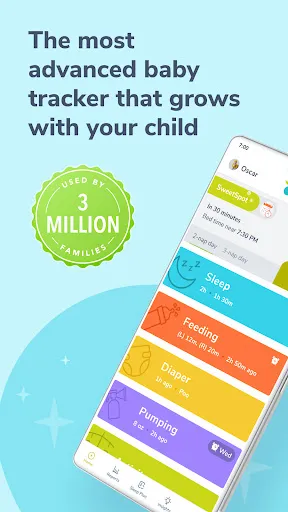
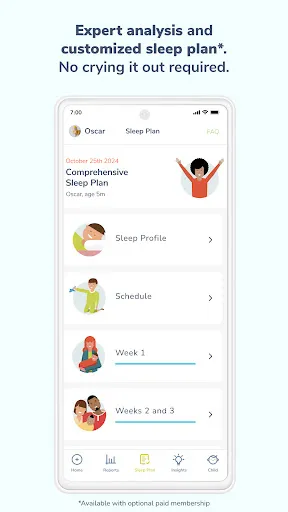
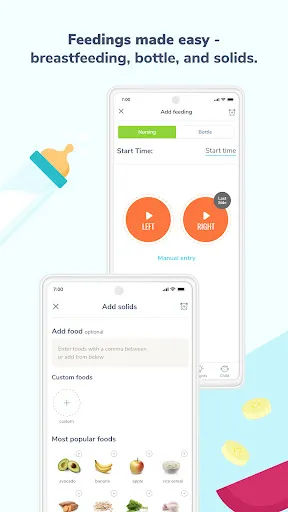

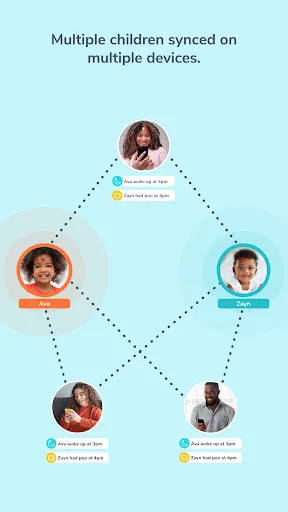
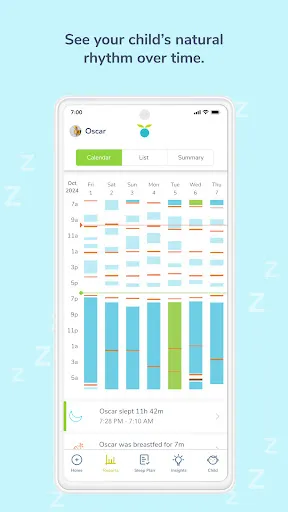
"Huckleberry: Baby & Child" is a comprehensive app designed to support parents in managing their child's sleep and overall well-being. One of its standout features is the Sleep Schedule tool, which provides personalized sleep recommendations based on the child's age and sleep patterns. This feature helps parents establish a consistent bedtime routine, ensuring their child gets the necessary rest.
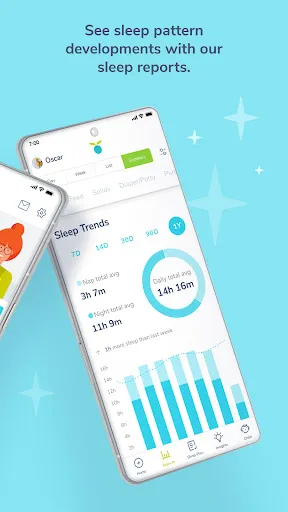
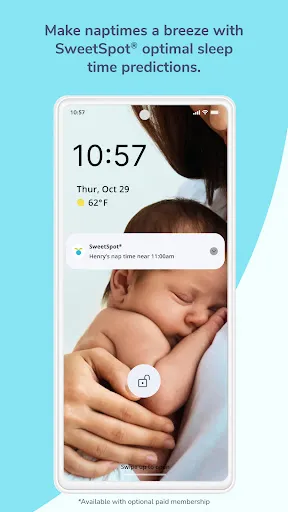
Another key feature is the Sleep Diary, where parents can log their child's sleep habits, including naps and nighttime sleep. This data can be analyzed to identify trends and make informed adjustments to improve sleep quality. Additionally, the app offers a "SweetSpot" feature, which suggests optimal sleep windows for naps and bedtime, tailored to the child's unique needs.
Huckleberry also includes a library of resources, such as articles and tips on child development, sleep training, and parenting strategies. The app's user-friendly interface makes it easy for parents to navigate and access the information they need. Overall, "Huckleberry: Baby & Child" combines technology with expert insights to empower parents in nurturing their child's health and happiness.
Using "Huckleberry: Baby & Child" is straightforward and user-friendly. To get started, parents need to download the app from their device's app store and create an account. Once registered, users can input their child's age, sleep patterns, and any specific concerns they may have regarding sleep or development. This initial setup allows the app to tailor its recommendations effectively.
After setting up the profile, parents can utilize the Sleep Schedule feature to receive personalized sleep suggestions. By regularly logging sleep data in the Sleep Diary, users can track their child's sleep habits over time. This information is crucial for identifying patterns and making necessary adjustments to improve sleep quality.
Additionally, parents can explore the app's resource library for valuable articles and tips on various parenting topics. Engaging with the community features, such as forums or support groups, can also provide additional insights and encouragement. Overall, "Huckleberry: Baby & Child" serves as a practical tool for parents seeking to enhance their child's sleep and well-being.
Like any app, "Huckleberry: Baby & Child" has its advantages and disadvantages. One of the primary pros is its personalized approach to sleep management. The app's ability to analyze individual sleep patterns and provide tailored recommendations is invaluable for parents struggling with sleep issues. Additionally, the extensive resource library offers a wealth of information on child development and parenting strategies, making it a comprehensive tool for caregivers.
Another significant advantage is the user-friendly interface, which makes navigation easy for parents, even those who may not be tech-savvy. The community features also foster a sense of support among parents, allowing them to share experiences and advice. However, there are some cons to consider. Some users may find the app's premium features, which require a subscription, to be costly. Additionally, while the app provides helpful insights, it may not replace professional medical advice for serious sleep issues.
In summary, "Huckleberry: Baby & Child" is a valuable resource for parents looking to improve their child's sleep and overall well-being, but it's essential to weigh the pros and cons before fully relying on it.

 Huckleberry offers personalized sleep plans tailored to your child's needs. Enjoy a user-friendly app for easy tracking and management. Access expert advice from pediatric sleep specialists anytime, anywhere. Discover a comprehensive library of resources on child development and wellness. Benefit from community support and shared experiences with other parents.
 Limited product selection may not meet all families' needs Higher price points can strain budgets Shipping delays may disrupt timely deliveries
  Google Play
  App Store
 Yes, users can submit suggestions or feedback through the app's support section or contact the customer service team via email.
Yes, the app collects personal data to provide tailored recommendations and insights, but it complies with privacy regulations to protect user information.
Yes, Huckleberry: Baby & Child allows for some offline functionality, though certain features may require an internet connection for full access.
You can cancel your subscription through your app store account settings or by following the cancellation instructions provided within the app.
A subscription to Huckleberry: Baby & Child varies in price depending on the plan chosen, with options for monthly and annual subscriptions available.
Unfortunately, customer numbers cannot be changed. If you have concerns, please contact customer service for assistance.
Go to your account settings once logged in and update your email under the "Profile" section.
You can reach our customer service at support
After signing up, you will receive an activation email. Click the link in that email to activate your account.
Simply visit our website and click on the "Log In" button at the top right corner. Enter your email and password to access your account.