

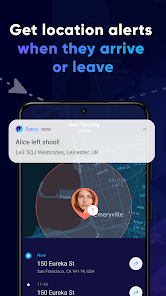
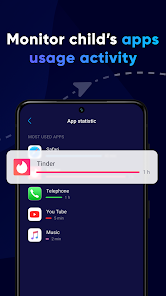
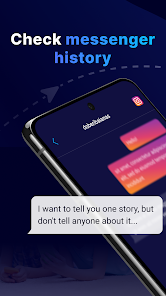
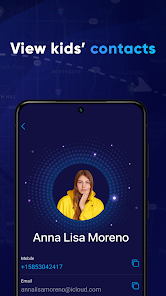
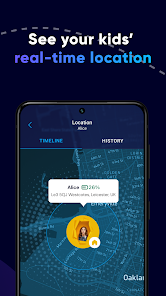
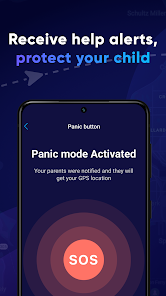

Eyezy is a comprehensive GPS phone tracking application designed to provide users with real-time location monitoring and various other features. One of its standout features is the live location tracking, which allows users to see the exact whereabouts of the device on a map. This is particularly useful for parents wanting to keep tabs on their children's movements or for businesses monitoring employee locations.
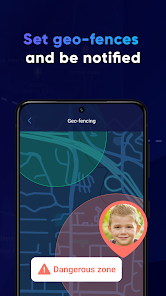
Another notable feature is the geofencing capability, which enables users to set up virtual boundaries. Users receive alerts when the tracked device enters or exits these predefined areas, enhancing safety and security. Additionally, Eyezy offers location history, allowing users to review past locations and movements over a specified period.
Moreover, the app includes a user-friendly interface, making it accessible for individuals of all tech-savviness levels. It also supports multiple devices, meaning users can track several phones simultaneously. With its robust features, Eyezy stands out as a reliable solution for those needing effective GPS tracking.
Using Eyezy is straightforward and user-friendly, making it accessible for everyone. To get started, users need to download the Eyezy app from the official website or app store. After installation, users must create an account by providing necessary details such as an email address and password.
Once the account is set up, users can add the device they wish to track. This typically involves installing the app on the target phone and granting the necessary permissions for location access. After the setup is complete, users can log into their Eyezy account from any device to monitor the location in real-time.
The dashboard provides various options, including live tracking, location history, and geofencing settings. Users can customize alerts and notifications based on their preferences. Regular updates ensure that the app remains functional and user-friendly, making it easy to navigate and utilize all its features effectively.
Like any application, Eyezy has its advantages and disadvantages. One of the primary pros is its comprehensive tracking capabilities, which include real-time location monitoring, geofencing, and location history. These features make it an excellent choice for parents and businesses alike, providing peace of mind and enhanced security.
Another advantage is the user-friendly interface, which simplifies navigation and makes it easy for users to access various features without technical expertise. Additionally, the app supports multiple devices, allowing users to track several phones simultaneously, which is beneficial for families or organizations.
On the downside, some users may find the subscription cost a bit high compared to other tracking apps. Privacy concerns can also arise, as tracking someone without their consent can lead to ethical dilemmas. Furthermore, the app's effectiveness may vary based on the target device's settings and permissions, which can sometimes limit its functionality. Overall, while Eyezy offers robust features, potential users should weigh these pros and cons carefully.

 Eyezy offers real-time tracking for enhanced safety and peace of mind. Its user-friendly interface simplifies navigation for all ages. Advanced features allow for monitoring multiple devices effortlessly. Eyezy ensures privacy protection with secure data encryption. Receive instant alerts for any unusual activities or locations.
 Limited compatibility with certain devices may hinder user experience. Subscription costs can add up over time, affecting budget. Privacy concerns arise with extensive monitoring features, potentially breaching trust.
 Yes, users can submit suggestions or feedback to Eyezy through their official website or customer support channels to help improve the app.
Eyezy does not collect personal data from users without their consent; it focuses on monitoring the target device’s activities while ensuring user privacy.
Eyezy primarily requires an internet connection for full functionality; however, some features may work offline, but data will sync when the device is back online.
Users can cancel their Eyezy subscription through their account settings within the app or by contacting customer support for assistance.
The cost of a subscription to Eyezy varies depending on the plan chosen, with options typically ranging from monthly to yearly subscriptions, offering different pricing tiers.
Unfortunately, your customer number cannot be changed once assigned. Please contact customer service for any concerns.
You can reach our customer service by emailing support
You can verify your customer number by checking your account settings or contacting customer service for help.
To activate your Eyezy account, simply follow the activation link sent to your email after registration.
You can contact customer service via email or phone for assistance with activating your account.









 Google Play
  App Store