


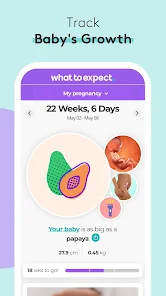
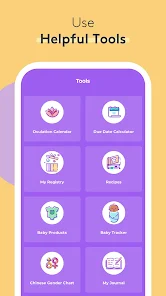
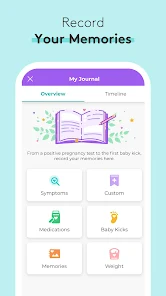
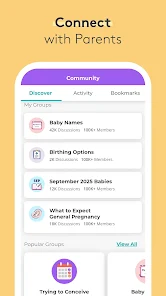

The "Pregnancy Tracker & Baby App" is designed to support expectant parents throughout their pregnancy journey. One of its standout features is the week-by-week pregnancy guide, which provides detailed information about fetal development, changes in the mother's body, and what to expect during each stage. Users can also access personalized health tips, reminders for prenatal appointments, and medication tracking to ensure they stay on top of their health.
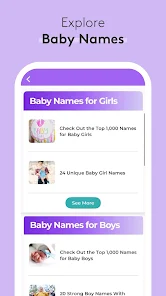
Another notable feature is the baby name generator, which helps parents brainstorm and choose the perfect name for their little one. The app also includes a kick counter, allowing mothers to track their baby's movements, and a contraction timer to help monitor labor progress. Additionally, the app offers a community forum where users can connect with other parents, share experiences, and seek advice. With its user-friendly interface and comprehensive resources, the "Pregnancy Tracker & Baby App" is an invaluable tool for navigating pregnancy and preparing for parenthood.
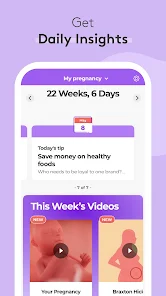
Using the "Pregnancy Tracker & Baby App" is straightforward and user-friendly. After downloading the app, users are prompted to create an account and input their due date, which allows the app to tailor content specifically to their pregnancy stage. The home screen displays a countdown to the due date, along with personalized tips and articles relevant to the user's current week of pregnancy.
To make the most of the app, users can explore various sections, such as the pregnancy calendar, baby name suggestions, and health tracking features. Regularly updating health information, such as weight and symptoms, helps the app provide more accurate advice and reminders. Engaging with the community forum can also enhance the experience, as users can share their thoughts and seek support from others. Overall, the app is designed to be a comprehensive companion throughout the pregnancy journey, making it easy for parents to stay informed and connected.
The "Pregnancy Tracker & Baby App" comes with several advantages that make it a popular choice among expectant parents. One of the primary pros is its comprehensive information, which covers a wide range of topics related to pregnancy and baby care. The app's user-friendly interface makes navigation easy, allowing users to quickly find the information they need. Additionally, the community forum fosters a sense of support and connection among users, which can be invaluable during the often overwhelming journey of pregnancy.
However, there are some cons to consider. Some users may find that the app contains advertisements, which can be distracting or intrusive. Additionally, while the app provides a wealth of information, it may not always be tailored to individual circumstances, leading to potential confusion or misinformation. Lastly, some features may require in-app purchases, which could deter users looking for a completely free experience. Overall, while the app has its drawbacks, its benefits often outweigh the negatives for many users.

 Stay informed with weekly updates on your baby's development and milestones. Track your health metrics to ensure a healthy pregnancy journey. Connect with a supportive community of parents for shared experiences. Access expert articles and tips tailored to your pregnancy stage. Use reminders for appointments and prenatal vitamins to stay organized.
 Limited personalization may not cater to unique pregnancy experiences Data privacy concerns could compromise sensitive information Overwhelming notifications might distract rather than support expecting parents
  Google Play
  App Store
 Yes, users are encouraged to submit suggestions and feedback through the app's support section or via email, as the developers value user input for improving the app.
Yes, the app may collect personal data to provide a personalized experience, but it adheres to strict privacy policies to protect user information.
Yes, Pregnancy Tracker & Baby App allows users to access certain features offline, making it convenient to stay updated even without an internet connection.
Users can cancel their subscription directly through their app store settings or within the app's subscription management section, depending on the platform used.
Subscription costs may vary based on the chosen plan, typically ranging from a monthly fee to a discounted annual rate, which can be found within the app.
Yes, you can log in from multiple devices using the same account credentials.
You can reach customer service by using the contact form in the app or calling our support number listed in the settings.
Your customer number is available in your account settings under "Profile."
After logging in, go to "Account Settings" to update your profile information.
For billing questions, please contact customer service through the app's help section or call the support number for immediate assistance.