
 Home
Home  Apps
Apps  Games
Games  Windows
  Topics
  Terms of Service
  Cookies & Privacy Policy
  Disclaimer
NextPVR


Information
- Category: Video Playback
- Price: 6.99
- Age Rating: 全ユーザー対象
- Rating: 3.1
- Developer: NextPVR
- Version: 1.9.240218
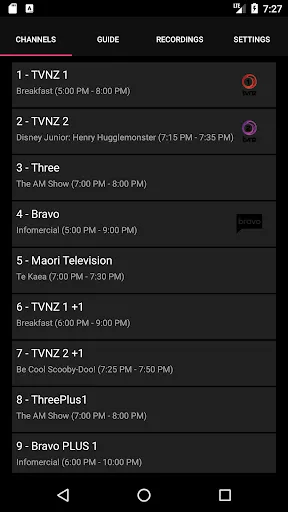
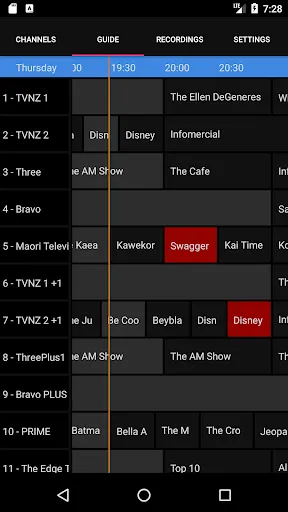
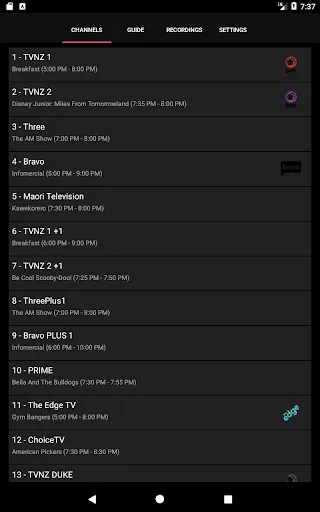
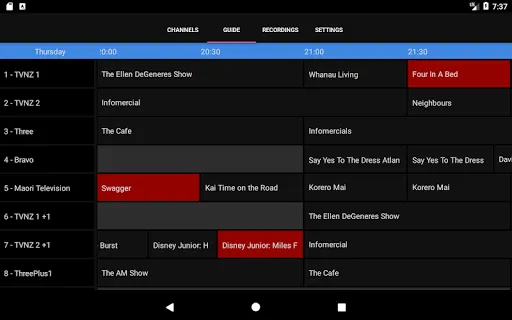
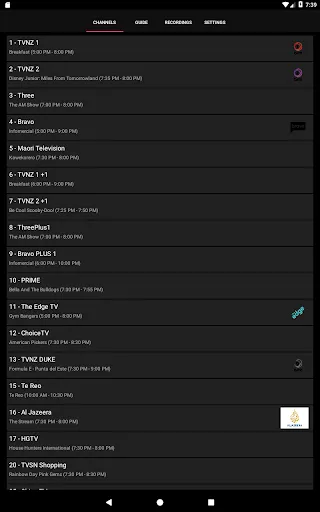
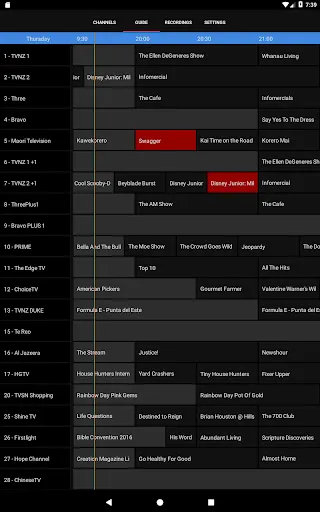
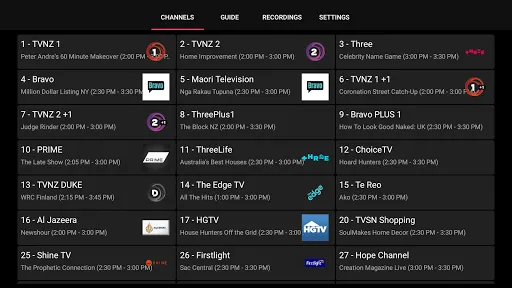

NextPVR is a powerful personal video recorder (PVR) application designed for Windows, macOS, and Linux. It allows users to watch, pause, and record live TV, providing a seamless experience for managing their favorite shows and channels. With support for various tuners and a user-friendly interface, NextPVR enhances your television viewing experience by integrating with multiple devices and platforms, making it a versatile choice for cord-cutters and TV enthusiasts alike.
Features of NextPVR
NextPVR is a versatile personal video recorder (PVR) application that offers a range of features designed to enhance your television viewing experience. One of its standout features is the ability to record live TV, allowing users to capture their favorite shows and movies for later viewing. The software supports various tuners, including digital and analog, making it compatible with a wide array of hardware setups.
Another notable feature is its user-friendly interface, which simplifies navigation and makes it easy to find and manage recordings. NextPVR also supports multiple devices, enabling users to stream content to smartphones, tablets, and smart TVs. Additionally, it offers a web-based interface, allowing for remote access and control of recordings from anywhere with an internet connection.
NextPVR also integrates with various third-party applications and services, enhancing its functionality. Users can access electronic program guides (EPGs) to schedule recordings and view upcoming shows. Furthermore, the software supports plugins, which can extend its capabilities even further, making it a highly customizable solution for home entertainment.
How to Use NextPVR
Using NextPVR is a straightforward process that begins with downloading and installing the software on your computer. Once installed, you will need to configure your TV tuner hardware, which can be done through the setup wizard. This wizard will guide you through the necessary steps to ensure your tuner is recognized and functioning correctly.
After setting up your tuner, you can access the electronic program guide (EPG) to browse available channels and schedule recordings. Simply select a show you wish to record, and use the scheduling options to set the desired recording time. You can also manage your recordings through the interface, allowing you to delete or watch previously recorded content with ease.
For remote access, you can enable the web interface, which allows you to control NextPVR from any device connected to the internet. This feature is particularly useful for scheduling recordings on the go. Overall, NextPVR provides a user-friendly experience, making it accessible for both tech-savvy users and those new to PVR software.
Pros & Cons of NextPVR
NextPVR comes with several advantages that make it a popular choice among users. One of the primary pros is its flexibility, as it supports a wide range of tuners and devices, allowing for a customized setup. The software's ability to record live TV and manage recordings efficiently is another significant benefit. Additionally, the user-friendly interface and web access feature enhance the overall experience, making it easy to navigate and control from various devices.
However, NextPVR is not without its drawbacks. Some users may find that the initial setup process can be somewhat complex, especially for those unfamiliar with PVR systems. Additionally, while the software supports various plugins, the selection may not be as extensive as that of some competing applications. Furthermore, users may encounter occasional bugs or performance issues, which can detract from the overall experience.
In summary, NextPVR offers a robust set of features and flexibility, making it a strong contender in the PVR market. However, potential users should weigh the pros and cons to determine if it meets their specific needs and preferences.
Get Installation Details  Google Play
  App Store
Google Play App Store FAQ
Can I create playlists on Spotify?
Yes, users can create, share, and collaborate on playlists with friends.
Can I download music on Spotify?
Yes, premium users can download songs and playlists for offline listening.
Can I listen to Spotify offline?
Yes, premium users can listen to downloaded music offline without an internet connection.
Can I use Spotify on multiple devices?
Yes, you can use Spotify on multiple devices, but only one device can stream at a time.
Does Spotify have podcasts?
Yes, Spotify hosts a wide range of podcasts across various genres.
Similar Apps













You May Like

Flud+
Video Playback
4.6

KineMaster-Video Editor&Maker
Video Playback
4.3

AirPin PRO - AirPlay & DLNA
Video Playback
4

AirReceiver AirPlay Cast DLNA
Video Playback
3.8

BitTorrent Pro - Torrent App
Video Playback
4.5

Channels for HDHomeRun
Video Playback
4

Compress Video - Resize Video
Video Playback
3.9

Drama Live | Video Player
Video Playback
4.6

Fast Downloader - Video Player
Video Playback
4.6

Filmora:AI Video Editor, Maker
Video Playback
4.5
GSE SMART IPTV PRO
Video Playback
3

HD Video Downloader Quick Save
Video Playback
4.4