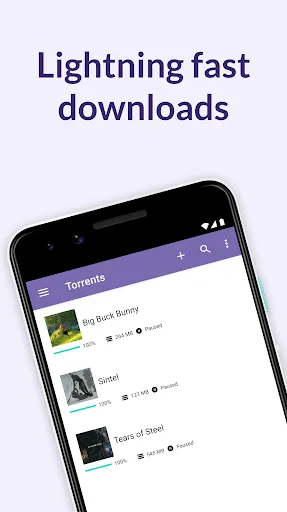
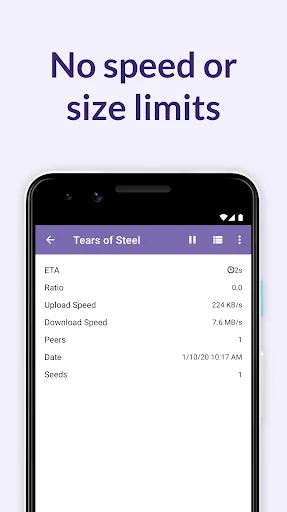
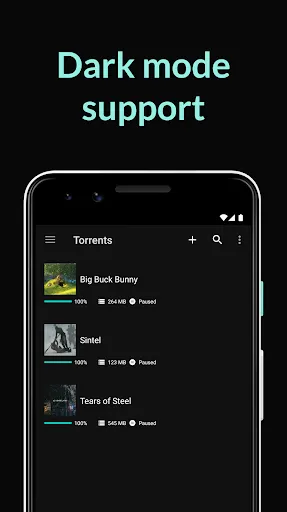
BitTorrent Pro - Torrent App is a powerful tool designed for downloading and sharing files via the BitTorrent protocol. One of its standout features is the ability to download torrents at high speeds, thanks to its advanced bandwidth management. Users can prioritize downloads, allowing them to focus on the most important files first. The app also supports magnet links, making it easy to start downloads without needing to download a separate torrent file.
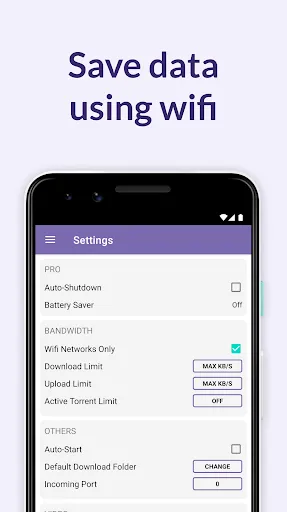
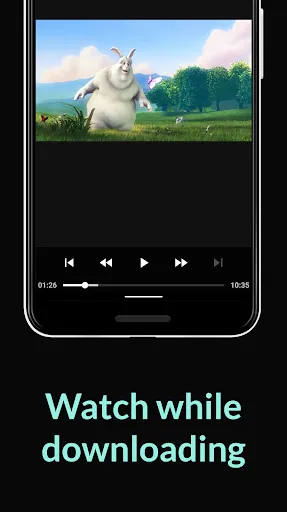
Another notable feature is the built-in media player, which allows users to preview videos and music while they are still downloading. This is particularly useful for those who want to check the quality of a file before it finishes downloading. Additionally, BitTorrent Pro includes a no-ads experience, ensuring that users can enjoy uninterrupted downloading. The app also offers a Wi-Fi-only mode, which helps users save on mobile data by restricting downloads to Wi-Fi connections.
Lastly, the app provides a user-friendly interface, making it accessible for both beginners and experienced users. With features like RSS feed support and the ability to manage multiple downloads simultaneously, BitTorrent Pro is a comprehensive solution for torrenting needs.
Using BitTorrent Pro - Torrent App is straightforward and user-friendly. First, download and install the app from your device's app store. Once installed, open the app, and you will be greeted with a clean interface. To start downloading a file, you can either search for a torrent file online or use a magnet link. If you have a torrent file saved on your device, simply tap on it to open it in the app.
After selecting a torrent, you can choose your download preferences, such as the download location and whether to prioritize the file. Once you confirm your settings, the download will begin. You can monitor the progress in real-time, and if you wish, you can pause or cancel the download at any time. Additionally, you can access the built-in media player to preview files as they download, ensuring you get the content you want.
For advanced users, the app offers settings to customize bandwidth usage and manage multiple downloads. Remember to enable the Wi-Fi-only mode if you want to conserve mobile data. Overall, BitTorrent Pro is designed to make torrenting efficient and accessible for everyone.
BitTorrent Pro - Torrent App comes with several advantages that make it a popular choice among users. One of the primary pros is its high-speed downloading capabilities, which allow users to quickly access large files. The app's user-friendly interface is another significant benefit, making it easy for both novices and experienced users to navigate. Additionally, the absence of ads enhances the user experience, allowing for uninterrupted downloading. The built-in media player is also a valuable feature, enabling users to preview content before it finishes downloading.
However, there are some drawbacks to consider. One of the main cons is that the app may consume a considerable amount of device storage, especially when downloading large files. Some users have also reported occasional connectivity issues, which can interrupt downloads. Furthermore, while the app offers a no-ads experience, it is a paid version, which may deter some users who prefer free alternatives. Lastly, the app's reliance on the BitTorrent protocol means that users must be cautious about copyright laws when downloading content.
In summary, while BitTorrent Pro - Torrent App has many features that enhance the torrenting experience, potential users should weigh these pros and cons before deciding if it meets their needs.

 Easy-to-use interface for seamless torrent management. Built-in media player for instant playback of downloaded content. No ads, providing an uninterrupted downloading experience. Advanced features like torrent prioritization for faster downloads. Supports large file sizes, perfect for high-quality downloads.
 Limited customer support options can hinder user assistance during issues. High data usage may lead to increased internet costs for users. Frequent ads can disrupt the user experience and reduce enjoyment.
  Google Play
  App Store
 Yes, users are encouraged to submit suggestions and feedback through the app's support or feedback section.
BitTorrent Pro - Torrent App has a privacy policy that outlines data collection practices, but generally, it does not collect personally identifiable information unless explicitly provided by the user.
Yes, users can download files for offline access, allowing them to enjoy content without an active internet connection.
Users can cancel their subscription through the settings menu in the app or via their app store account settings, depending on the platform used for purchase.
A subscription to BitTorrent Pro - Torrent App typically costs around $2.99 per month or offers discounts for longer subscription periods.
Unfortunately, customer numbers cannot be changed once your account is activated. Please contact customer service for any issues related to your customer number.
Yes, your customer number can be used across multiple devices, as long as you log in with the same account credentials.
You can reach customer service through the app's help section or by visiting our official website for email and chat support.
To activate your account, follow the link sent to your email after purchase and complete the instructions provided.
To log in, open the app, click on the login button, and enter your registered email and password.