

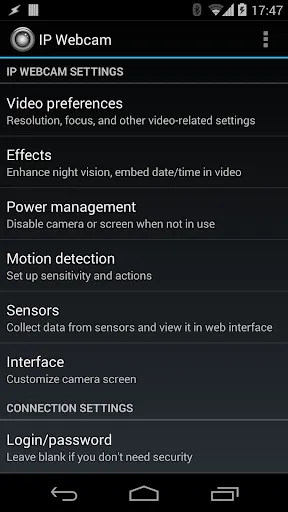
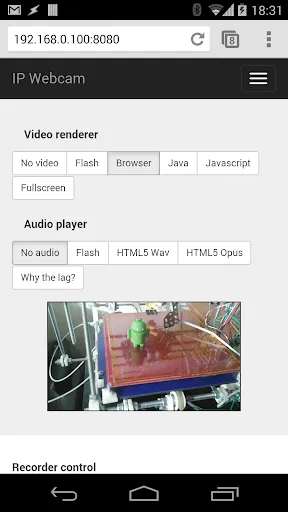
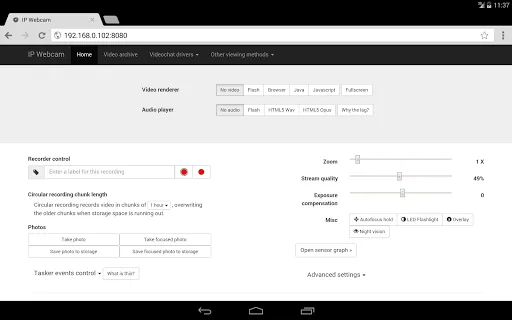
"IP Webcam Pro" is a versatile application that transforms your Android device into a high-quality IP camera. One of its standout features is the ability to stream video in various resolutions, allowing users to choose the quality that best suits their needs. The app supports both local and remote viewing, enabling users to access the camera feed from anywhere via a web browser or compatible media player.
Another notable feature is the motion detection capability, which can trigger alerts and record video when movement is detected. This is particularly useful for security purposes. Additionally, "IP Webcam Pro" offers audio support, allowing for two-way communication through the camera. Users can also customize settings such as frame rate, video quality, and even add overlays for enhanced functionality. The app supports cloud storage options, enabling users to save recordings directly to services like Dropbox or Google Drive. Overall, "IP Webcam Pro" provides a comprehensive set of features that cater to various surveillance and monitoring needs.
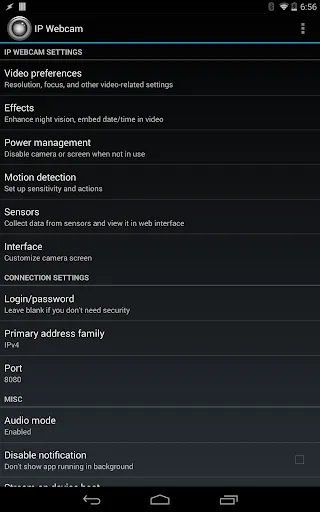
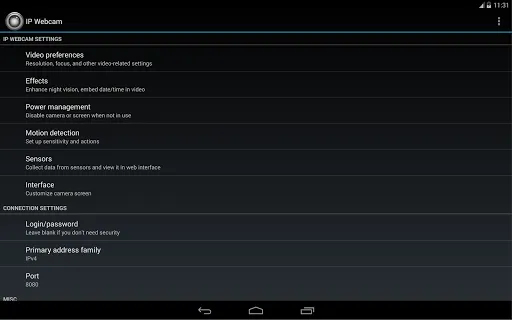
Using "IP Webcam Pro" is straightforward and user-friendly. First, download and install the app from the Google Play Store. Once installed, open the app and configure your camera settings according to your preferences. You can adjust parameters such as resolution, frame rate, and video quality to optimize performance based on your network capabilities.
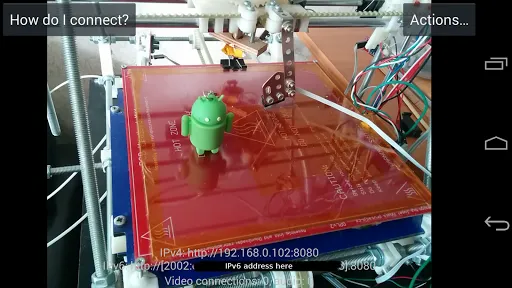
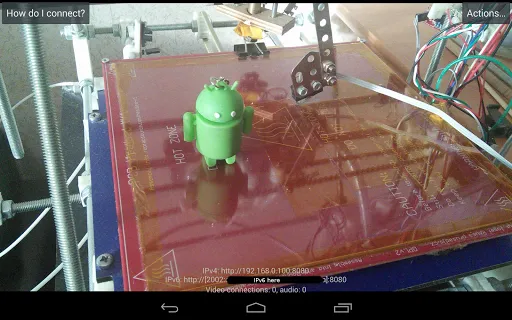
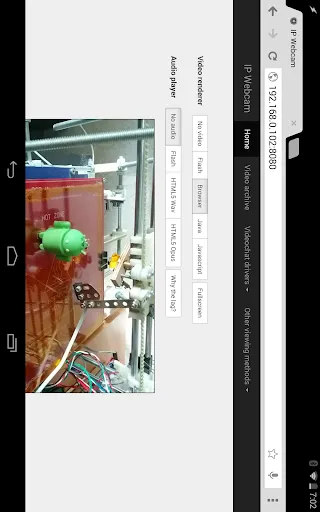
After configuring the settings, start the camera by tapping the "Start Server" button. The app will generate a URL that you can use to access the camera feed from any web browser or compatible application. For remote access, ensure that your device is connected to the internet. You can also set up motion detection and alerts by navigating to the appropriate settings within the app. Finally, to view recorded footage, you can access the storage options and choose where to save your videos, making it easy to manage your recordings. With these simple steps, you can effectively utilize "IP Webcam Pro" for various monitoring purposes.
"IP Webcam Pro" comes with several advantages that make it a popular choice among users. One of the primary benefits is its flexibility; it can be used for various applications, including home security, baby monitoring, and pet surveillance. The app's ability to stream in different resolutions allows users to optimize performance based on their network conditions. Additionally, the motion detection feature enhances security by alerting users to any unusual activity.
However, there are some drawbacks to consider. The app may consume significant battery power, especially when running for extended periods. Users may also experience latency issues depending on their network speed and the distance from the camera. Furthermore, while the app offers a range of features, some users may find the interface less intuitive compared to other dedicated security camera systems. Overall, "IP Webcam Pro" is a powerful tool with both strengths and weaknesses, making it essential for users to weigh these factors based on their specific needs.

 Streams high-quality video directly to your devices for real-time monitoring. Offers motion detection alerts to enhance security and awareness. Supports multiple camera configurations for versatile surveillance setups. Includes cloud storage options to safely archive recorded footage. User-friendly interface makes setup and operation quick and easy.
 Limited resolution options may affect image clarity in certain conditions. Battery drain can be significant during extended usage, impacting device longevity. User interface may be complex for beginners, leading to a steeper learning curve.
  Google Play
  App Store
 Yes, users can submit suggestions or feedback to the IP Webcam Pro development team through the app’s support section or by contacting them via their official website or app store listing.
IP Webcam Pro does not collect personal data from users. However, it’s essential to review the privacy policy to understand any data handling practices related to app functionality.
Yes, IP Webcam Pro can be used offline, allowing users to record videos and capture images without an internet connection. However, some features like remote access may require an active internet connection.
To cancel your IP Webcam Pro subscription, navigate to your device's subscription settings in the app store where you purchased it, and follow the prompts to cancel.
The subscription cost for IP Webcam Pro varies depending on the chosen plan, with options for monthly or yearly subscriptions available. It's best to check the app store for the latest pricing details.
No, you need your customer number to complete the activation process. Please locate it in your confirmation email.
Yes, you can update your customer number by contacting customer service with your new email details.
You can reach customer service by emailing support
You can check the status by logging into your account or contacting customer service for updates.
To log in, visit our website and enter your registered email and password in the login section.