


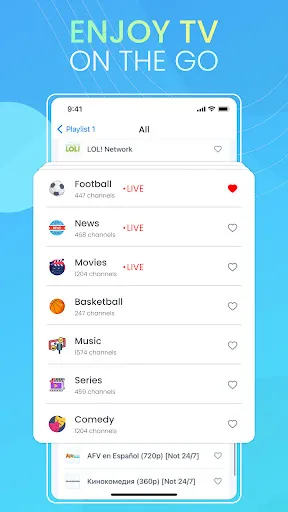

IPTV Smart Player Pro is a versatile application designed for streaming IPTV content seamlessly. One of its standout features is the user-friendly interface, which allows users to navigate through channels and content effortlessly. The app supports various playlist formats, including M3U and XSPF, making it easy to import and manage your favorite channels.
Another notable feature is the built-in media player that supports multiple video formats, ensuring compatibility with a wide range of content. Users can also enjoy high-definition streaming, provided their internet connection supports it. The app offers customizable settings, allowing users to adjust video quality, aspect ratio, and playback speed according to their preferences.
Additionally, IPTV Smart Player Pro includes a powerful search function, enabling users to find specific channels or shows quickly. The app also supports parental controls, ensuring a safe viewing experience for families. With regular updates, users can expect new features and improvements, enhancing their overall streaming experience.
Using IPTV Smart Player Pro is straightforward and user-friendly. First, download and install the app from your device's app store. Once installed, open the application, and you will be greeted with a clean interface. To start streaming, you need to add your IPTV playlist. This can be done by selecting the 'Add Playlist' option and entering the URL of your M3U or XSPF playlist.
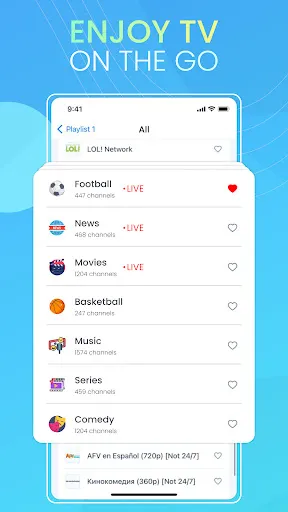
After adding the playlist, the app will load your channels, allowing you to browse through them easily. You can select a channel to start streaming immediately. The app also provides options to customize your viewing experience, such as adjusting video quality and enabling subtitles if available. For a more personalized experience, explore the settings menu to configure parental controls and other preferences.
To enhance your experience further, consider bookmarking your favorite channels for quick access. Regularly check for updates to ensure you have the latest features and improvements. With these simple steps, you can enjoy a wide range of IPTV content effortlessly.
IPTV Smart Player Pro comes with several advantages that make it a popular choice among users. One of the main pros is its intuitive interface, which simplifies navigation and enhances user experience. The app supports a wide variety of playlist formats, making it versatile for different IPTV services. Additionally, the built-in media player ensures compatibility with various video formats, allowing for smooth playback.
However, there are some drawbacks to consider. One of the cons is that the app may require a stable and high-speed internet connection for optimal performance, especially for high-definition content. Some users have reported occasional buffering issues, which can disrupt the viewing experience. Furthermore, while the app offers a range of features, it may not support all IPTV services, limiting its usability for some users.
In summary, IPTV Smart Player Pro is a robust application with a user-friendly design and a variety of features that enhance streaming. However, potential users should be aware of the internet requirements and compatibility issues that may arise. Balancing these pros and cons can help users determine if this app meets their IPTV needs.

 Enjoy high-definition streaming for crystal-clear viewing experiences Access a wide range of channels worldwide for diverse entertainment User-friendly interface allows easy navigation and quick access Supports multiple devices, enhancing flexibility for viewers Regular updates ensure optimal performance and new features
 Limited compatibility with various devices restricts user access. Frequent buffering issues can disrupt viewing experiences. Lack of customer support may frustrate users with technical problems.
  Google Play
  App Store
 Yes, users can submit suggestions or feedback through the app's support section or official website, where developers often encourage user input for improvements.
IPTV Smart Player Pro has a privacy policy that outlines its data collection practices, but it generally aims to minimize personal data collection and ensures user privacy.
No, IPTV Smart Player Pro does not support offline use, as it requires an internet connection to stream content.
Users can cancel their subscription through their account settings in the app or by contacting customer support for assistance.
The subscription cost for IPTV Smart Player Pro varies based on the selected plan and duration; users should check the app or official website for the latest pricing details.
Unfortunately, customer numbers cannot be changed once activated. For further inquiries, please reach out to customer service.
Your customer number is usually in your confirmation email. If you can't find it, please contact customer service for help.
You can update your account information by logging in to your account settings or contacting customer service for assistance.
To activate your account, visit the activation page, enter your customer number, and follow the prompts. For assistance, contact customer service.
You can reach our customer service by emailing support