


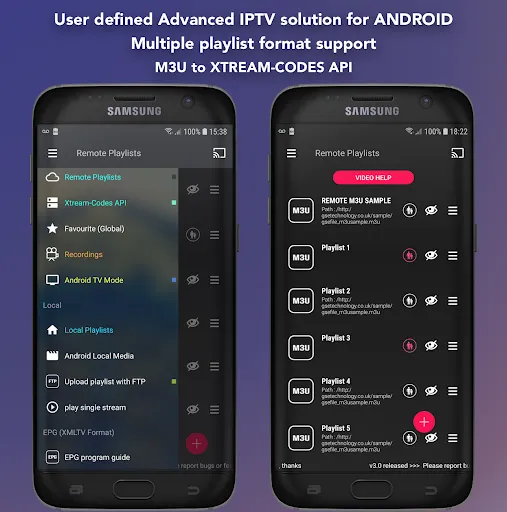
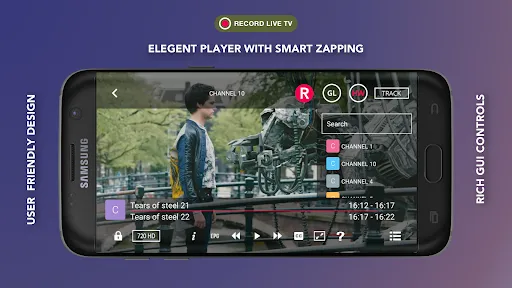
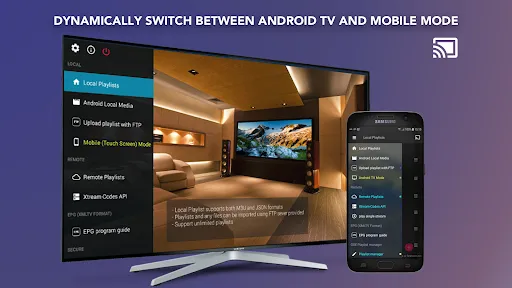
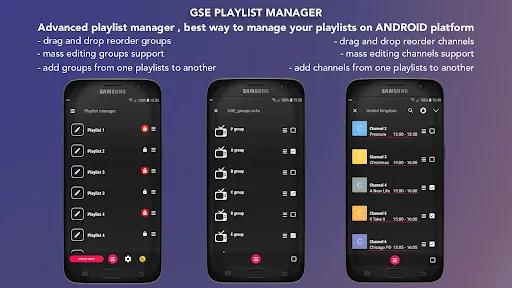
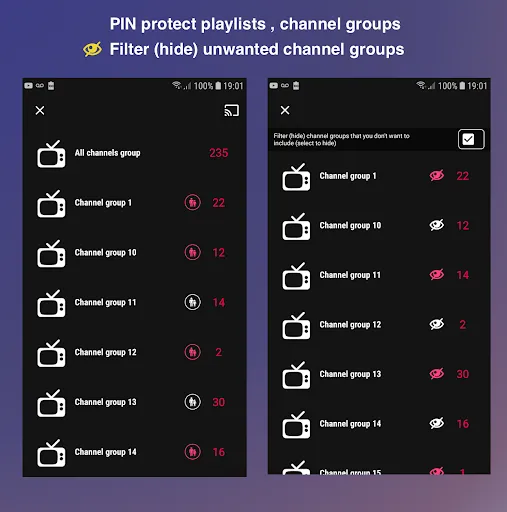
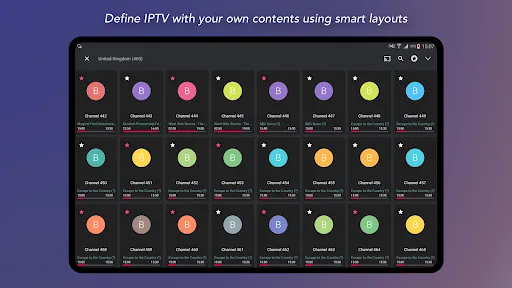
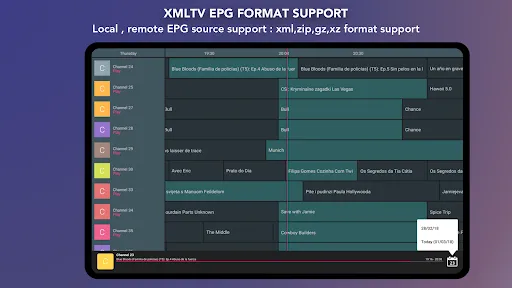
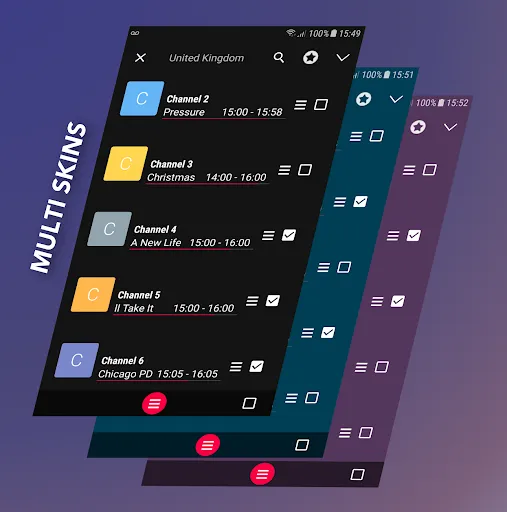
GSE SMART IPTV PRO is a versatile application designed for streaming live TV and on-demand content. One of its standout features is the support for a wide range of formats, including M3U and XSPF playlists, which allows users to easily import their favorite channels. The app also supports EPG (Electronic Program Guide) integration, providing users with detailed information about upcoming shows and schedules.
Another notable feature is the built-in media player, which supports various codecs and formats, ensuring smooth playback of high-definition content. Users can also customize their viewing experience with options for subtitles and multiple audio tracks. The app is compatible with various devices, including smartphones, tablets, and smart TVs, making it accessible for a wide audience.
Additionally, GSE SMART IPTV PRO offers parental control features, allowing users to restrict access to certain content. The user interface is intuitive and user-friendly, making navigation simple for all users. Overall, the app combines functionality and ease of use, making it a popular choice for IPTV enthusiasts.
Using GSE SMART IPTV PRO is straightforward and user-friendly. After downloading and installing the app on your device, the first step is to launch the application. Upon opening, you will be greeted with a clean interface that allows you to navigate easily. To start streaming, you need to add your IPTV playlist. This can be done by selecting the 'Add Playlist' option and entering the URL of your M3U or XSPF playlist.
Once your playlist is added, you can browse through the available channels. The app also allows you to import EPG data, enhancing your viewing experience by providing program schedules. To watch a channel, simply click on it, and the built-in media player will start streaming the content. You can customize your viewing experience by adjusting settings such as video quality, subtitles, and audio tracks.
For those who wish to manage their viewing preferences, the app includes options for creating favorites and organizing channels. Additionally, users can explore the settings menu to configure parental controls and other features. Overall, GSE SMART IPTV PRO offers a seamless experience for accessing live TV and on-demand content.
GSE SMART IPTV PRO comes with several advantages that make it a popular choice among users. One of the primary pros is its extensive compatibility with various devices, including smartphones, tablets, and smart TVs. This flexibility allows users to enjoy their favorite content on multiple platforms. Additionally, the app supports a wide range of formats and playlists, making it easy to import and manage channels.
Another significant advantage is the built-in media player, which provides high-quality playback and supports various codecs. The user-friendly interface enhances the overall experience, allowing users to navigate effortlessly. Furthermore, the inclusion of parental controls adds an extra layer of security for families.
However, there are some drawbacks to consider. The app may require a stable internet connection for optimal performance, and users may encounter buffering issues with slower connections. Additionally, while the app is feature-rich, some users may find the initial setup process a bit complex, especially when importing playlists. Overall, GSE SMART IPTV PRO offers a robust IPTV experience, but potential users should weigh these pros and cons before diving in.

 GSE SMART IPTV PRO supports multiple formats for versatile streaming experiences. User-friendly interface makes navigation effortless for all ages. Advanced features include parental controls for safe viewing. Supports EPG for organized and easy content scheduling. Compatible with various devices, ensuring flexibility in watching anywhere.
 Limited support for certain streaming services may hinder content access. Frequent updates can disrupt user experience and require reconfiguration. Compatibility issues with some devices may restrict viewing options.
  Google Play
  App Store
 Yes, users can submit suggestions or feedback through the app's support channels, usually found within the app itself or on the official website, to help improve the user experience.
GSE SMART IPTV PRO may collect certain user data to enhance the app experience, but it is recommended to review the app's privacy policy for detailed information on data collection practices.
GSE SMART IPTV PRO primarily requires an internet connection to stream content and does not support offline viewing for live TV channels. However, some video-on-demand content may be available for offline viewing depending on the source.
To cancel your GSE SMART IPTV PRO subscription, you need to go through the app store from which you purchased the subscription and follow the cancellation instructions provided there.
The subscription cost for GSE SMART IPTV PRO can vary based on the selected plan and region; users should check the app store or the official website for the most up-to-date pricing information.
No, once your account is activated, your Customer Number cannot be changed. Please contact Customer Service for any related concerns.
Yes, you can log in from multiple devices, but simultaneous streaming may be limited based on your subscription.
You can reach Customer Service via the app's support section or through our official website's contact page.
To activate your account, follow the link in the activation email you received after registration.
To log in, open the app, enter your Customer Number and password, then tap the login button.