
 Home
Home  Apps
Apps  Games
Games  Windows
  Topics
  Terms of Service
  Cookies & Privacy Policy
  Disclaimer
MScopesPro for USB Camera


Information
- Category: Video Playback
- Price: 4.49
- Age Rating: Everyone
- Rating: 3.8
- Developer: Zyepro
- Version: 4.14
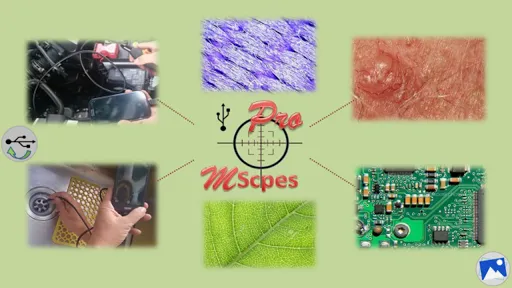
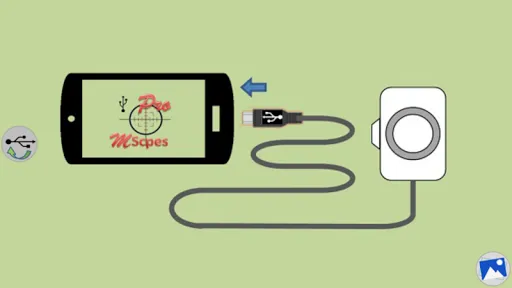
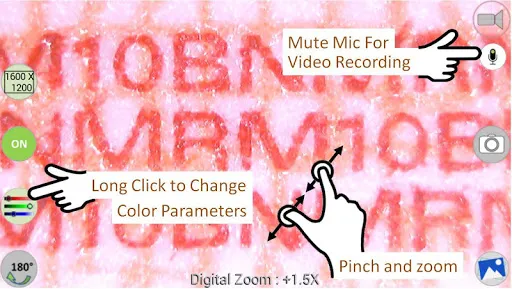
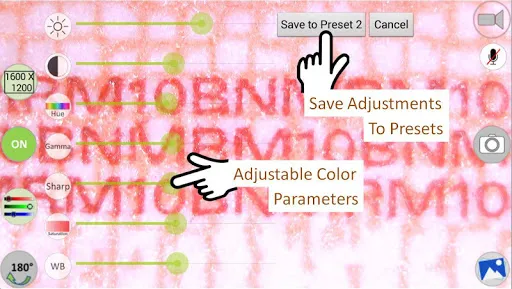
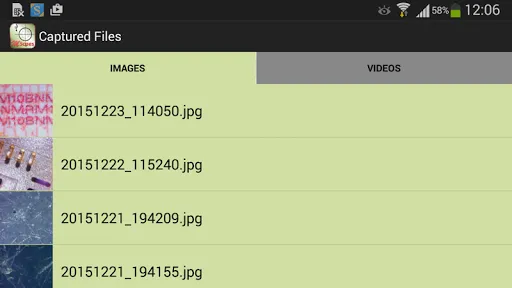
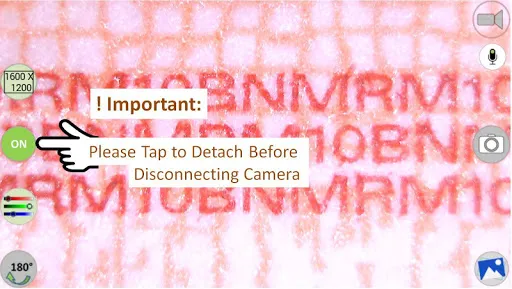
MScopesPro for USB Camera is a powerful application designed to enhance your imaging experience. With seamless integration for USB cameras, it offers advanced features for capturing, analyzing, and sharing high-quality images. Whether you're a professional or an enthusiast, MScopesPro provides intuitive controls and customizable settings to optimize your workflow. Unlock the full potential of your USB camera and elevate your projects with this versatile tool, perfect for microscopy, inspection, and more.
Features of "MScopesPro for USB Camera"
"MScopesPro for USB Camera" is a versatile application designed to enhance the functionality of USB cameras. One of its standout features is real-time image processing, which allows users to capture and analyze images instantly. The app supports various USB camera models, making it compatible with a wide range of devices. Additionally, it offers advanced measurement tools, enabling users to measure distances, angles, and areas directly from the captured images.
Another notable feature is the customizable user interface, which allows users to tailor the layout according to their preferences. This flexibility enhances user experience, making it easier to access essential tools. The app also includes a variety of filters and image enhancement options, allowing users to improve the quality of their images. Furthermore, MScopesPro supports video recording, enabling users to capture dynamic content alongside still images. Overall, the combination of these features makes MScopesPro a powerful tool for professionals and hobbyists alike.
How to Use "MScopesPro for USB Camera"
Using "MScopesPro for USB Camera" is straightforward and user-friendly. First, ensure that your USB camera is properly connected to your device. Once connected, launch the MScopesPro application. The app will automatically detect the camera, and you will be presented with the main interface. From here, you can access various features such as image capture, measurement tools, and video recording options.
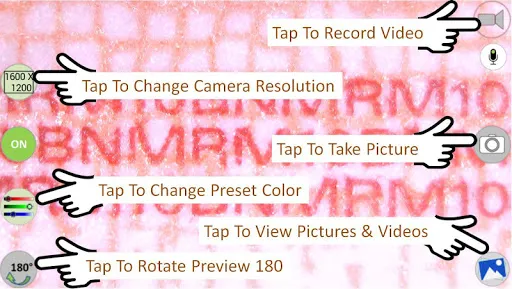
To capture an image, simply click the capture button, and the image will be displayed on the screen. You can then use the measurement tools to analyze the image, measuring distances or angles as needed. If you wish to enhance the image, explore the available filters and adjustments. For video recording, select the video mode and start recording your desired content. Finally, remember to save your images and videos to your device for future reference. With these simple steps, you can effectively utilize the full potential of MScopesPro for your USB camera.
Pros & Cons of the App
MScopesPro for USB Camera comes with several advantages that make it appealing to users. One of the primary pros is its compatibility with a wide range of USB cameras, allowing flexibility in device choice. The real-time image processing feature is another significant benefit, enabling immediate analysis and adjustments. Additionally, the app's measurement tools are precise and user-friendly, making it suitable for both professionals and amateurs. The customizable interface enhances usability, allowing users to tailor their experience according to their needs.
However, there are some drawbacks to consider. One potential con is that the app may require a learning curve for new users, especially those unfamiliar with image processing software. Additionally, while it supports many USB cameras, some specific models may not be compatible, limiting its accessibility. Lastly, the app's performance can vary depending on the device's specifications, which may affect the overall user experience. Balancing these pros and cons is essential for users to determine if MScopesPro is the right fit for their needs.
Get Installation Details  Google Play
  App Store
Google Play App Store FAQ
Can I create playlists on Spotify?
Yes, users can create, share, and collaborate on playlists with friends.
Can I download music on Spotify?
Yes, premium users can download songs and playlists for offline listening.
Can I listen to Spotify offline?
Yes, premium users can listen to downloaded music offline without an internet connection.
Can I use Spotify on multiple devices?
Yes, you can use Spotify on multiple devices, but only one device can stream at a time.
Does Spotify have podcasts?
Yes, Spotify hosts a wide range of podcasts across various genres.
Similar Apps














You May Like

Flud+
Video Playback
4.6

KineMaster-Video Editor&Maker
Video Playback
4.3

AirPin PRO - AirPlay & DLNA
Video Playback
4

AirReceiver AirPlay Cast DLNA
Video Playback
3.8

BitTorrent Pro - Torrent App
Video Playback
4.5

Channels for HDHomeRun
Video Playback
4

Compress Video - Resize Video
Video Playback
3.9

Drama Live | Video Player
Video Playback
4.6

Fast Downloader - Video Player
Video Playback
4.6

Filmora:AI Video Editor, Maker
Video Playback
4.5

GSE SMART IPTV PRO
Video Playback
3

HD Video Downloader Quick Save
Video Playback
4.4