
 Home
Home  Apps
Apps  Games
Games  Windows
  Topics
  Terms of Service
  Cookies & Privacy Policy
  Disclaimer
LumaFusion: Pro Video Editing


Information
- Category: Video Playback
- Price: 29.99
- Age Rating: Everyone
- Rating: 4.1
- Developer: LumaTouch
- Version: 1.2.7.0.6
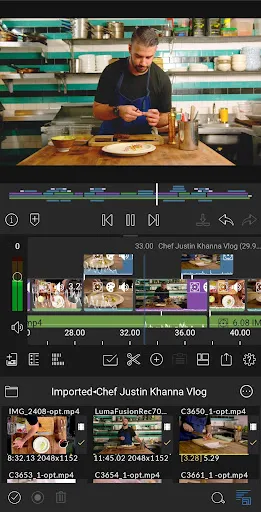
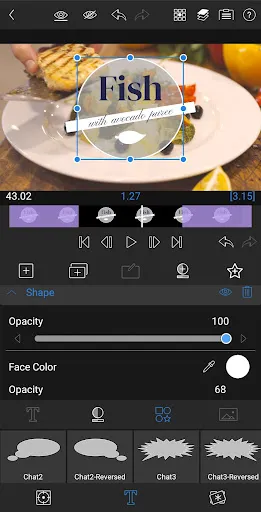
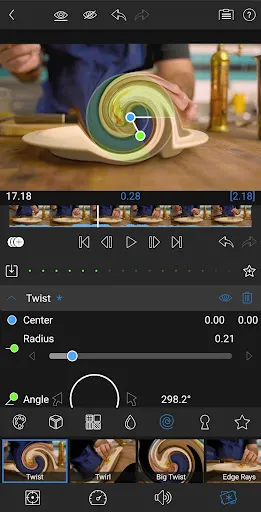
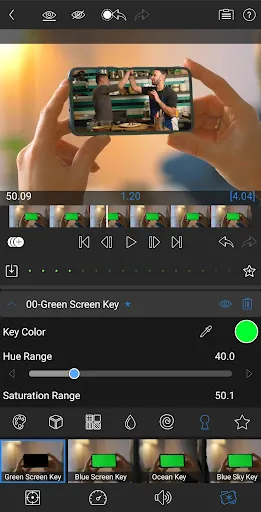
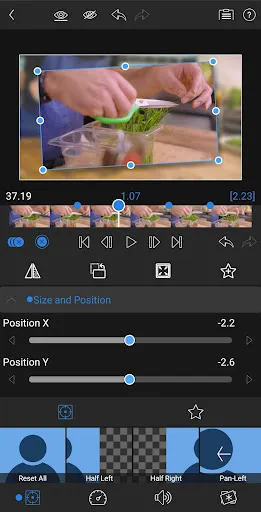
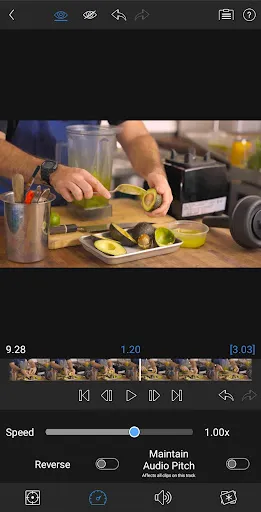
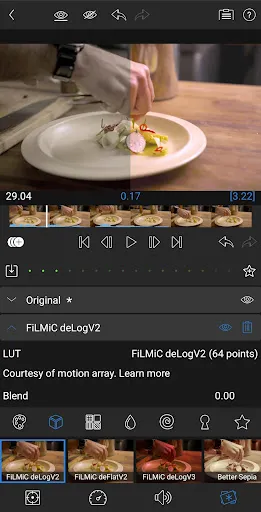
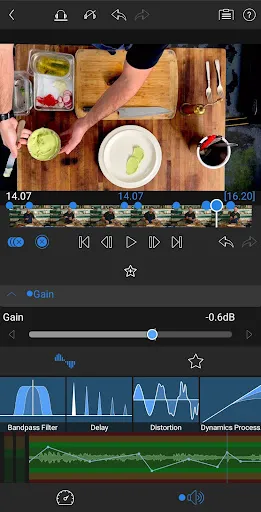
LumaFusion is a powerful, multi-track video editing app designed for mobile devices, catering to both professionals and enthusiasts. With its intuitive interface, advanced editing tools, and a wide range of effects, users can create stunning videos on the go. Whether you're editing a short film, a vlog, or a presentation, LumaFusion offers features like keyframing, color correction, and audio mixing, making it a versatile choice for anyone looking to elevate their video editing experience.
Features of "LumaFusion: Pro Video Editing"
LumaFusion is a powerful video editing app designed for mobile devices, particularly iOS. It offers a multi-track editing interface, allowing users to work with up to six video and audio tracks simultaneously. This feature is ideal for creating complex projects that require layering of video clips, audio tracks, and effects. The app also includes a wide range of professional-grade tools, such as color correction, audio mixing, and keyframing, enabling users to fine-tune their projects with precision.
Another standout feature is its extensive library of effects and transitions, which can enhance the visual appeal of videos. Users can also import and export projects in various formats, making it easy to share their work across different platforms. LumaFusion supports 4K video editing, ensuring high-quality output for professional projects. Additionally, the app offers a user-friendly interface, making it accessible for both beginners and experienced editors. With features like frame rate adjustments, speed controls, and the ability to add titles and graphics, LumaFusion is a comprehensive tool for anyone looking to create stunning videos on the go.
How to Use "LumaFusion: Pro Video Editing"
Using LumaFusion is straightforward, even for those new to video editing. To get started, download the app from the App Store and open it. Upon launching, you will be greeted with a clean interface that allows you to create a new project. Tap on the "+" icon to start a new project, where you can set your desired resolution and frame rate. Once your project is created, you can import media files from your device or cloud storage by tapping the import button.
After importing your clips, drag and drop them onto the timeline. You can trim, split, and rearrange clips as needed. To add effects, tap on the clip in the timeline and select the effects icon. Here, you can apply color corrections, transitions, and audio adjustments. LumaFusion also allows you to add titles and graphics by selecting the appropriate options from the menu. Once you are satisfied with your edits, export your project by tapping the share button, where you can choose your desired format and resolution for sharing or saving your video.
Pros & Cons of the App
LumaFusion has garnered a strong reputation among mobile video editors, and for good reason. One of its primary advantages is its robust feature set, which rivals many desktop editing software. Users appreciate the multi-track editing capability, allowing for intricate projects with multiple layers of video and audio. The app's intuitive interface makes it accessible for beginners while still offering advanced tools for seasoned editors. Additionally, the ability to export in various formats and resolutions is a significant plus for those looking to share their work across different platforms.
However, LumaFusion is not without its drawbacks. One notable con is that it is only available on iOS devices, limiting its accessibility for Android users. Some users may also find the learning curve steep, especially when trying to master the more advanced features. Additionally, while the app is a one-time purchase, some users may feel that the price is a bit high compared to other mobile editing apps. Despite these drawbacks, LumaFusion remains a top choice for those seeking a powerful and versatile video editing solution on mobile devices.
Get Installation Details  Google Play
  App Store
Google Play App Store FAQ
Can I create playlists on Spotify?
Yes, users can create, share, and collaborate on playlists with friends.
Can I download music on Spotify?
Yes, premium users can download songs and playlists for offline listening.
Can I listen to Spotify offline?
Yes, premium users can listen to downloaded music offline without an internet connection.
Can I use Spotify on multiple devices?
Yes, you can use Spotify on multiple devices, but only one device can stream at a time.
Does Spotify have podcasts?
Yes, Spotify hosts a wide range of podcasts across various genres.
Similar Apps















You May Like

Flud+
Video Playback
4.6

KineMaster-Video Editor&Maker
Video Playback
4.3

AirPin PRO - AirPlay & DLNA
Video Playback
4

AirReceiver AirPlay Cast DLNA
Video Playback
3.8

BitTorrent Pro - Torrent App
Video Playback
4.5

Channels for HDHomeRun
Video Playback
4

Compress Video - Resize Video
Video Playback
3.9

Drama Live | Video Player
Video Playback
4.6

Fast Downloader - Video Player
Video Playback
4.6

Filmora:AI Video Editor, Maker
Video Playback
4.5

GSE SMART IPTV PRO
Video Playback
3
HD Video Downloader Quick Save
Video Playback
4.4