
 Home
Home  Apps
Apps  Games
Games  Windows
  Topics
  Terms of Service
  Cookies & Privacy Policy
  Disclaimer
KMPlayer Plus (Divx Codec)


Information
- Category: Video Playback
- Price: 3.9
- Age Rating: Everyone
- Rating: 4.3
- Developer: PANDORA.TV
- Version: 34.10.310
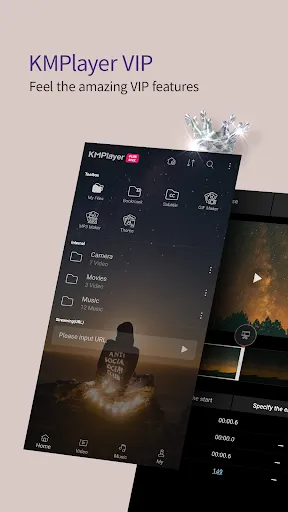
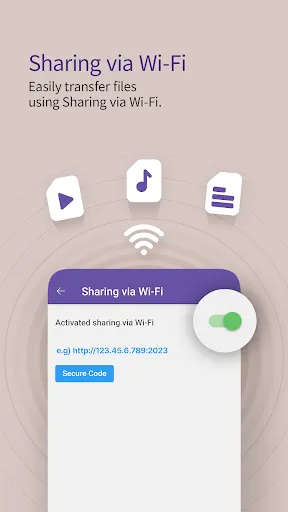
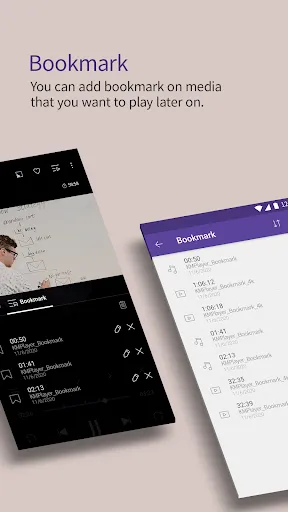
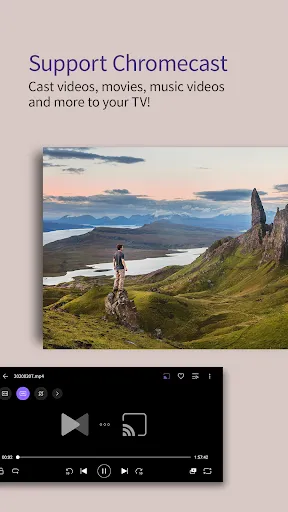
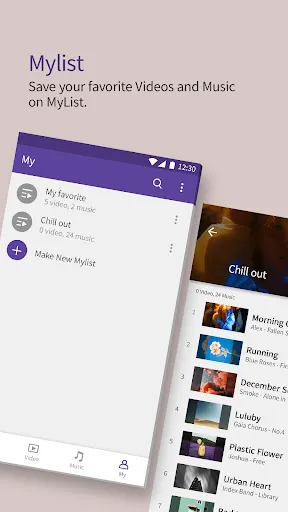
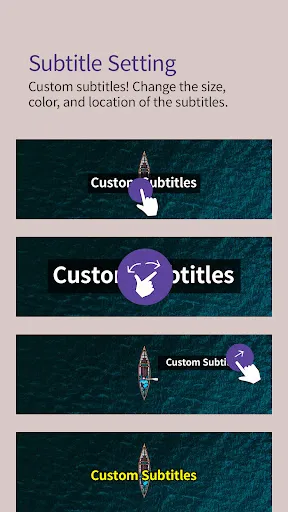
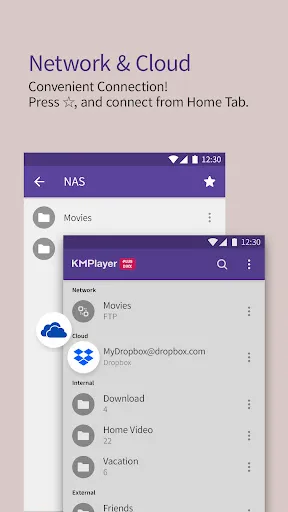
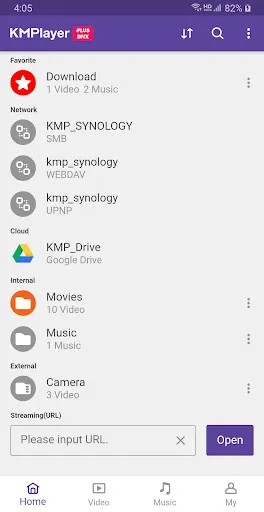
KMPlayer Plus (Divx Codec) is a versatile media player designed to enhance your video playback experience. With support for a wide range of formats, including high-definition and 4K content, it offers seamless streaming and playback. The app features an intuitive interface, customizable settings, and advanced playback options, making it ideal for both casual viewers and avid cinephiles. Enjoy your favorite movies and shows with superior audio and video quality, all in one powerful application.
Features of "KMPlayer Plus (Divx Codec)"
KMPlayer Plus (Divx Codec) is a versatile media player that supports a wide range of video and audio formats, making it a popular choice among users. One of its standout features is its ability to play high-definition videos, including 4K and 8K content, ensuring a crystal-clear viewing experience. The player also supports various subtitle formats, allowing users to enjoy films in different languages seamlessly.
Another notable feature is its customizable interface, which lets users personalize their viewing experience. Users can adjust playback settings, including speed and audio synchronization, to suit their preferences. KMPlayer Plus also includes advanced playback options, such as the ability to create playlists and bookmark favorite scenes. Additionally, it offers a built-in equalizer for audio enhancement, ensuring that users can enjoy their media with optimal sound quality.
Furthermore, the app supports streaming from various online sources, enabling users to access content directly from the internet. With its user-friendly design and robust functionality, KMPlayer Plus (Divx Codec) stands out as a comprehensive solution for all media playback needs.
How to Use "KMPlayer Plus (Divx Codec)"
Using KMPlayer Plus (Divx Codec) is straightforward and user-friendly. To get started, first, download and install the application from a trusted source. Once installed, launch the app, and you will be greeted with a clean interface that allows for easy navigation. To play a video, simply click on the 'Open' button or drag and drop your media file into the player.
After loading your video, you can utilize various playback controls located at the bottom of the screen. These controls allow you to play, pause, rewind, or fast-forward your media. If you wish to adjust the audio or video settings, access the settings menu, where you can modify options such as brightness, contrast, and audio balance. For users who prefer subtitles, you can easily load subtitle files by selecting the appropriate option from the menu.
Additionally, KMPlayer Plus offers features like creating playlists and bookmarking scenes, which can enhance your viewing experience. To explore online content, navigate to the streaming section and enter the URL of the desired media. With these simple steps, you can enjoy a seamless media playback experience with KMPlayer Plus.
Pros & Cons of the App
KMPlayer Plus (Divx Codec) comes with several advantages that make it a preferred choice for many users. One of the primary pros is its extensive format support, allowing playback of virtually any video or audio file. The high-definition playback capability, including support for 4K and 8K videos, ensures that users can enjoy their media in the best quality possible. Additionally, the customizable interface and advanced playback features, such as playlists and bookmarks, enhance user experience significantly.
However, there are some drawbacks to consider. Some users have reported that the app can be resource-intensive, leading to performance issues on lower-end devices. Additionally, while the interface is generally user-friendly, new users may find the abundance of features overwhelming at first. There may also be occasional compatibility issues with certain codecs, which could hinder playback for specific files.
In summary, KMPlayer Plus (Divx Codec) offers a robust set of features and excellent playback quality, making it a strong contender in the media player market. However, potential users should weigh the pros and cons, particularly regarding device performance and ease of use, before making a decision.
Get Installation Details  Google Play
  App Store
Google Play App Store FAQ
Can I create playlists on Spotify?
Yes, users can create, share, and collaborate on playlists with friends.
Can I download music on Spotify?
Yes, premium users can download songs and playlists for offline listening.
Can I listen to Spotify offline?
Yes, premium users can listen to downloaded music offline without an internet connection.
Can I use Spotify on multiple devices?
Yes, you can use Spotify on multiple devices, but only one device can stream at a time.
Does Spotify have podcasts?
Yes, Spotify hosts a wide range of podcasts across various genres.
Similar Apps















You May Like

Flud+
Video Playback
4.6

KineMaster-Video Editor&Maker
Video Playback
4.3

AirPin PRO - AirPlay & DLNA
Video Playback
4

AirReceiver AirPlay Cast DLNA
Video Playback
3.8

BitTorrent Pro - Torrent App
Video Playback
4.5

Channels for HDHomeRun
Video Playback
4

Compress Video - Resize Video
Video Playback
3.9

Drama Live | Video Player
Video Playback
4.6

Fast Downloader - Video Player
Video Playback
4.6

Filmora:AI Video Editor, Maker
Video Playback
4.5

GSE SMART IPTV PRO
Video Playback
3

HD Video Downloader Quick Save
Video Playback
4.4