
















"Hotels.com: Travel Booking" offers a comprehensive suite of features designed to enhance the travel planning experience. One of its standout features is the extensive database of accommodations, which includes hotels, motels, and vacation rentals across various destinations worldwide. Users can easily filter their search results based on price, star rating, amenities, and guest reviews, ensuring they find the perfect place to stay.
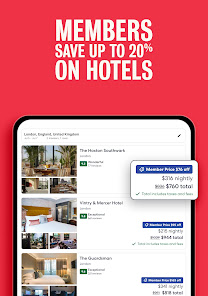
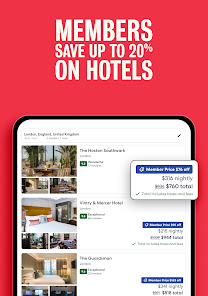
Another notable feature is the user-friendly interface, which simplifies the booking process. The app allows users to view detailed descriptions, photos, and customer ratings for each property, helping them make informed decisions. Additionally, the app provides exclusive deals and discounts, particularly for members, making it a cost-effective option for travelers.
Moreover, the app includes a rewards program, where users can earn free nights after booking a certain number of stays. This incentivizes repeat usage and enhances customer loyalty. Lastly, the app offers a seamless payment process and the ability to manage bookings directly from the app, making it a convenient tool for travelers on the go.
Using "Hotels.com: Travel Booking" is a straightforward process that can be completed in just a few steps. First, download the app from your device's app store and create an account or log in if you already have one. Once you're in, enter your desired destination, check-in and check-out dates, and the number of guests to begin your search.
The app will present you with a list of available accommodations tailored to your criteria. You can refine your search using filters such as price range, star rating, and specific amenities like free Wi-Fi or pet-friendly options. After selecting a property, you can view detailed information, including photos, reviews, and cancellation policies.
Once you've made your choice, proceed to book by entering your payment information. The app allows you to save your payment details for future bookings, streamlining the process. After booking, you can manage your reservations directly through the app, making any necessary changes or cancellations with ease. This user-friendly approach ensures a hassle-free travel planning experience.
The "Hotels.com: Travel Booking" app comes with several advantages that make it a popular choice among travelers. One of the primary pros is its extensive selection of accommodations, catering to various budgets and preferences. The app's user-friendly interface simplifies the booking process, allowing users to quickly find and reserve their ideal stay. Additionally, the rewards program is a significant draw, as it enables users to earn free nights, enhancing the overall value of using the app.
However, there are some drawbacks to consider. Some users have reported issues with customer service, particularly when it comes to resolving booking discrepancies or cancellations. Additionally, while the app offers competitive pricing, there may be instances where other platforms provide better deals for specific properties. Lastly, the app's reliance on user-generated reviews can sometimes lead to inconsistencies in the quality of information available.
In summary, while "Hotels.com: Travel Booking" offers a robust platform for finding accommodations, potential users should weigh the pros and cons to determine if it aligns with their travel needs and preferences.

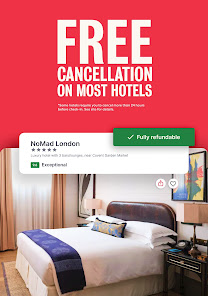
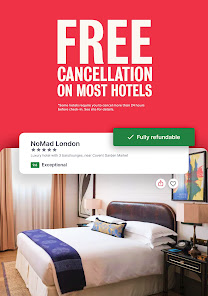
 Wide selection of accommodations, from budget to luxury options. User-friendly interface makes booking quick and easy. Exclusive deals and discounts for members save you money. Transparent customer reviews help you make informed decisions. Flexible cancellation policies give you peace of mind when traveling.
 Limited customer service options can lead to unresolved issues. Booking changes may incur unexpected fees and penalties. Some listings lack accurate descriptions, causing potential disappointments.
  Google Play
  App Store
 Yes, users can submit suggestions or feedback through the app or the Hotels.com website, often found in the customer support or contact us sections.
Yes, Hotels.com: Travel Booking collects personal data such as your name, email address, and payment information to facilitate bookings and improve user experience, as outlined in their privacy policy.
Yes, Hotels.com: Travel Booking allows users to access their bookings and certain app features offline after initially loading the necessary data while connected to the internet.
Since Hotels.com: Travel Booking does not operate on a subscription model, there is no need to cancel a subscription; users can simply stop using the app at any time.
Hotels.com: Travel Booking does not require a subscription fee; users can book services as needed without any ongoing costs.
If you didn't receive the activation email, please check your spam folder or request a new activation link through the login page.
Customer Numbers are unique to each account and cannot be changed. You may want to consolidate your bookings under one account.
You can reach Customer Service by calling the number on our website or using the chat feature for immediate assistance.
To activate your account, check your email for the activation link we sent you after your registration. Click the link to complete the process.
Log in to the app with your account, and your booking details will be displayed on the home screen for easy access.