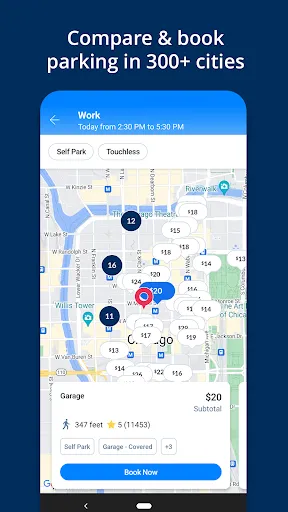
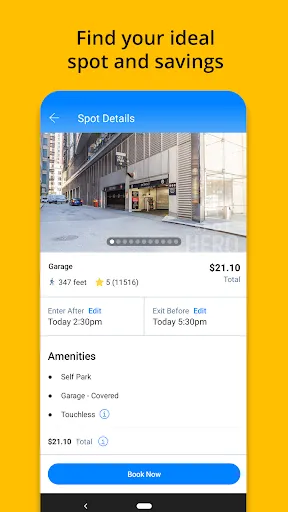
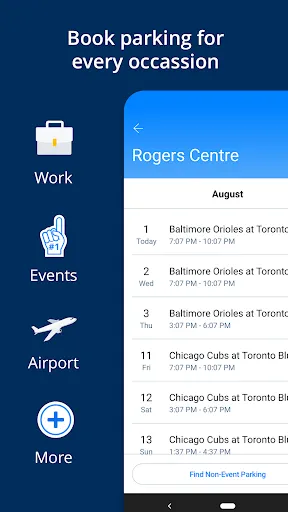
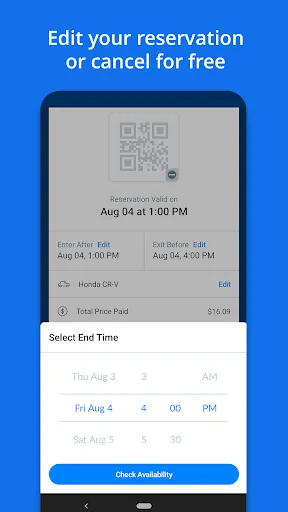
SpotHero is a user-friendly mobile application designed to simplify the parking experience in urban areas. One of its standout features is the ability to search for available parking spots in real-time, allowing users to find the nearest and most convenient options based on their location. The app provides detailed information about each parking facility, including pricing, hours of operation, and user reviews, ensuring that users can make informed decisions.
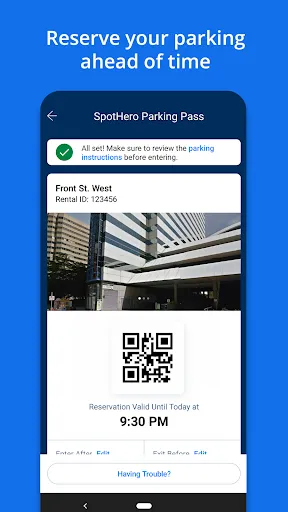
Another notable feature is the ability to reserve parking in advance, which guarantees a spot and eliminates the stress of searching for parking upon arrival. SpotHero also offers various payment options, including credit cards and mobile wallets, making transactions quick and easy. Additionally, users can access exclusive deals and discounts, helping them save money on parking costs. The app's intuitive interface and map integration further enhance the user experience, making it easy to navigate to the selected parking location.
Using SpotHero is a straightforward process that begins with downloading the app from the App Store or Google Play. Once installed, users can create an account or log in to access the app's features. To find parking, users simply enter their destination or allow the app to access their current location. The app will then display a list of nearby parking options, complete with details such as pricing, distance, and availability.
After selecting a preferred parking spot, users can reserve it by following the prompts to complete the payment process. Once the reservation is confirmed, users will receive a digital parking pass, which they can present upon arrival. The app also provides directions to the parking facility, ensuring a seamless experience. For added convenience, users can manage their reservations directly through the app, allowing for easy modifications or cancellations if plans change.
SpotHero offers several advantages that enhance the parking experience for users. One of the primary benefits is the convenience of finding and reserving parking spots in advance, which can save time and reduce stress, especially in busy urban areas. The app's user-friendly interface and comprehensive information about parking facilities make it easy for users to make informed choices. Additionally, the availability of exclusive discounts can lead to significant savings on parking costs.
However, there are some drawbacks to consider. While SpotHero covers many cities, its availability may be limited in certain areas, which could restrict options for users in less populated regions. Additionally, some users have reported issues with the accuracy of parking availability, leading to potential frustration upon arrival. Lastly, while the app is generally reliable, occasional technical glitches may occur, impacting the overall user experience. Balancing these pros and cons can help users determine if SpotHero is the right parking solution for their needs.
```
 Easily compare parking options in real-time for better choices. Save money with exclusive discounts on parking spots. Reserve your parking space in advance to secure your spot. Find convenient locations near your destination with a simple search. Enjoy a user-friendly app that simplifies the parking experience.
 Limited availability of parking spots in busy areas can lead to frustration. Higher prices compared to traditional parking options may deter budget-conscious users. Inaccurate spot information may result in wasted time and inconvenience for drivers.
  Google Play
  App Store
 Yes, users can submit suggestions or feedback through the app or the SpotHero website, helping the team improve the app and its services.
Yes, SpotHero - Find Parking collects certain personal data, such as location information and payment details, to provide its services effectively and enhance user experience.
SpotHero - Find Parking primarily requires an internet connection to search for and reserve parking spots, so offline functionality is limited. However, users can view previously saved reservations without an internet connection.
Since SpotHero - Find Parking does not have a subscription model, there is no need to cancel a subscription. Users can simply stop using the app or choose not to reserve parking when they no longer need it.
SpotHero - Find Parking does not require a subscription fee; users pay for the parking spots they reserve, with no additional subscription costs involved.
Yes, you can update your account information by logging in and navigating to the "Account Settings" section.
You can reach SpotHero's customer service by calling the customer number listed on our website or using the live chat feature in the app.
To ensure proper activation, follow the email instructions carefully and verify your email address is correct. If issues arise, reach out to customer support.
To activate your account, follow the link sent to your email after registration and complete the steps provided.
You can call the customer number provided in your confirmation email or use the chat option in the app for immediate assistance.