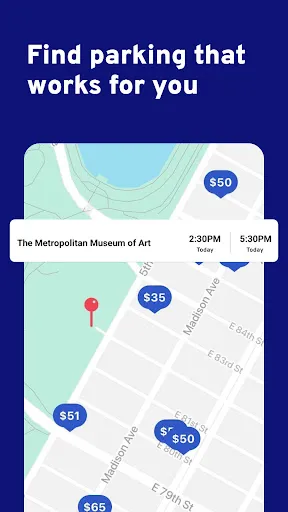
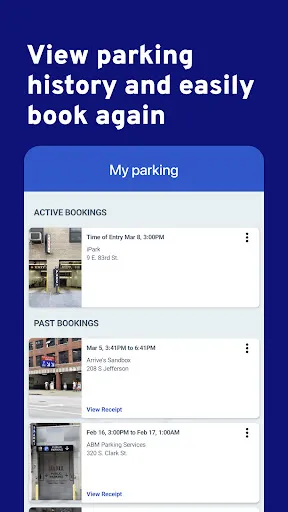
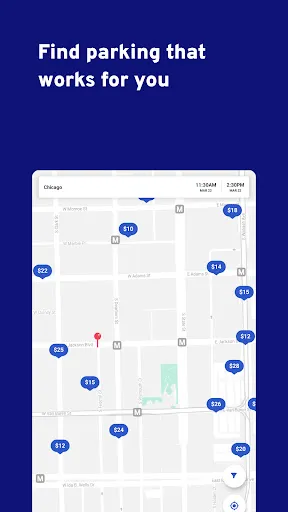
The "ParkWhiz" app is designed to simplify the parking experience for users in urban areas. One of its standout features is the ability to search for available parking spots in real-time, allowing users to find the nearest and most convenient options based on their location. The app provides detailed information about each parking facility, including pricing, hours of operation, and user reviews, ensuring that users can make informed decisions.
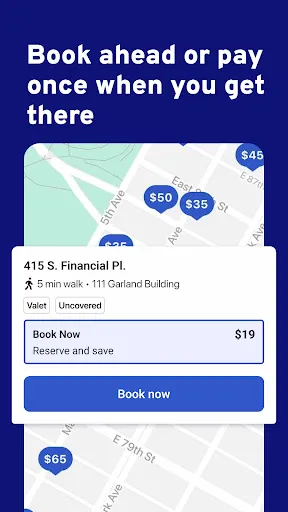
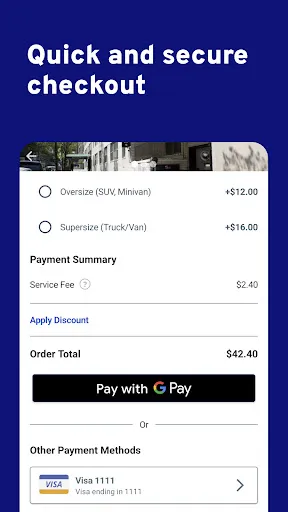
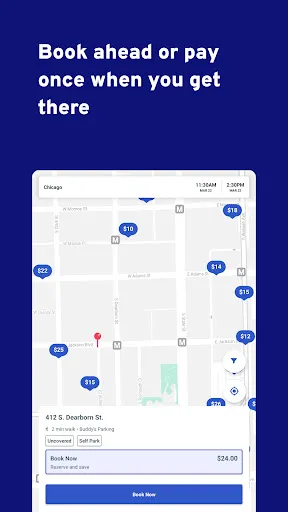
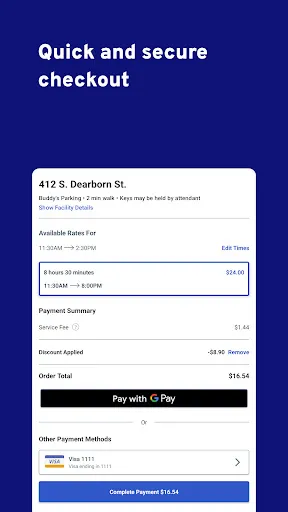
Another key feature is the ability to reserve parking in advance. This is particularly useful for events or busy times when parking can be scarce. Users can also take advantage of exclusive discounts and deals offered through the app, making it a cost-effective choice for regular parkers. Additionally, the app supports various payment methods, including credit cards and mobile wallets, streamlining the payment process. The user-friendly interface and GPS integration further enhance the overall experience, making it easy to navigate to the selected parking location.
Using the "ParkWhiz" app is straightforward and user-friendly. First, download the app from the App Store or Google Play and create an account. Once registered, you can enter your destination or allow the app to access your location to find nearby parking options. The app will display a list of available parking spots, complete with details such as pricing, distance, and user ratings.
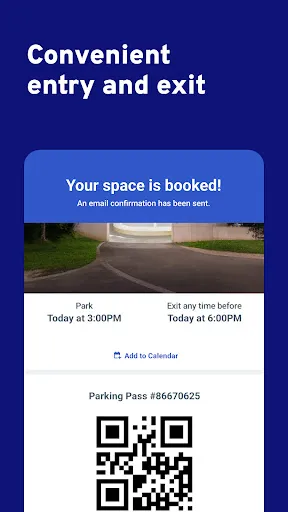
After selecting a parking spot that meets your needs, you can reserve it directly through the app. Simply choose your arrival and departure times, and proceed to payment. Once your reservation is confirmed, you will receive a digital parking pass, which you can either print or display on your mobile device. When you arrive at the parking facility, follow the instructions provided in the app to access your reserved spot. This seamless process ensures that you can focus on your plans without the stress of finding parking.
The "ParkWhiz" app offers several advantages that enhance the parking experience. One of the primary benefits is the convenience of reserving parking in advance, which can save time and reduce stress, especially in busy urban areas. The app's user-friendly interface and real-time availability updates make it easy for users to find suitable parking options quickly. Additionally, the potential for discounts and deals can lead to significant savings for frequent users.
However, there are some drawbacks to consider. While the app covers many locations, availability may vary, and some users may find that their preferred spots are often fully booked. Additionally, there may be occasional discrepancies between the app's information and the actual conditions at the parking facility, leading to confusion. Lastly, some users have reported issues with customer service when trying to resolve problems related to reservations. Overall, while "ParkWhiz" is a valuable tool for many, it may not be perfect for everyone.

 Find parking easily in crowded areas with real-time availability updates Save money with exclusive discounts and deals on parking spots Secure your parking space in advance, ensuring peace of mind Access a user-friendly interface for seamless navigation and booking Receive instant confirmation and digital tickets for hassle-free entry
 Limited availability in certain cities may restrict user options High service fees can increase overall parking costs Potential for inaccurate reservation details leading to frustration
  Google Play
  App Store
 Yes, users are encouraged to submit suggestions or feedback through the app's support section or by contacting customer service directly.
Yes, ParkWhiz may collect personal data such as location information and payment details to enhance user experience and facilitate transactions.
While the app primarily functions online to provide real-time data, some features may be accessible offline, but it is recommended to use the app with an internet connection for the best experience.
Users can cancel their subscription through the app settings or by following the instructions provided in the subscription confirmation email.
ParkWhiz offers various subscription plans, and pricing may vary based on the features selected and the region. Detailed pricing information can be found within the app or on their website.
Yes, you can reset your password by clicking on the "Forgot Password?" link on the login page. Follow the instructions sent to your email.
To activate your account, follow the link in your registration email. If you didn’t receive it, check your spam folder or contact Customer Service.
You can reach Customer Service by using the support option in the app or visiting our website for contact details.
To report an issue, navigate to the support section in the app or use the contact form on our website to reach Customer Service directly.
After logging in, go to the account settings section in the app to update your information. For further assistance, reach out to Customer Service.