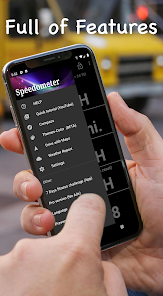
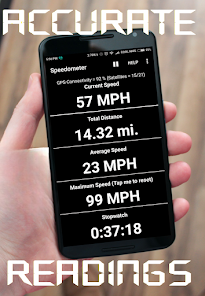
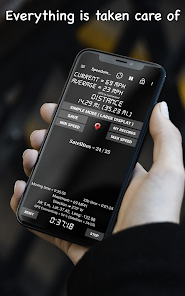
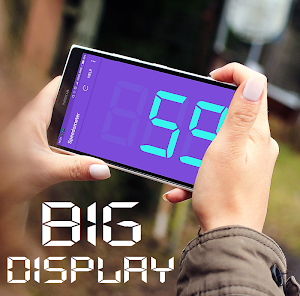
"GPS Speedometer: Speed Tracker" is a versatile application designed to provide users with accurate speed measurements and tracking capabilities. One of its primary features is real-time speed monitoring, which allows users to see their current speed while driving, cycling, or walking. The app utilizes GPS technology to ensure precise readings, making it reliable for various activities.
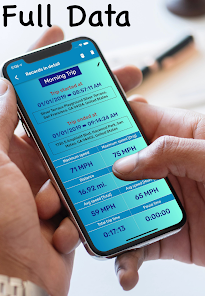
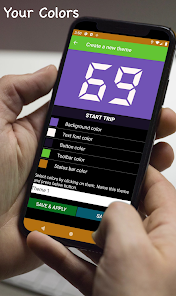
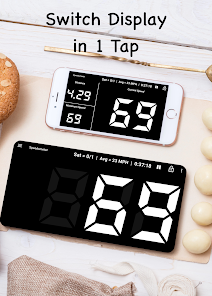
Another notable feature is the customizable speed alerts, which notify users when they exceed a predetermined speed limit. This is particularly useful for maintaining safe driving practices. The app also includes a trip recording function, enabling users to log their journeys, view distance traveled, and analyze speed over time. Additionally, it offers a user-friendly interface with clear visuals, making it easy to navigate and understand the data presented.
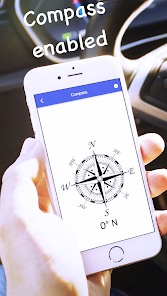
Furthermore, the app supports various units of measurement, allowing users to switch between kilometers per hour (km/h) and miles per hour (mph) based on their preference. The integration of a compass and map view enhances the overall experience, providing users with a comprehensive tool for navigation and speed tracking. Overall, "GPS Speedometer: Speed Tracker" combines functionality with ease of use, making it a valuable app for anyone needing speed monitoring.
Using "GPS Speedometer: Speed Tracker" is straightforward and user-friendly. To get started, first, download and install the app from your device's app store. Once installed, open the app and grant it the necessary permissions to access your device's GPS location. This step is crucial for accurate speed tracking.
After setting up, you will be greeted with the main interface, which displays your current speed prominently. To begin tracking, simply start your journey—whether you are driving, cycling, or walking. The app will automatically record your speed and distance traveled. You can customize settings, such as speed alerts, by navigating to the app's settings menu.
To view your trip history, access the trip log feature, where you can analyze past journeys, including average speed and total distance. If you wish to change the speed unit, you can do so in the settings as well. Overall, the app is designed for ease of use, ensuring that users can focus on their activities while it efficiently tracks their speed and distance.
Like any application, "GPS Speedometer: Speed Tracker" has its advantages and disadvantages. One of the primary pros is its accuracy in measuring speed, thanks to its reliance on GPS technology. Users appreciate the real-time speed monitoring feature, which is essential for safe driving and adherence to speed limits. The customizable alerts are another significant benefit, helping users stay aware of their speed without needing to constantly check the display.
On the downside, the app's performance can be affected by poor GPS signal conditions, such as in urban areas with tall buildings or in remote locations. Additionally, some users may find the interface a bit cluttered, especially if they are not tech-savvy. Battery consumption can also be a concern, as continuous GPS usage may drain the device's battery more quickly than other applications.
In summary, while "GPS Speedometer: Speed Tracker" offers valuable features for speed monitoring and tracking, potential users should consider the limitations related to GPS accuracy and battery usage. Overall, it remains a useful tool for those who prioritize speed awareness during their travels.

 Accurate speed tracking helps ensure compliance with speed limits. Real-time updates allow for instant speed adjustments while driving. User-friendly interface makes navigation and tracking effortless for everyone. Customizable alerts notify you when exceeding your set speed limit. Historical data tracking enables analysis of speed patterns over time.
 Inaccurate readings can occur in poor signal areas, affecting speed tracking accuracy. Battery drain can be significant, especially during long drives, impacting device usability. Dependence on mobile data may limit functionality in remote areas with no coverage.
  Google Play
  App Store
 Yes, users can submit suggestions or feedback through the app's settings or contact support feature, allowing developers to receive user input for future improvements.
The app is designed to prioritize user privacy and does not collect personal data unless explicitly permitted by the user for specific features. Always check the privacy policy for detailed information.
Yes, GPS Speedometer: Speed Tracker can function offline, but it requires GPS signals to determine speed and distance, which may be less accurate in areas with poor satellite visibility.
To cancel your subscription, you can go to your device's settings, access the subscription management section, and follow the prompts to cancel. Specific instructions may vary depending on the platform used.
Subscription costs for GPS Speedometer: Speed Tracker may vary based on the plan chosen, with options typically including monthly, yearly, or lifetime access. Please refer to the app for the latest pricing details.
Unfortunately, customer numbers cannot be changed. If you have further questions, please contact customer service for assistance.
Yes, you can log in using your Facebook or Google account if you linked them during registration.
After downloading, check your email for an activation link. Click it to activate your account. If you need help, contact customer service.
You can reach our customer service via the support section in the app or by emailing support
You can email support