



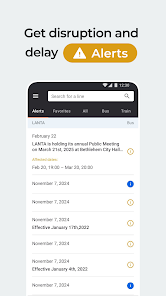
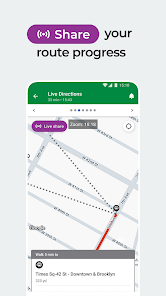
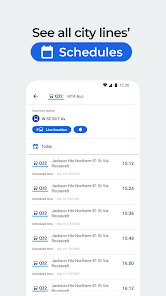
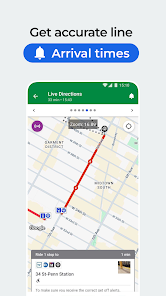
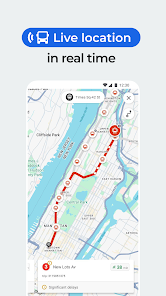
Moovit: Your Transit Tracker is a comprehensive public transit app designed to simplify urban commuting. One of its standout features is real-time arrival information, which allows users to track buses, trains, and other transit options in real-time, ensuring they never miss their ride. The app also provides detailed route planning, offering multiple transit options and estimated travel times based on current traffic conditions.
Another key feature is the interactive map, which displays nearby transit stops and routes, making it easy for users to navigate their surroundings. Moovit also includes service alerts and notifications, keeping users informed about delays, cancellations, or changes in service. Additionally, the app supports various modes of transportation, including biking and walking directions, making it a versatile tool for all types of commuters.
Furthermore, Moovit offers a community-driven aspect, where users can contribute real-time information about transit conditions, enhancing the overall accuracy of the app. With its user-friendly interface and extensive coverage in cities worldwide, Moovit is an essential tool for anyone relying on public transportation.
Using Moovit: Your Transit Tracker is straightforward and user-friendly. First, download the app from your device's app store and create an account or log in. Upon opening the app, you will be prompted to enter your starting point and destination. Moovit will then generate a list of available transit options, including buses, trains, and walking routes, along with estimated travel times.
Once you select your preferred route, the app provides step-by-step directions, including transfer points and walking distances. You can also view real-time updates on your chosen transit option, allowing you to track its arrival and make adjustments if necessary. Additionally, users can set up notifications for specific routes to receive alerts about delays or service changes.
For those who prefer a more personalized experience, Moovit allows users to save favorite routes and stops for quick access. The app also features a journey planner that can help you explore new areas or plan trips in advance. Overall, Moovit is designed to make public transit navigation as seamless as possible.
Moovit: Your Transit Tracker comes with several advantages that enhance the commuting experience. One of the primary pros is its extensive coverage, providing information for public transit systems in numerous cities worldwide. The real-time tracking feature is another significant benefit, allowing users to stay updated on transit schedules and avoid long waits. The app's user-friendly interface makes it accessible for individuals of all ages, and the community-driven updates contribute to its reliability.
However, there are some drawbacks to consider. One con is that the app may occasionally experience inaccuracies in real-time data, particularly in areas with less reliable transit systems. Additionally, while Moovit covers a wide range of transit options, it may not include every local service, which could limit its effectiveness in certain regions. Some users have also reported that the app can consume a significant amount of battery life, especially when using GPS features.
In summary, while Moovit offers a robust set of features that can greatly assist public transit users, it is essential to be aware of its limitations and potential inaccuracies. Overall, it remains a valuable tool for navigating urban transportation.

 Real-time transit updates keep you informed about delays and arrivals. User-friendly interface makes navigation simple and intuitive for all users. Comprehensive route planning helps you find the fastest journey options. Multi-modal transport integration allows seamless transfers between buses and trains. Personalized alerts ensure you never miss your scheduled departures.
 Limited offline functionality can hinder users without internet access. Inaccurate real-time updates may lead to missed connections. User interface can be confusing for first-time users navigating transit options.
  Google Play
  App Store
 Yes, users can submit suggestions or feedback through the app's support or feedback option, which helps improve the service.
Moovit collects certain data to enhance user experience, but it prioritizes user privacy and provides options for managing data sharing preferences.
Yes, Moovit allows users to download transit maps and schedules for offline access, making it easier to navigate without an internet connection.
Users can cancel their subscription through the app store where they purchased it or through their account settings within the app.
The subscription cost varies based on the features offered and the region, so users should check the app for specific pricing details.
Unfortunately, customer numbers cannot be changed once created. For further questions, please reach out to customer service.
You can reach our customer service through the help section in the app or by visiting our website for support options.
Once logged in, go to your profile settings to update your account information easily.
After signing up, check your email for an activation link. Click it to activate your account. If you didn’t receive it, contact customer service.
To log in, open the app and enter your email and password. If you don’t have an account, you can create one easily.



























