


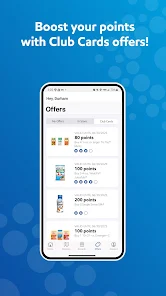
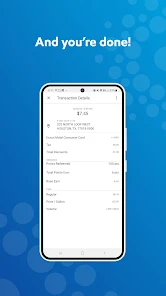
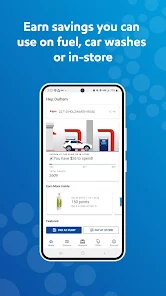
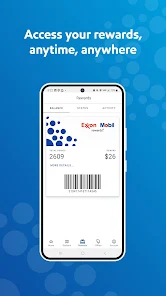
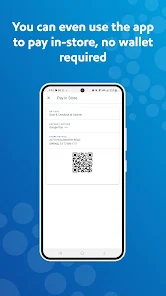
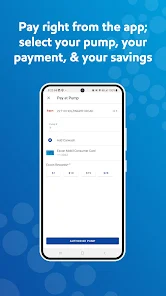
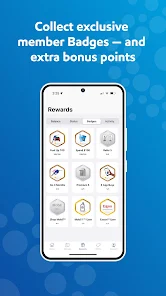
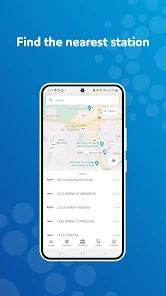
The Exxon Mobil Rewards+ app offers a range of features that make it a handy tool for users looking to maximize their savings while fueling up or shopping. Here are some highlights:
As someone who spends a lot of time on the road, the Exxon Mobil Rewards+ app has become a daily companion. Whether I'm commuting to work or taking a weekend trip, I find myself using the app regularly. For instance, on my way to the office, I often stop at a nearby Exxon station. Before heading out, I check the app for any new promotions or points I can earn. On weekends, I make it a point to plan my trips around partner store offers, ensuring every purchase counts towards my rewards. Plus, the app alerts me to fuel prices at nearby stations, helping me find the best deals without driving around aimlessly.
The user interface of the Exxon Mobil Rewards+ app is intuitive and user-friendly. Upon launching the app, I’m greeted with a clean layout that makes navigation a breeze. The home screen displays my points balance prominently, along with current promotions, making it easy to stay informed. I appreciate the straightforward workflow, particularly when it comes to redeeming rewards. With just a few taps, I can select my desired reward and apply it at the pump. Performance-wise, the app runs smoothly, with quick loading times and no frustrating lag. Overall, the experience feels seamless, and I often find myself recommending it to friends due to its reliability and ease of use.
Exxon Mobil Rewards+ is a free app available on both the App Store and Google Play. There are no hidden fees associated with using the app, and the rewards program is designed to benefit users without any costs. As someone who enjoys saving money, I appreciate that I can earn rewards simply by fueling up or shopping without any upfront investment. It’s a win-win situation!
The app receives regular updates that enhance functionality and provide new features. I’ve noticed improvements in user experience and occasional new partner promotions that keep me engaged. Customer support is accessible through the app, offering FAQs and a contact option for any issues I might encounter. I’ve had to reach out once regarding a points discrepancy, and the support team was prompt and helpful, resolving my issue quickly. This level of customer service adds to my overall satisfaction with the app.
As an American user, security and privacy are always top-of-mind when using any app, especially one that involves financial information. The Exxon Mobil Rewards+ app is available for download from official sources, like the App Store and Google Play, which adds a level of trust. Upon registration, the app requires personal information such as my name, email address, and phone number—standard practice for loyalty programs. I appreciate that they have a clear privacy policy outlining how my data will be used and stored.
Regarding ads and tracking behavior, I have noticed that while the app does provide personalized offers based on my location and usage patterns, it does not feel overly intrusive. The balance of targeted promotions and user privacy has been well maintained. Overall, I feel secure using the Exxon Mobil Rewards+ app, knowing that my information is protected while I enjoy the benefits of the rewards program.

 Earn points on fuel and convenience store purchases Redeem rewards for discounts on fuel and snacks Enjoy exclusive offers and promotions for members Access to personalized savings tailored to your spending Easily track points and rewards through the app
 Limited rewards at non-partner locations High point redemption thresholds Expiration of points after inactivity Complicated signup process for new users
 Yes, Exxon Mobil Rewards+ collects personal data to enhance user experience, process transactions, and provide personalized offers, but users can review the privacy policy for details on data usage and protection.
Exxon Mobil Rewards+ is free to download and use, with no subscription fees or trial periods required to access its basic features.
Yes, an internet connection is required to access the Exxon Mobil Rewards+ app features, including earning and redeeming rewards, as well as managing your account.
Users can contact support through the app by navigating to the help section, or visit the Exxon Mobil Rewards+ website for additional support options and feedback submission.
Since Exxon Mobil Rewards+ does not require a subscription, there is no cancellation process; however, users can deactivate their accounts or opt out of communications within the app settings.
You can reach customer service by calling 1-800-627-8372 or through the app's help section.
To activate, download the app, create an account, and follow the prompts to verify your email and set up your rewards.
Your customer number is usually found in your account profile within the app under account settings.
Open the app, enter your registered email and password, then tap "Log In" to access your account.












 Google Play
  App Store














