
 Home
Home  Apps
Apps  Games
Games  Windows
  Topics
  Terms of Service
  Cookies & Privacy Policy
  Disclaimer
Zelle


Information
- Category: Finance
- Price: 0
- Age Rating: /
- Rating: 4
- Developer: Early Warning Services, LLC
- Version: 8.9.0

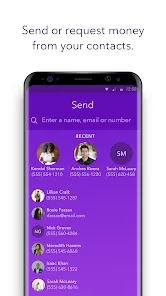
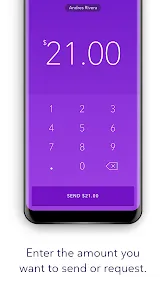
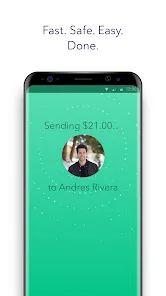
Zelle is a digital payment platform that allows users to send and receive money quickly and securely using their smartphones. Integrated with many major banks and credit unions, Zelle enables instant transfers between users with just an email address or mobile number. Designed for convenience, it eliminates the need for cash or checks, making it easy to split bills, pay friends, or settle expenses in real-time. With Zelle, managing personal finances has never been simpler.
Features of Zelle
Zelle is a digital payment platform that allows users to send and receive money quickly and easily. One of its standout features is the ability to transfer funds directly between bank accounts, which typically occurs within minutes. This instant transfer capability makes Zelle a popular choice for those who need to settle bills or share expenses with friends and family.
Another notable feature is its integration with many major banks and credit unions, allowing users to access Zelle directly through their existing banking apps. This seamless integration enhances user convenience, as there is no need to download a separate app. Additionally, Zelle supports transactions using only an email address or mobile phone number, making it easy to send money without needing to share sensitive bank details.
Security is also a key feature of Zelle, as it employs encryption and other security measures to protect users' financial information. Furthermore, Zelle does not charge fees for sending or receiving money, making it a cost-effective option for digital payments. Overall, Zelle combines speed, convenience, and security, making it a popular choice for peer-to-peer transactions.
How to Use Zelle
Using Zelle is a straightforward process that can be completed in just a few steps. First, you need to ensure that your bank or credit union supports Zelle. If it does, you can access Zelle through your bank's mobile app or website. If your bank does not offer Zelle, you can download the standalone Zelle app and create an account using your email address or mobile phone number.
Once you have set up your account, you can link your bank account to Zelle. To send money, simply enter the recipient's email address or phone number, specify the amount you wish to send, and add a note if desired. After reviewing the details, confirm the transaction. The recipient will receive a notification and can access the funds almost instantly if they are also registered with Zelle.
To receive money, you just need to provide your email or phone number to the sender. Once they initiate the transfer, you will receive a notification, and the funds will be available in your account shortly. Overall, Zelle's user-friendly interface and quick transaction times make it an efficient option for digital payments.
Pros & Cons of Zelle
Zelle offers several advantages that make it an appealing choice for digital payments. One of the primary benefits is its speed; transactions are typically completed within minutes, allowing users to quickly settle bills or send money to friends and family. Additionally, Zelle is free to use, with no transaction fees, which is a significant advantage over some other payment platforms that charge fees for transfers.
Another pro is the convenience of integration with many major banks, allowing users to access Zelle directly through their existing banking apps. This eliminates the need for a separate app and simplifies the payment process. However, there are some drawbacks to consider. For instance, Zelle does not offer buyer protection or dispute resolution, which can be a concern for users making transactions with unfamiliar parties.
Moreover, Zelle is primarily designed for domestic transactions, so international transfers are not supported. Lastly, users must be cautious when sending money, as transactions cannot be reversed once completed. Overall, while Zelle provides a fast and cost-effective way to send money, users should be aware of its limitations and exercise caution when using the service.
 Google Play
  App Store
 FAQ
Can I create playlists on Spotify?
Yes, users can create, share, and collaborate on playlists with friends.
Can I download music on Spotify?
Yes, premium users can download songs and playlists for offline listening.
Can I listen to Spotify offline?
Yes, premium users can listen to downloaded music offline without an internet connection.
Can I use Spotify on multiple devices?
Yes, you can use Spotify on multiple devices, but only one device can stream at a time.
Does Spotify have podcasts?
Yes, Spotify hosts a wide range of podcasts across various genres.
Similar Apps
















You May Like

Green Dot - Mobile Banking
Finance
3.6

Intuit Credit Karma
Finance
4.7

TurboTax
Finance
4.8

Stash: Investing made easy
Finance
3.7

10bii Financial Calculator
Finance
4.4

ATLAS:EARTH - Fun Cashback
Finance
4.6

Bank of America Mobile Banking
Finance
4.6

Brigit: Cash Advance & Credit
Finance
4.8

Capital One Mobile
Finance
4.5

Chime
Finance
4.8

Dave: Credit, Cash & Money App
Finance
4.5

Experian®
Finance
4.7