


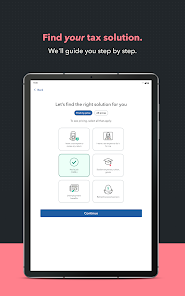

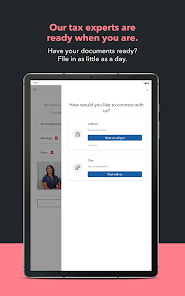
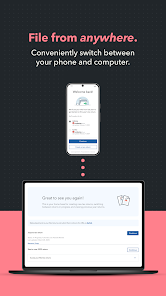
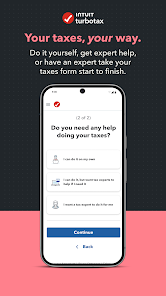
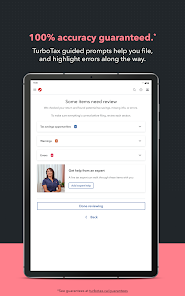

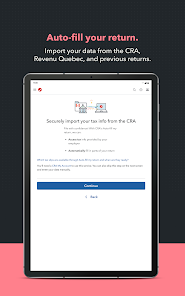
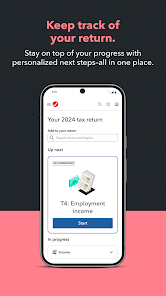

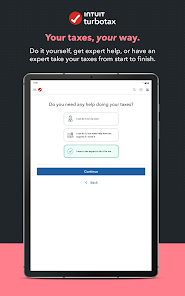
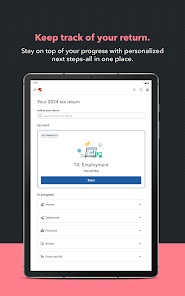
As a freelance graphic designer, tax season used to fill me with dread. With multiple income sources and various deductions to consider, I often felt overwhelmed. That’s when I decided to try TurboTax. I used it in my home office, with my laptop open and a cup of coffee in hand. The app guided me through each section, from entering my income from different clients to claiming deductions for my studio equipment. The scenario was not just about filing taxes; it was about finding peace of mind knowing I was on the right path.
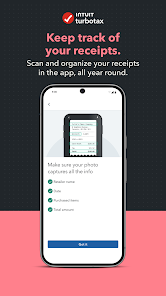
The overall user experience with TurboTax has been nothing short of excellent. The interface is clean and navigable, making it easy to move from one section to the next. The workflow is logical; it starts with simple questions to gather basic information and gradually dives deeper into specifics. I particularly loved the “What’s This?” feature, which provided context for complex terms. Performance-wise, the app runs smoothly without lag, even when uploading documents. By the end of my session, I felt empowered, having gained insights into my finances while completing my tax return efficiently.
TurboTax offers several pricing tiers, which cater to various needs. The free version is great for simple tax situations, while the Deluxe and Premier versions offer more features, such as maximizing deductions and investment income reporting. I opted for the Deluxe version, which cost around $60, and I found it well worth the investment given the complexity of my freelance taxes.
TurboTax is regularly updated to reflect the latest tax laws and regulations, which is crucial for accuracy. I noticed that the app prompts users to check for updates before starting the tax season, ensuring I had the latest tools at my disposal. Additionally, the support team is responsive; I reached out via chat once and received prompt assistance. This level of support adds to my confidence in using TurboTax year after year.
As an American user, security and privacy are paramount when dealing with sensitive information like taxes. TurboTax is available on both the App Store and Google Play, and it has received positive reviews for its robust security measures, including encryption and two-factor authentication. During registration, the app requires personal information such as Social Security numbers and income data, which can be sensitive. However, I felt reassured knowing that TurboTax employs strong security protocols to protect this information.
Regarding ads and tracking behavior, I noticed that TurboTax does not bombard users with ads, which is refreshing. Instead, it focuses on providing a streamlined experience. However, it does collect data to personalize the user experience, which I found typical for apps of this nature. Overall, I felt secure using TurboTax, knowing that my financial data was treated with the utmost care.

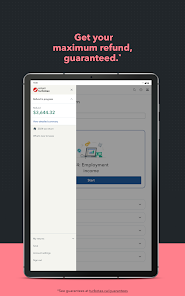
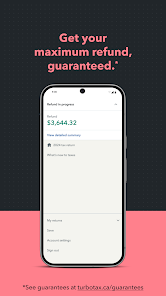
 User-friendly interface simplifies tax preparation. Maximizes refunds with expert guidance. Real-time error checks ensure accuracy. Supports various tax situations and forms. Secure data protection for peace of mind.
 Limited support for complex tax situations High cost for premium versions User interface can be confusing at times Frequent software updates may disrupt progress
 Yes, TurboTax collects personal data to provide its services, such as your name, address, and financial information. They have a privacy policy that outlines how your data is used and protected.
TurboTax does offer a free version for simple tax returns, but it is not a free trial; rather, it's a permanent option for eligible users. Additional features and support may require payment.
Yes, TurboTax requires an internet connection for most functionalities, including filing your taxes, accessing your account, and receiving updates. However, desktop versions may allow you to work offline to some extent.
You can contact TurboTax support through their help center on the website, where you can access FAQs, chat support, or request a callback. Feedback can typically be submitted through the app or website as well.
You can manage or cancel your TurboTax subscription by logging into your account on the TurboTax website or app, navigating to your account settings, and following the prompts to modify or cancel your subscription.
You can reach TurboTax customer service by calling their support number at 1-800-446-8848 or by visiting their official website for live chat options.
If activation is needed, open the app, enter your license code when prompted, and follow the on-screen instructions to complete the activation.
Your TurboTax customer number is usually found in your account settings or on your order confirmation email.
To log in, visit the TurboTax website or app, click on "Sign In," enter your email and password, then click "Log In."












 Google Play
  App Store