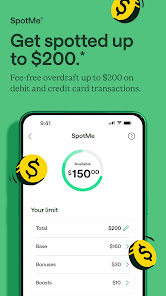


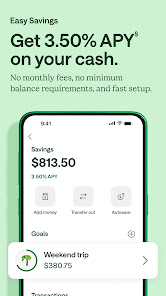
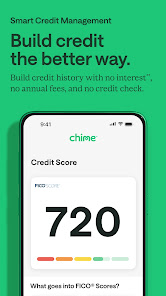

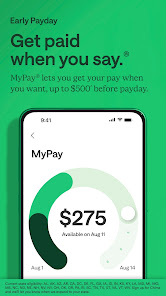

Chime is a financial technology platform that offers a range of features designed to simplify banking and enhance financial management. One of its standout features is the no-fee checking account, which allows users to access their funds without worrying about monthly maintenance fees or overdraft charges. Additionally, Chime provides a savings account that automatically rounds up purchases to the nearest dollar, depositing the difference into savings, which encourages users to save effortlessly.
Another notable feature is the early direct deposit option, enabling users to receive their paychecks up to two days earlier than traditional banks. Chime also offers a user-friendly mobile app that allows users to track their spending, set savings goals, and manage their accounts seamlessly. Furthermore, Chime provides access to a network of ATMs across the country, allowing users to withdraw cash without incurring fees. Overall, Chime's features are designed to promote financial wellness and provide a convenient banking experience.
Using Chime is straightforward and user-friendly, making it accessible for individuals looking to manage their finances effectively. To get started, users need to download the Chime app from the App Store or Google Play and create an account by providing basic personal information, such as their name, email address, and Social Security number. Once the account is set up, users can link their existing bank accounts for easy transfers or set up direct deposit for their paychecks.
After the account is funded, users can take advantage of Chime's features, such as setting up automatic savings, tracking spending, and utilizing the budgeting tools available in the app. The app also allows users to receive notifications for transactions, helping them stay informed about their financial activities. For those who prefer cash transactions, Chime provides access to a network of ATMs where users can withdraw cash without incurring fees. Overall, Chime offers a simple and efficient way to manage personal finances.
Chime has several advantages that make it an appealing choice for users seeking a modern banking experience. One of the primary pros is the absence of monthly fees and overdraft charges, which can save users money. Additionally, the early direct deposit feature allows users to access their funds sooner, providing greater financial flexibility. The automatic savings feature is another highlight, as it encourages users to save without requiring extra effort. The app's intuitive design and budgeting tools also enhance the user experience, making it easy to track spending and manage finances.
However, Chime does have some drawbacks. One significant con is that it does not offer traditional banking services, such as loans or credit cards, which may limit options for users seeking comprehensive financial solutions. Additionally, while Chime provides access to a large network of ATMs, users may still encounter fees if they use out-of-network ATMs. Some users have also reported issues with customer service response times, which can be frustrating. Overall, while Chime offers many benefits, potential users should weigh these pros and cons before making a decision.

 Chime offers no monthly fees, saving you extra money. Enjoy early direct deposits for faster access to funds. Access over 24,000 fee-free ATMs nationwide for convenience. Receive instant transaction notifications to track your spending easily. Benefit from automatic savings features to grow your money effortlessly.
 Limited ATM access may incur fees outside the network. Customer service response times can be slow. Lack of physical branches makes in-person assistance difficult.
  Google Play
  App Store
 Yes, Chime encourages user feedback and suggestions, which can typically be submitted through the app or their official website.
Yes, Chime collects personal data to comply with financial regulations, provide services, and improve user experience. Users can review their privacy policy for details.
Chime primarily requires an internet connection to access its features; however, you can view transaction history offline if it has been previously loaded.
Since Chime does not require a subscription, users can simply stop using the app or close their account through the app settings or customer support.
Chime does not have a subscription fee; it is free to use, although there may be fees for optional services like expedited transfers.
To check your account activation status, log in to the Chime app or contact customer service for help.
You can reach Chime customer service through the in-app chat, by calling their support number, or visiting their website for more options.
To update your customer number, contact Chime customer service directly for assistance with your account details.
To activate your Chime account, simply follow the instructions in the email you received after signing up or use the app for guidance.
Yes, you can contact customer service using their support number or visit their website for assistance, even without logging in.