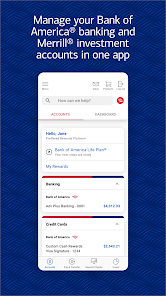
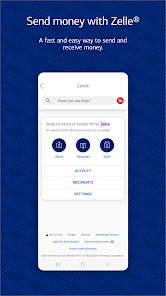
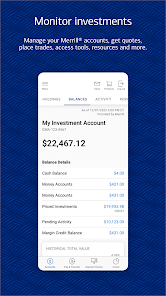
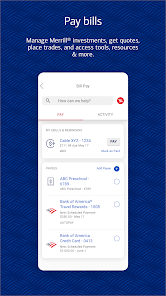
Bank of America Mobile Banking offers a comprehensive suite of features designed to enhance the banking experience for its users. One of the standout features is the ability to check account balances and transaction history in real-time, allowing customers to stay updated on their finances at any moment. Users can also transfer funds between accounts, pay bills, and send money to friends and family using Zelle, all from the convenience of their mobile devices.
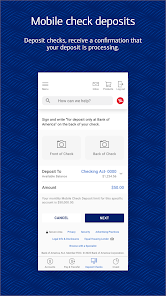
Another notable feature is the mobile check deposit, which enables users to deposit checks by simply taking a photo of the check with their smartphone camera. Additionally, the app provides customizable alerts for account activity, helping users monitor their finances and avoid overdraft fees. Security features, such as biometric login options and two-factor authentication, ensure that users' information remains protected. Overall, the Bank of America Mobile Banking app combines functionality and security, making it a valuable tool for managing personal finances.
Using Bank of America Mobile Banking is straightforward and user-friendly. To get started, users need to download the app from the Apple App Store or Google Play Store and create an account if they don’t already have one. After installation, users can log in using their online banking credentials. Once logged in, the app's dashboard provides easy access to various banking services, including checking balances, viewing transactions, and making payments.
To perform specific tasks, such as transferring funds or depositing checks, users can navigate through the app's intuitive interface. For mobile check deposits, users simply select the deposit option, take a photo of the front and back of the check, and submit it for processing. The app also allows users to set up alerts for account activity, ensuring they stay informed about their finances. Overall, the Bank of America Mobile Banking app is designed to make banking accessible and efficient for its users.
The Bank of America Mobile Banking app comes with several advantages that enhance the user experience. One of the primary benefits is its user-friendly interface, which makes navigation simple for individuals of all tech-savviness levels. The app offers a wide range of features, including mobile check deposits, fund transfers, and bill payments, all in one place. Additionally, the robust security measures, such as biometric login and alerts for suspicious activity, provide peace of mind for users concerned about their financial safety.
However, there are some drawbacks to consider. Some users have reported occasional technical glitches, such as slow loading times or app crashes, which can be frustrating. Additionally, while the app is generally reliable, certain features may not be available for all account types, limiting functionality for some users. Lastly, while the app is designed for convenience, some customers may prefer in-person banking for more complex transactions or personalized service. Balancing these pros and cons can help users determine if the app meets their banking needs.
```
 Access your account anytime, anywhere for ultimate convenience. Enjoy secure transactions with advanced encryption technology. Easily transfer funds and pay bills with just a few taps. Track spending and manage budgets with intuitive tools. Receive real-time alerts to stay updated on your finances.
 Limited functionality compared to in-branch services can hinder complex transactions. Frequent app glitches may disrupt user experience and access to accounts. Customer support response times can be slow, leaving users frustrated during issues.
 Yes, users can submit suggestions or feedback through the app itself or by contacting customer service through the Bank of America website.
Yes, the app collects personal data to facilitate account management and secure transactions, but it adheres to strict privacy policies to protect user information.
While most features require an internet connection, some functionalities, like viewing previously downloaded statements, may be accessible offline.
Since the app does not require a subscription, there is no cancellation process. Users can simply stop using the app if they choose.
There is no subscription cost for the Bank of America Mobile Banking app; it is free for users to access their banking services.
Yes, you can activate your account via the mobile app by selecting the activation option and following the prompts.
Currently, you cannot change your Customer Number. If you have concerns, please reach out to Customer Service for guidance.
You can reach Customer Service by calling the number on the back of your debit or credit card or through the app's support section.
To activate your debit card, log in to the app, select the card activation option, and follow the on-screen instructions.
If you have two-factor authentication, log in as usual and enter the verification code sent to your registered device.












 Google Play
  App Store