
 Home
Home  Apps
Apps  Games
Games  Windows
  Topics
  Terms of Service
  Cookies & Privacy Policy
  Disclaimer
Dave: Credit, Cash & Money App


Information
- Category: Finance
- Price: free
- Age Rating: Everyone
- Rating: 4.5
- Developer: Dave Operating LLC
- Version: 3.90.0
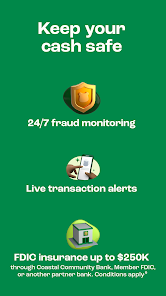
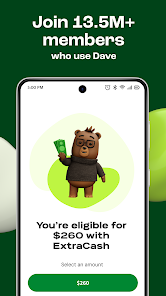
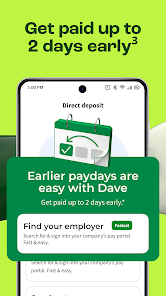
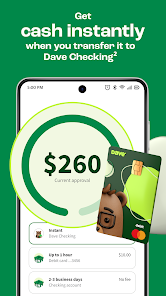
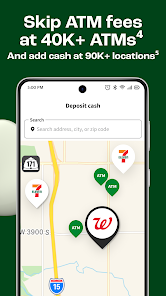
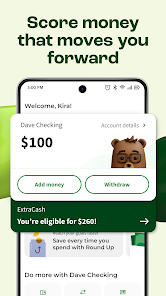
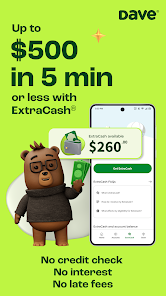
Introducing Dave: Credit, Cash & Money App, your all-in-one financial companion designed to help you manage your money effortlessly. With features like credit monitoring, cash advances, and budgeting tools, Dave empowers you to take control of your finances. Whether you need to cover unexpected expenses or improve your credit score, our user-friendly app provides the resources you need to achieve your financial goals. Start your journey to financial wellness with Dave today!
Features of "Dave: Credit, Cash & Money App"
"Dave: Credit, Cash & Money App" is designed to help users manage their finances more effectively. One of its standout features is the ability to access cash advances, which allows users to cover unexpected expenses without incurring high-interest debt. The app also offers budgeting tools that help users track their spending habits and set financial goals. Additionally, it provides a credit-building feature that enables users to monitor their credit scores and receive personalized tips for improvement.
Another notable feature is the automatic savings option, which helps users save small amounts of money over time without even thinking about it. The app also includes a social aspect, allowing users to connect with friends and share financial tips. Furthermore, Dave offers a subscription model that eliminates the need for traditional banking fees, making it a cost-effective solution for managing money. Overall, the app combines various financial tools into one platform, making it easier for users to stay on top of their finances.
How to Use "Dave: Credit, Cash & Money App"
Using the "Dave: Credit, Cash & Money App" is straightforward and user-friendly. First, download the app from your device's app store and create an account by providing your personal information, including your bank details for seamless integration. Once your account is set up, you can explore the various features available, such as cash advances and budgeting tools. To request a cash advance, simply navigate to the cash advance section, enter the amount you need, and follow the prompts to complete the request.
To make the most of the budgeting tools, input your income and expenses to get a clear picture of your financial situation. The app will analyze your spending patterns and offer insights to help you save more effectively. Additionally, take advantage of the credit-building feature by regularly checking your credit score and following the personalized recommendations provided. By actively engaging with the app's features, you can enhance your financial literacy and work towards achieving your financial goals.
Pros & Cons of the App
The "Dave: Credit, Cash & Money App" comes with several advantages that make it appealing to users. One of the primary benefits is its cash advance feature, which provides quick access to funds without the burden of high-interest loans. The budgeting tools are also a significant plus, as they help users track their spending and save money effectively. Additionally, the app's focus on credit building is beneficial for those looking to improve their credit scores. The subscription model is another advantage, as it eliminates traditional banking fees, making it a cost-effective option for many users.
However, there are some drawbacks to consider. The cash advance feature may come with limits that could be restrictive for some users, and the subscription fee, while generally low, may not be ideal for everyone. Additionally, the app's reliance on bank account integration may raise concerns for users who prefer more privacy. Lastly, while the app offers valuable tools, it may not replace the need for comprehensive financial planning or professional advice for more complex financial situations. Weighing these pros and cons can help users determine if the app aligns with their financial needs.
Get Installation Details  Google Play
  App Store
Google Play App Store FAQ
Can I create playlists on Spotify?
Yes, users can create, share, and collaborate on playlists with friends.
Can I download music on Spotify?
Yes, premium users can download songs and playlists for offline listening.
Can I listen to Spotify offline?
Yes, premium users can listen to downloaded music offline without an internet connection.
Can I use Spotify on multiple devices?
Yes, you can use Spotify on multiple devices, but only one device can stream at a time.
Does Spotify have podcasts?
Yes, Spotify hosts a wide range of podcasts across various genres.
Similar Apps















You May Like

Green Dot - Mobile Banking
Finance
3.6

Intuit Credit Karma
Finance
4.7

TurboTax
Finance
4.8

Stash: Investing made easy
Finance
3.7

10bii Financial Calculator
Finance
4.4

ATLAS:EARTH - Fun Cashback
Finance
4.6

Bank of America Mobile Banking
Finance
4.6

Brigit: Cash Advance & Credit
Finance
4.8

Capital One Mobile
Finance
4.5

Chime
Finance
4.8

Experian®
Finance
4.7

Google Pay: Save and Pay
Finance
3.9